
goigle
Members
-
Joined
-
Last visited
Everything posted by goigle
-
I'll try that, thank you very much :~) This might be the case but I think I saw a callout where they had the suspect doing things while in a pursuit. I'll play with it. Worst case scenario I just start the pursuit after he steals a vehicle.
-
-
Hi, I'm trying to put a ped in pursuit. The ped starts out on foot and I want him to get in the closest vehicle. Unfortunately, whenever I put him in the pursuit he just bee lines it away from the player. I've tried putting the code for the pursuit before and after the command to no avail. purpursuit = Functions.CreatePursuit(); Functions.AddPedToPursuit(pursuit, suspect); Vehicle v = suspect.GetNearbyVehicles(1)[0]; ; if(v.Exists()) suspect.Tasks.EnterVehicle(v, -1); else Game.LogTrivialDebug("[FC] No vehicles detected :^)");This is the code I'm currently using. Can anyone help? :~)
-
-
 What would a good default controller buttons be?
 -
 I have been adding screenshots and editing the description. For some reason whenever I edit the description it shows up as an update to the plugin. An update is coming soon™
- 204 comments
- 22 reviews
-
Great, thank you both :~)
-
What about Stealth's code limits the selection to just vehicles in front of or behind the ped? And great link, thanks!
-
Update postponed to about Thursday, I have an essay due tonight, a test tomorrow and a different essay due thursday :~)
-
-
OK, I'll start working on that
-
Sure, I don't have a controller so I didn't personally think about that. I'll add that for the next update, I'm on a roadtrip right now but hopefully I can push that out Monday/Tuesday. What do you mean by blip the airhorn? Normally you can just press the horn button for the airhorn but that's only when the sirens off, are you looking to like hold a button to blast the airhorn while the sirens are audible?
-
OK well you should probably install antivirus or if you have it get a new one The malware is not installed in Social Club, it just inserts itself in all browsers. Here's a few guides on how to remove the malware you downloaded: http://malwaretips.com/blogs/ads-by-dns-unlocker-removal/ http://howtoremove.guide/dns-unlocker-removal-chrome/ You probably got it from one of these sources: Fake software updateFree software that includes adware in the installation (make sure to always do custom install and uncheck any 3rd party programs)Websites that make you do things to download software (take a survey, install something, etc)I personally recommend Avast free antivirus if you do not have one already.
- 204 comments
- 22 reviews
-
Yes .22 added some important fixes and now .23 and .24 added some even more important ones so mods are slowly going over there.... trying to delay the process because I've heard a few bad things about .24
- 204 comments
- 22 reviews
-
The new version (0.11) never actually got uploaded because I wasn't paying attention :^) I uploaded an actual new version (0.13) that fixes some issues with the plugin not loading, it may not fix them if you are running RPH 0.23 or 0.24.
-
I've only tested it on 0.22 and running on .23 or .24 might be the issue. I'll release a compatibility update tonight or tomorrow!
-
What version of RPH are you running?
-
Yes, I can take it from there! Exactly what I am looking for, thanks for the help again!
-
Hi, so I basically need a way to find a vehicle near a ped. I know there are a few plugins that do things similar to this but I can't for the life of me find anything about it in the rage documentation (except for maybe doing a whole circle of raycasts - does not seem performance friendly though). If the correct solution is to do raycasts, how I go about sending one? In the documentation I only see a hit result - nothing about sending the actual raycast out.
-
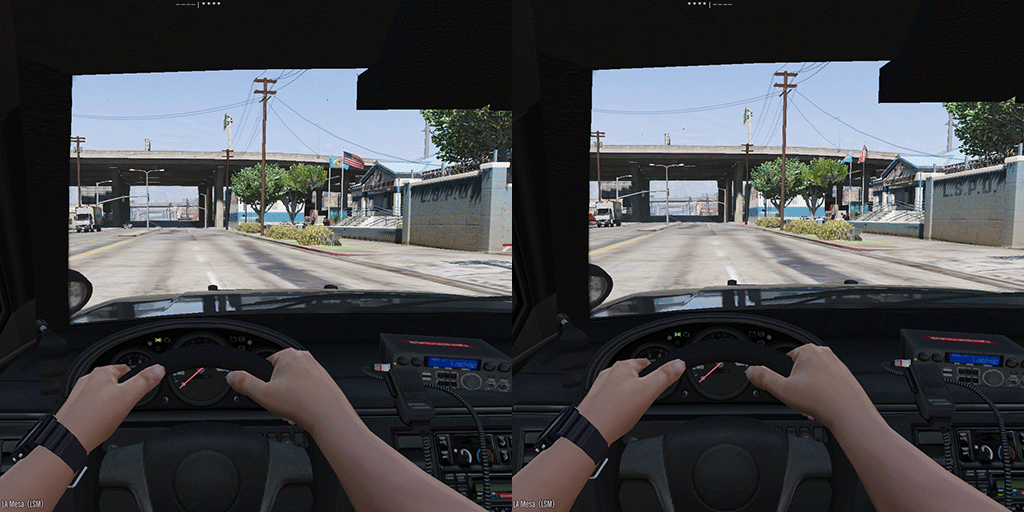
This mod adds a emergency light indicator on your screen, useful for first person in the day time. It also adds a hotkey for blipping your siren (other than turning the lights on and off quickly). The light indicator is for when it is daytime in first person mode and you aren't sure whether you have your lights on or not. Sure, you can go to third person but this adds some immersion. It includes an INI file where you can change pretty much all settings. Animation (off at first and then on) You can also now change this animation to be whatever text you like. Requirements RPH 0.22 or higher Installation Place the DLL & INI in Grand Theft Auto V\Plugins Enabled plugin via startup.rphs or RPH console Known bugs I have 0 idea if the console controller settings work for blipping the siren, I still need to get my controller from my other place
-
 Adds great variety to the game. The wanted callout traffic stops are amazingly unpredictable. I'm pulling up to people with possible terrorist links and they get out of their car trying to kill me. They then start fleeing and I see a notification saying I'll have to commandeer a vehicle in the name of the law, so I'm like nah I have a car. I then realize my car has been exploded.
- 3,646 comments
- 306 reviews
-
-

- 1
-
-
-
-
To anyone that still has the issue: it's a problem with the way the Stanier texture is made. The mod only makes the problem worse. Unmodded texture for the Stanier lights: Law Enforcement Improvements contains a mod (it's called LED Lights Improvements) that fixes the texture.
-
It'd be cool in the assault callout if there was either a little description box showing if the suspects had wounds or if you could actually give them wounds on their body (not sure if the latter is possible yet)