Razgr1z
Members
-
Joined
-
Last visited
-
Razgr1z changed their profile photo
-
Hello everyone, I was wondering if anyone could point me in the right direction. I have attempted to add two priority siren tones to the Vehicles.awc. 1 tone was placed under "Police Warning.wav" and the other I placed under "siren quick 01 wav." The siren tone under the siren quick 01 sounds off, but if I place it under the police warning then it sounds normal again. Again this is a long shot but if anyone can help or point me in the right direction I'd really appreciate it thank you
-
@deputy2553 I know it's been a while but is there any way to install this to the POLMAV files. I attempted but the image just appeared as a little box on the wing of the helicopter.
-
-
-
-
-
-
-
-
-
-
-
-
-
-
-
Hello everyone I wanted to know if there is breakdown of the ELS configuration settings that's found in the main GTAV directory not the VCF's ? I checked the ELS documents that come with ELS file but unless I'm dumb I couldn't find it. Any help would be much appreciated thank you! Example:
-
I was looking at the apartments available on the interaction menu for LSPDFR, and was wondering if anyone knows or could point me in the right direction of adding some better locations (Mansions, houses with workable garages.) if possible able to save more than one vehicle at the house ? Again I thank you all for your time and support!
-
-
-
-
 @marwaan Alright I was able to find what I needed, if anyone else needs help I would suggest locating categoriesdat22.rel file and using codewalker to edit the file because OIV will not let you edit the file. Once inside the file locate the heli vehicles section and update the volume for the vehicle to whatever number, ex. Volume value 2000 is pretty loud. There is also the heli rotor and distant volume that you can change to your liking categoriesdat22.rel can be located in your GTAV directory mods folder mods/update/update.rpf/x64/audio/config Codewalker can be found on GTA5mods website https://www.gta5-mods.com/tools/codewalker-gtav-interactive-3d-map
- 23 comments
- 1 review
-
-

- 1
-
-
@khorio I appreciate the response, and I was able to figure it out through a different method. The file name is CategoriesDat22.rel, the only issue that I ran into was that OIV could not edit such documents. Someone suggested using the Codewalker to open the file and I was able to edit the Heli volume, rotor volume and heli distance. No crashes either
-
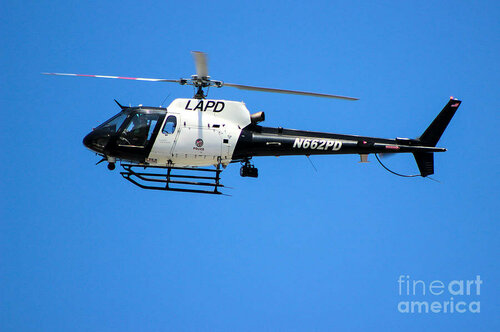
Hello Everyone, I wanted to know if anyone has any idea as to where in OIV I could go to increase the audio of the police helicopter ? I am aware that there is a mod or 2 that increases the sound and distance that it can be heard from but I find it way to loud for my liking and just wanted to edit the volume to my liking. Any help is appreciated!
-
I love the sound, makes this more realistic but I wanted to know where in OIV can I manually increase the sound myself? I know there is the file to increase sound over more distance but I just want to set it up to where its just right for me.
- 23 comments
- 1 review
-
Correct with the old GTAV that I have, the script works but with the new GTAV version it doesn't work. Correct this is a script mod but I just wanted to know if it was possible to enable it through OIV without running a script ?
-
Hello everyone just wanted to know if there's any update on the "Forced First Person Aim" script or If there is somewhere in OIV mods folder where we can enable it ? I have a backup GTAV still that allows me to use it but would like to continue using it as GTAV continues to update.
-
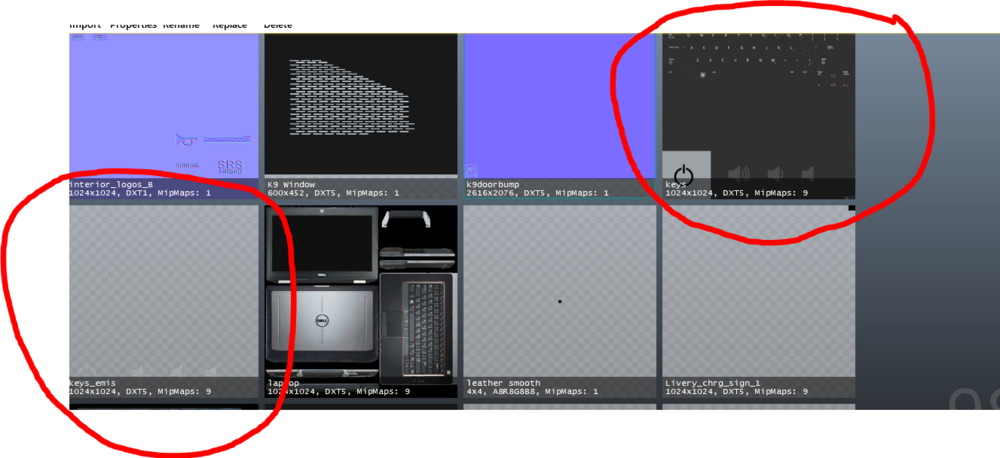
Just throwing this out here, does anyone know how to change the color of the keyboard emissive for the CAD/Laptop/Computers in the cruisers ? I know this is something small but I am interested in changing the colors