



Sopphic
Members
-
Joined
-
Last visited
Everything posted by Sopphic
-
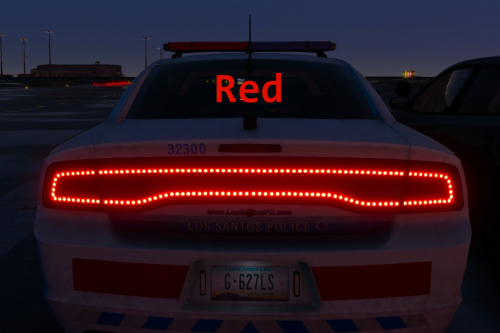 Believe me when I say you ain't the first to try and convince me. Like I said: Maybe next time I shake up my setup I'll find some nice els cars. But I got like everything set up for what I'm using, so I aint rushing to change :p
- 22 comments
- 4 reviews
-
OK. Yeah, non-els is a personal preference. Nothing wrong with the cars I have and I don't see the point, really. That and the fact that I'm running out of space on my keyboard:P
- 22 comments
- 4 reviews
-
-
-
-
yes. but it's still worth a mention. if only to say 'don't do this'
-
That said, there are some bad ways to do it (decompilers etc), but it's a super dick move. However. If there's an .ini you can do it that way
-
-
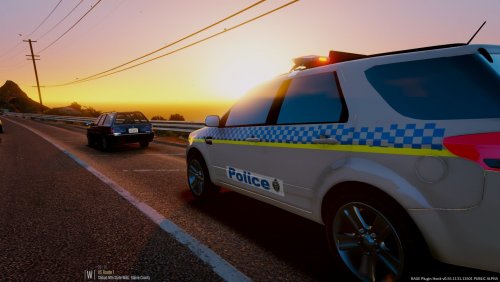 yeah. i always wondered about that. not that i want to start any drama (again :/)
- 7 comments
- 1 review
-
-
did you just assume my meeseeks-ness?
 Hey, albo. I have a very weird error. I have all my cars setup in the VehicleSirenSetup.xml under the same <VehicleSirenSetup> tag, but when I ride the policeb it doesn't work and has normal sirens. yet every other car under that config it works for. VehicleSirenSetup.xml
- 851 comments
- 108 reviews
ha yeah.to get the ai to use them you have to install the desired siren sounds to vehicles.awc in mods/x64/audio/sfx/resident.rpf. If you want a tutorial on how to do this just PM me and i'll be happy to either run it through with you over text or help via teamviewer.yeah. I agree fully. I'm gonna repost the list with my suggestions: Home Invader Refusing to pay Taxi Officer In Trouble Merged with officer needs assistance Foot Pursuit (Can lead into the suspect going into a boat, jumping in a car, and more) Noise Complaint Person being followed Taxi Mugging merged with Refusing to Pay. Fist Fight (Can be either a group of people or just two people) Shootout (Between Cops v Gang, or Gang v Gang) Merged with Shots Fired Gun Store Robbery Shots fired call Officer down (if we're going for realism this will have to be relatively rare) Stolen FIB Vehicle Stolen Firetruck Medic Robbery (For Medical Marijuana, or Medical Supplies) Again, if we're going for realism then this will almost never happen. It's not the preferred MO. Corrupt Cop (Detective stuff) Not something a beat cop will be investigating IMHO. Sexual Assault Rape In Progress Merged with Sexual Assualt Stolen Plane (This is gonna be extremely rare & optional) Ambulance Crash Police Car Crash Regular Crash (Between two or more vehicles) Off-Duty Cop In Trouble Road Rage Drug Deal (Detective stuff) Officer needs assistance (Could be anything from regular traffic stop, to fight in progress)HI Mr Meeseeks! I'm Mr Meeseks look at me!aha. i was unaware there was a new pagemodding discussion and informationIts out. Last updated September 2016Just get the manual download. Very simple fix.Chrome on Android. Doesnt appear on desktop site. oh solid. i'll try it presumably, i'll have to delete the .metas as well? and remove them from the content.xml?hey man. I love the look of these peds, but I don't want to replace my current car setup; Is there any way I can install just the peds?




