



Sopphic
Members
-
Joined
-
Last visited
Everything posted by Sopphic
-
 i'm havign the same issue - and the ARU pants are white. Other than that - gorgeous work 🙂
- 49 comments
- 5 reviews
-
 Commenting just to get updated when it releases. Looking forward to using this but it's not quite ready yet.
 -
 hey. do i need to redownload 2.0 for the release 15 minutes ago? or will the one from a couple hours ago be fine?
- 337 comments
- 73 reviews
-
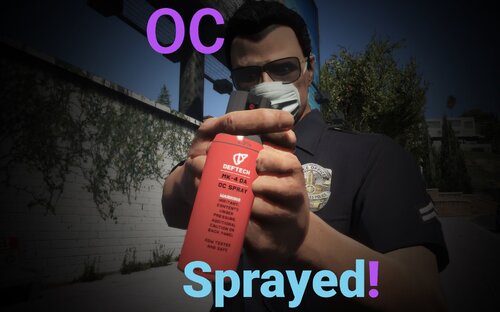 you can install the dlc.rpf in the download as you would any other addon dlc, then install the plugin as you would any other @Double Dopplerfurther to this: the addon dlc name for the dlc.rpf in the download is "dlc_ocspray"
 -
-
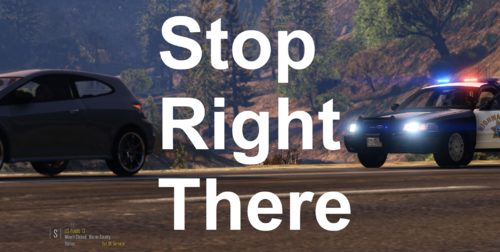 now this i could look into - i know Bejoljo is doing it with his upcoming STP update - on foot pullovers - i'll look into how he implements it and if i could do something similar here. thanks for the suggestion!
 -
I can try, but there is really very little to be showcased. Pressing the button you set in the ini initiates a "parked traffic stop" on the nearest valid vehicle. Parked traffic stops skip all the setup of normal traffic stops - if the vehicle is moving it will brake immediately, and if it is not moving it will stay exactly where it is - you will be able to approach the vehicle as in any other traffic stop. You don't, technically, even need to turn your lights on. Just press the button and you're in a traffic stop, with the target already "parked".
-
@easye323 Yup. In the ini For this. I would thoroughly recommend the Felony Stop plugin, found here https://www.lcpdfr.com/downloads/gta5mods/scripts/17428-felony-stop-plugin-traffic-stop-enhancement-give-commandstactics/
-
I don't think there's anything stopping you from using this and custom pullover together - in fact, I'd recommend it. Custom pullover does a lot of things we don't do.
-
@ArriveAlive good news! My colleague @ziipzaaapM16A4 appears to have solved the blips issue, blips will be being readded in the next update, releasing soon™!
-
I'm not an LSPDFR Developer, so I'm not 100% on how the stats tracking works, but… I think so?
-
Okay! That's okay. But anyone you arrest using stop the ped won't be added to your character's arrest statistics
-
Are you using stop the ped / some other mod that changes how you are arresting people?
-
mhm. Working on it. I originally wasn't going to upload this till i had taken screenshots and videos, but i decided to just throw it out there. Thank you for the suggestion!
-
@ArriveAlive This is taking longer than expected, as such, I have temporarily released a version - hotfix 1 - with no blips, while i work on the issue. Happy patrolling! Please wait while the file undergoes the approval process 🙂
-
I am testing auto removing the blip once the vehicle is released - if i cannot get it to work, it will sadly have to be a button
-
@ArriveAlive i am now testing a fix for this issue, ignore my previous message 🙂
-
Will work on this ASAP. Thank you for reporting! @ArriveAlive for short term solutions - would you prefer if i skipped adding the blip, or implemented a button to press to remove it?
-
Stop Right There is a LSPDFR plugin that utilizes the latest API update, which allows the player to perform a "parked traffic stop" on a target vehicle. The player will be able to pull over a vehicle without having to park behind it, and without the vehicle having to park. This is intended to be used for more cinematic traffic stops (like if you want to block a vehicle in and perform a traffic stop), or for niche scenarios (ie "stopping" a broken down vehicle that can't move, or a suspicious vehicle that you don't want to repark). If the vehicle is stopped, you will be able to approach as like any normal traffic stop -without having to park your car behind them etc etc - and if it is still moving it will stop immediately. This plugin has an ini file, allowing you to customise the keybinding. To Install: Place "StopRightThere.dll", "StopRightThere.pdb", and "StopRightThere.ini" into Plugins/LSPDFR Planned Update: change default key-bind to Ctrl + Default Traffic Stop Key, for more intuitive activation. (this will require overriding the default LSPDFR Traffic Stop Feature) This is my first proper plugin release, so please feel free to provide feedback!
-
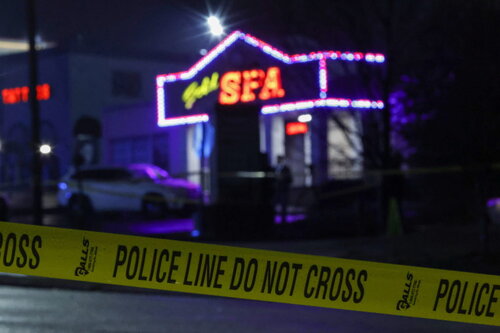 Cool! Nice pack 🙂
 -
What is Galls?
-
Hey aren't you the guy using cracked software? https://www.lcpdfr.com/forums/topic/116083-gta-v-version-2189/?tab=comments#comment-694857
-
Is there any way to edit a character's DOB after you make them? I have a character who's DOB is in 2003, and that really doesn't match his wrinkled face or rank (Captain).
-
-
You'll all be pleased to know that Build 7874 now also includes a fix for NPCs not shooting their weapons. So the "suspects aim at me but don't shoot" issue should now be resolved. I can't comment on the shooting from vehicles during chases as I haven't properly tested. Happy Policing! 🙂




.thumb.png.7077fe28b2e70f02de2f08f22d609d5f.png)