
Sopphic
Members
-
Joined
-
Last visited
Everything posted by Sopphic
-
Like I said man, I am very happy to walk you through the entire process in some sort of screen-share thing (maybe TeamViewer), so hmu in PMs if you wanna set that up. After all, everyone was a noob at some point (even Mr. Albo :D)
-
it simply allows you to access and modify packaged game files (.rpf s). It's a very useful tool and essential. captain14's packs use it to install themselves, and you'll need it if you plan to do any further modding - such as that volvo.
-
That's fair enough. If it's cool with you, we could do some sort of screen-sharing arrangement and I'll walk you through it (I've added enough cars in my time to be fairly confident, and everyone needs to start somewhere :) ) oh and you'll definitely need openIV :)
-
captain14's cars go up to police7, so you'll need to add a police8. if you want, PM me all the necessary files (vehicles.meta from mods>update>x64>dlcpacks>lspdpack->dlc.rpf>common>data>levels>gta5, carvariations.meta from mods>update>x64>dlcpack>lspdpack->dlc.rpf->common>data, and the volvo files) and i'll do it for ya.
-
are you sure it's the right vehicles.meta?
-
any luck?
-
this may seem like a patronising question, but I gotta check anyway: have you made sure you got the correct drivers? Anyways, a quick google found this: alternatively, if the simple fix doesn't work: Good Luck!
-
yeah, this. not every thing needs to be animated to be functional, and incorrect animation really takes away from it.
-
they are de facto essential though so...
-
ahem traffic policer ahem
-
-
where i post random screenshots from my gametime
-
From the album: Play3r2 on patrol
Don't worry, they came off worse.... -
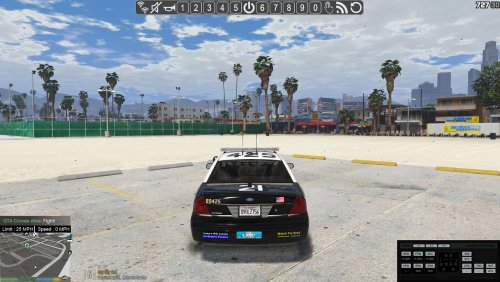 simple, clean, elegant, and in a position unlikely to be used by another plugin. I love it!
- 4 comments
- 2 reviews
-
Hi there, I have a slight issue with @Albo1125's siren mastery: Even though I have included policeb in the VehicleSirenSetup.xml, the policeb still uses its default sirens. All other vehicles work.
-
awesome. thanks! PS: hi again! :P
-
Does anyone have any experience of using @Eddlm's Safer chases with @Albo1125's LSPDFR+ pursuit AI? Does it still work? Is it even still necessary?
-
:/
-
I see your paint job, and I paint my cruisers in a different style. My hill
-
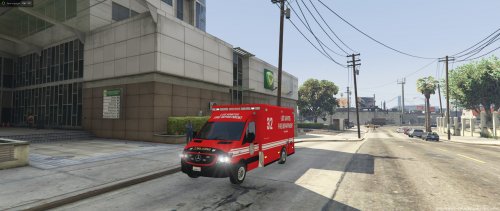 what model is it for? (link pls)
 -
.jpg.f1c0012236f7040d4e0c494f811e5d5e.jpg) waaaaaaaaaaaaaaaaaaaaaaaaaaaaant
waaaaaaaaaaaaaaaaaaaaaaaaaaaaant -
if you're making models, can you do me a riot control version of the hvy apc? (maybe with aa water cannon)
-
fair nuff. 10-4
-
on the homepage: hmmm..... investigating: seems legit

-


.jpg.f1c0012236f7040d4e0c494f811e5d5e.jpg)