


Spitfire7
Members
-
Joined
-
Last visited
Everything posted by Spitfire7
-
I am playing in offline mode so that I can keep my current version for months to come. I did this by using my firewall on my PC to block internet connection to anything GTA V related. It works perfectly, but it seems once a month my launcher says something about needing to double check the authenticity of my copy and it locks me out of the game and forces me to authenticate. I have done this about 4 times now. To do this, I have to allow internet activity through my firewall again and then the game updates automatically. It's their way of keeping us logged in to control our game activity. After it has activated and checked for authenticity plus updated I can then turn the firewall back on to disconnect internet connectivity. But now, I must re-insert my past saved exe files such as the GTAVLaunch, ect. to correspond with the current scripthook I am using. This is doable, but a hassle each month. The biggest issue though is the update reverts my files, handling, vehicles, etc. back to stock and I have to re-install my vehicles, guns, and settings all over again. How is Rockstar still getting through and is there any way to stop Rockstar from forcing to check my authenticity requiring me to log on? Please help quickly because I have a good setup right now and its almost due for the next shut out and authenticity check. Thank you.
-
Agreed, its just we haven't had any updates at all for a while and had to keep the conversation going lol, and hopefully have a light mod while we wait.
-
Well does anyone have the old version of EVL that they can send me while we wait for the ELS?
-
.thumb.jpg.30de2cdd6bdce371d029c527c67ad196.jpg) My issues were fixed and it was due to a bad mod the "OpenAllInterirors" mod. This was causing a lot of trouble such as headlights going on and off, no tire skid marks, and no surface bullet holes. All issues were fixed once I deleted the mod. Now that I figured out how to install this car correctly, I must say, it is one of the best cars. I love the variety and how many options we have. Love it. Great job BxBugs. I just wish if you were going to put your signature on your car that it wouldn't be a rainbow or ponies for the main reason that its something semi unrealistic to the real police force.
My issues were fixed and it was due to a bad mod the "OpenAllInterirors" mod. This was causing a lot of trouble such as headlights going on and off, no tire skid marks, and no surface bullet holes. All issues were fixed once I deleted the mod. Now that I figured out how to install this car correctly, I must say, it is one of the best cars. I love the variety and how many options we have. Love it. Great job BxBugs. I just wish if you were going to put your signature on your car that it wouldn't be a rainbow or ponies for the main reason that its something semi unrealistic to the real police force.- 101 comments
- 33 reviews
-
Fix it. I found that this issue was related to another few issues I was having. I also couldn't see bullet holes anymoe on surfaces as well as no more tire skid marks. So I searched through my mods and found out that the "OpenAllInteriors" mod was causing chaos on my game. So I just uninstalled the mod and everything including the lights work again.
-
I figured it out. It was a mod. The OpenAllInteriors mod caused every one of my issues. Its all fixed now.
-
I have it so I can play GTA V offline, but every once in a while they still get me and cut me off saying I need to activate my game. So I have to log in and it usually does an update. Then I put my old 877.1 exe files back in and turn off the firewall so now I can play offline again. Well this time around, it did something quite strange. I no longer have any skid marks in my game. The weird thing is, when I hit the ESC and it goes to the menu all my skid marks appear in the back of the menu. As soon as I exit back into the game, skid marks disappear again. Seriously, why do I keep having issues that no one else seems to have ever had before and no one seems to know how to fix my issues? There are no google similar issues and no one has seems to discussed this before. I am forced to keep having to figure all these issues out on my own and invent the wheel instead of someone knowing a quick fix. Please let there be a quick fix for once. I really hope someone else has experienced this issue and has a fix, because its really annoying. What have I tried to do to fix it? I put my original visualsetting file back in and nothing since I have been using RadianceV. Neither brings back skid marks. I played with each graphics setting in the game going through each one, resetting, you name it to no avail. So what is it this time Rockstar? If you guys have any ideas, please don't hesitate to respond.
-
When you say, put a random edited "ONE" do you mean just a random car files such as this one? Where is the christmas2 or mplux dlc_patch located? I don't seem to have those or don't know where to look for them. Sorry I am more new to GTA V.
- 101 comments
- 33 reviews
-
Where is the car variation. This car only comes with the car files and not other files to implement. But, yeah where is that car variation file and what do I do with it? I have head people talk about this, but there seems to be no info on how to use it or where it is located.
- 101 comments
- 33 reviews
-
So apparently it has something to do with my PostFx setting. It happens very quickly if I have Post FX on Ultra, but if I have it on Very High it happens less frequently, but when I have it on High, it doesn't seem to happen at all. Very strange. Any info on that?
-
Awesome, thank you so much. Those are a big help. I am almost fully set up just in time for ELS to soon come out too hopefully.
-
Agreed, but the car I downloaded was a LAPD and it only had the car files. I think I might have figured it out, but its very strange. I always had my PostFX on High setting until I donwloaded RadianceV which said make sure you have your PostFX setting on high or higher. I didn't know it went higher so then I maxed it out to Ultra. I played may days all in the daylight so never noticed. Then playing at night with my new police car the lights kept going out. I tired normal stock game cars and they always went out. I retraced my steps and this was one of the last steps I came to. I put the PostFx back to Very high. Now the lights only randonly go on/off very rarely if not at all. So then I put the PostFx on High like it was before and now I can't get the issue to repeat itself again. Then Putting PostFX back to Ultra and lights out immediately. So is it a graphics card or driver issue, a PostFx issue or what?
-
 Hey guys, I need your help. I am getting a strange glitch and not sure what's causing this, but noticed it after installing Radiance mod. My headlights seem to randomly turn on and off. From the outside they still appear to be on, but the ground, they stop illuminating making it almost impossible to drive. I downloaded a police car that had wig-wags and I am wondering if this might have something to do with it. I no longer have that police car. Please help.
- 337 comments
- 73 reviews
-
Is anyone else getting this weird glitch where the headlights on your cars at night randomly turn off and on while driving? What is going on with my headlights. They appear to still be on, but it just stops illuminating the ground. Can you help?
- 101 comments
- 33 reviews
-
Just like the title says. Head lights on all cars work great and illuminate very well, but when I turn on the siren/police lights my headlights are on, but stop illuminating the ground. This is only seeming to be on modded police cars so far I think. Please help, this is totally ruining my game and its impossible to play the game when its at night. Is there a fix for this. I did a google search and found nothing. Why am I the very first to be having several issues that are unknown to man kind for some reason? I am counting on you LSPDFR community.
-
This car has a file called "assembly". Where do I put this info? Here is what the file looks like. And if I wanted to put this car in slot "Police" would I need to change anything in this? There is also no FLAGS text. The installation instructions are out of date and are very unclear now. I am new to this and tired of bad installation instruction assuming we are all pro modders and have done this a thousand times before. For GTA IV I have made a lot of mods and always tried to be aware of the new guy making sure my instructions were perfectly precise to leave no one out. This car is a perfectly example of very confusing instructions. Great car, great mod, I just can't fully use it because I am new to GTA V and my 10 hours or more research on trying to figure this out has still left me in the dark. So I would sure appreciate someone to help me get this car working fully which will inevitably teach me how to do this correctly. Thanks.
- 101 comments
- 33 reviews
-
Thank you for your response. Yes I can also do this, but in the game won't a random who knows what type of car will show up when detectives are called in? What about the other issues too such as the headlights?
- 101 comments
- 33 reviews
-
I am having similar issues, but what you guys said makes no sense since I am new at this. So where are these files you are talking about. Also my current BxBugg police car I just downloaded 2011 LAPD doesn't have anything called a carvariation file. Is has a file called assembly. Is that it? Its so hard because most of the modders talk to us noobs as if we know as much as they do already. I haven't a clue where this carvariation file is or what I am suppose to do with it. I tried installing his car into police slot and same things, many messed up lights not working right. Please continue to help and explain as if you are talking to a 1st grader please lol.
-
Guys I need help and no one seems to be mentioning my problem. I installed this car into the Police slot to take place of the police cruiser. It seems to be missing some police lights. For example the rear amber lights only blink in the middle and none on the outer parts. Also in the front the white middle lights only one of them flashes the other stays blank/out. I put this car in Police4 and everything worked perfectly, but I still want to have an unmarked car/section open and it only makes sense to put this cruiser in the police slot. How can I fix my light issue? I reiterate, not all lights are activating. The rear ambers only the middle flash and the outer ambers don't go on at all. Also in the front several lights don't go on either. Do I need to let the game know that I am using more extras or more lights in the police slot? Please help. And another issue just started happening. Why do my headlights not project after a short time? It usually turns off when I engage the police lights. Its currently impossible to drive at night at this point since my headlights keep shutting off. I look at them from the front and they are on and look great, there is just no illumination on the ground ahead of me. How do I fix this?
- 101 comments
- 33 reviews
-
-

- 1
-
-
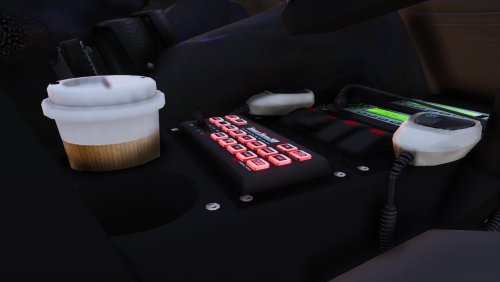 I finally figured it out too. I think what is confusing people is I think you should explain what these steps are doing. I had no idea working with the vehicle folder and files was being translated into the oac file. I was like, what am I suppose to do with the vehicle file and it hung me up a long time. Thanks for the many different variations of explaining this. I finally found one that clicked with me. Thank you. Great mod!
- 83 comments
- 19 reviews
-
-
- 1
-
-
I just tried the ERL Revolutionary thing and I didn't like the wig wags. Any way to turn those off and just use the mod for the environment? Okay, for some reason now I can't pull cars over. I can go on duty and I receive calls, but I cannot pull a car over no matter what I have tried. My left shift key works, but for LSPDFR, nothing. What's the deal? I started a thread on this exact question in another section. Please follow me there if you have an answer. I don't know if this is a glitch with RadianceV or not, but now my headlights at night randomly turn off and on. From the outside they appear to be on, but they stop illuminating the ground randomly and then turn back on. Its super annoying and impossible to drive at night. Is there a way to fix this?
-
Yep, RadianceV did the trick. Love it and looks amazing. Thank you for the link.
-
Thank you both for helping and responding. I did need a lot of help. It was a matter of bad timing. When I was switching from 791 to 877 patch, many of the things such as scripthook were updated, but had some issues and I believe a fixed updated came out just after. Well I was stuck with the broken one and nothing was working. So I gave it a few weeks. I went step by step and first updated, then just the scripthook, and so on. I finally got LSPDFR to work and my game to work as well. Also a major setback was the my computer wasn't up to date with many things required to run these latest patches. So I spend days updating my computer. So for the first time I was able to play LSPDFR last night. It was only a trial run and everything is working great. I installed my first LAPD car, but for some reason the police lights look horrible. The are just a color and not much to no illumination at all. How do I fix that now? Is there a illumination mod that everyone must install to get proper illuminated police lighting? Thank you guys.
-
So great news I finally got the game running. That was intense and ridiculous. Okay so I installed my first LAPD car and why are my police lights barely noticeable? They are just a color, but not really illuminating. Is there another light mod I need to install? I assume this is normal for everyone? Second question, is there a good LAPD siren for GTA V? Also, some people are talking about a spot light on the police car, is that another mod?
-
Does anyone have the old Rage that will work with the old 791 patch? Is it possible to make LSPDFR work on the old 791 patch? If so, what files do I need and can you send them to me please? Anyone? Seriously nobody can help?

.thumb.jpg.30de2cdd6bdce371d029c527c67ad196.jpg)
