


PSource
Members
-
Joined
-
Last visited
Everything posted by PSource
-
-
-
-
-
This is coming together quite nicely, but I think you need to change those wheels to the more authentic steelies. But this is my opinion.
-
.png.470a1a858ba9785269d503a648428c23.png) Wow plz teach
Wow plz teach -
 Yes I saw your comment on your charger saying you where using that interior so I did the same. Thanks for that.
 -
 Ok awesome Ill give it a go sometime soon. Cheers for the feedback.
 -
All right thanks for that. Once I get the interior a bit better I can work on a different lightbar for it.
-
Most definitely once all problems have been resolved. Currently working on a better interior at the moment.
-
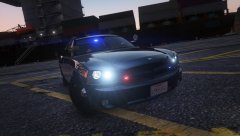
Currently I have only configured the slick top. I could possibly try putting a light bar on top but since I live no where near California I'm not exactly sure what equipment they use on the 2009 charger.
-
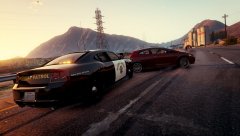
From the album: GTA V Screens
This is not the same model that Doctor GTA's used in his videos. Converted myself -
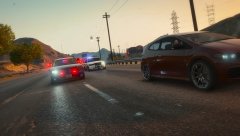
From the album: GTA V Screens
Not Doctor GTA's model -
Thanks for the reply Cosmo I have setup all the correct LODs, L0 L1 & L2. But for some reason one of the wheels that i have replaced seems to run fine and im trying to see how it differs to the others I have. I shall continue to investigate.
-
Hello LCPDFR/LSPDFR Community I have recently replaced some of the wheels that are available at los santos customs such as the lowrider, muscle & high end wheels. I exported the wheels with Zmodeler3 as a .ydr file and use a trainer to switch between wheels. So when I start playing GTA V and load LSPDFR I experience game crashes usually after about 5 minutes or so and I believe it has something to do with the replaced wheels, these crashes only seem to occur when using the wheels on any car. I've also noticed that the seems to crash more when entering highly populated areas such as the main road in Los Santos. If anyone knows a reason why the game crashes and/or a possible fix and are willing enough to share it with me would be greatly appreciated. Thanks PSource
-
Hello LCPDFR/LSPDFR Community I have recently replaced some of the wheels that came with the lowrider update which are in smod1wheels_mods.rpf. I exported the wheels with Zmodeler3 as a .ydr file. So when I start playing GTA V and play LSPDFR I experience game crashes usually after about 5 minutes or so and I believe it has something to do with the replaced wheels. If anyone knows a reason why the game crashes and/or a possible fix and are willing enough to share it with my would be greatly appreciated. I will upload my RagePluginHook.log file aswell incase it provides any sort of evidence as to why the game crashes. Thanks PSource RagePluginHook.log
-
 https://www.gta5-mods.com/misc/lag-world-not-loading-fix-simple-easy Fixed the problem you're having for me.
 -
-
-
-
-
-
-
Still no luck This is really starting to get annoying. This problem is only occurring in multi player. Just tested single player again and it works fine. But I get the Taxi Bugs and game crashes all the time.
-
Hi thrashimus Thank you for the reply Well I've started to play in multi player instead of single player due to taxi bug in single player (I don't use a traffic load/taxi bug fix in my game as I get poor performance and texture loss). This issue only occurs in the multi player. I don't think any other mods that I have installed are causing this issue as cars pull over fine in single player. I've tried both LCPDFR 1.1 and 1.0d yet same problem occurs in both. I'll put a list of script mods that I am currently running: LCPDFR 1.1 ELS v8.5 vdh Police Helper, Medical examiner, Towing service Door Ajar Chime Braveheart's Policing Script Braveheart's Automatic Number Plate Recognition System + Speed Radar Turn Signals Mod I'll start taking out mods one by one and see if the problem resolves. If not i'll let you know





.png.470a1a858ba9785269d503a648428c23.png)


