


Jinja
Members
-
Joined
-
Last visited
Everything posted by Jinja
-
-
-
The LAPD pack looks gorgeous. I'm just hoping the lights won't be as horrendously washed out like most of the existing packs that use Arjent bars are.
-
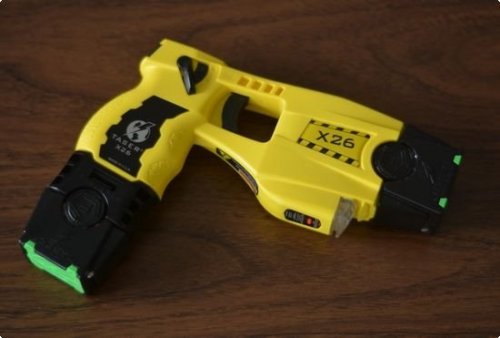 Yes you can.
 -
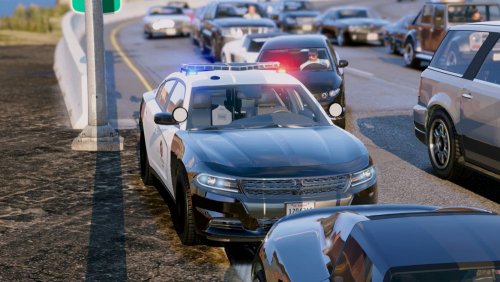 One of the only ELS models that you can use in first person at night with out being blinded by the bloom on laptops, etc. This is a really nicely put together vehicle.
- 38 comments
- 10 reviews
-
-

- 1
-
-
.
-
Hello, I'm fairly new to C# however, I do consider myself fairly competent with the basic C#, RAGE and the LSPDFR API. I have run into a problem with trying to figure out how to code conversations in game. (By this I mean the ones that show up as subtitles and you click 'y' to cycle through them.) In the past I have just let them cycle through with out the user clicking 'y' to advance in the conversation. Like this... However, I want to give the user more control by only advancing to the next part of the conversation when they press a certain key. I have browsed through this forum and came across an old thread called "Getting key press multiple times" by @tanu1215. I didn't understand the way @Stealth22 said he did it in that thread. This is because I am not too knowledgeable with lists. So my question is how do you code conversations? Also, if you feel like it, I would really appreciate it if you could provide some examples or pseudo code to help me understand. Also if you have any other advice I would greatly appreciate it. Thank-you for your time.
-
 Love how another 1000 people have downloaded the April fools joke version since you upload this one XD
- 1,196 comments
- 127 reviews
-
-
- 1
-
-
Thanks for working on this Albo. This is an excellent addition. Congrats on 2mil downloads!!!!
- 1,196 comments
- 127 reviews
-
-
- 5
-
-
 Any chance of this having hubcaps instead of steelies to make it a bit more authentic?
 -
 Would you consider making an authentic LAPD Pack? (Apologies if this has already been asked).
- 964 comments
- 158 reviews
-
-
- 2
-
-
 I know that's what I assumed. I just thought I'd better let PieRGud know, so people who just drag and drop the "Plugins" folder wouldn't run it any issues.
- 1,743 comments
- 172 reviews
-
The Image assets say you need to install them in Plugins > LCPDFR > blah blah blah... did you mean LCPDFR or LSPDFR, I think you may have made a typo.
- 1,743 comments
- 172 reviews
-
That is just what I was looking for, thanks for the quick response.
-
Hello people much smarter than me :-) So, I want to try get into coding plugins for Rage/LSPDFR. I've followed a few tutorials (Thanks Albo) and I'm starting to feel a little bit confidant. I'm trying to make a callout where there is a drunk civilian in the street, that the player needs to deal with. I've hit a small hiccup. I wanted to have the ped shout random things as the walk around (Sort of like the stuff found here "Grand Theft Auto V\x64\audio\sfx\S_MISC.rpf\redr1drunk1.awc"), but I can't figure out a way to get the ped to do so. I found this Ped.PlayAmbientSpeech but I don't know were to go from here. I don't even know if what I want to do is possible. If anyone can offer some guidance I would greatly appreciate it. Thank you for taking your time to read this.
-
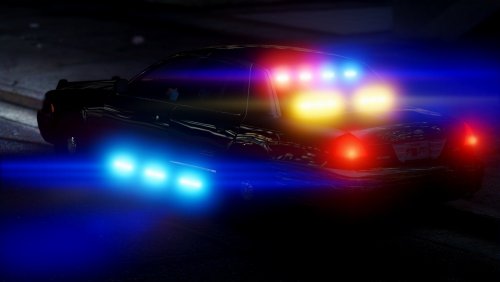 After looking at these vehicles in game, the following things caught my attention... Pros - Great interior (with what I believe is an x12 shotgun, if so that is a very nice touch) - Nice lighting setup in general, (I'm not a fan of the colored lights in the reverse light assembly, but Im sure most people will like it). - Nice wig wags. - Nice intersection runner lights - Amber traffic adviser can be disabled at Lsgt3 if desired. Cons - Rear lights in the windshield have odd LODs (the textures seem to change to a distinctly different texture. - The blue lights in the rear windshield have a sliver of red on the right hand side of each one. - Only one skin slot. - Runners are slightly washout in comparison to the other lights, but this isn't too much of an issue. Overall this is a great model, with a few only a few issues. I recommend this to anyone in need of an Unmarked CVPI.
- 44 comments
- 21 reviews
-
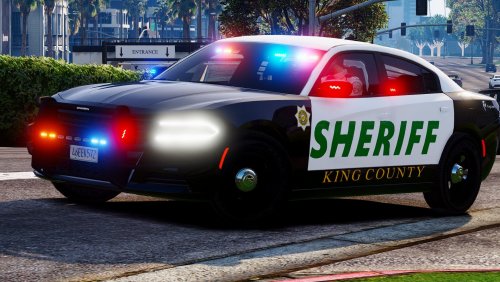 After looking at these vehicles in game, the following things caught my attention... Pros - Nice model overall. - Great lighting setup. - Ability to turn of amber traffic adviser at lgst3 if desired. - Beautiful interior. - Nice LODs for the lights - Nice equipment placement in general, ei Antennas, Window bars, etc. Cons - Default skin is very low quality, and has causes fuzzy black lines above the doors. - Sadly the first person view is almost useless as the character is sitting very high up. (Very upsetting as the interior of this model is very VERY nice. - Only one skin slot Overall the model is very nice. I have rated 4/5 stars due to there default skin being poor quality. More so however, due to the fact that the first person view is terrible which is upsetting since the interior is so well done. I recommend this vehicle to anyone who doesn't use first person too much and intends to change or doesn't mind the default skin.
- 20 comments
- 10 reviews
-
Could we maybe have titles that are a little more descriptive, ei the vehicle model name?
- 20 comments
- 10 reviews
-
1) Did you install the police.xml that came with bxbugs's ELS CVPI? Or is it the one that came with ELS (Fairly sure they are the same, but I suppose it doesn't hurt to check.) 2) Did you install bxbugs' ELS CVPI in the "police" slot (ei: not "police2", "police3", etc) 3) Make sure police.xml is in "Grand Theft Auto V > ELS > pack_default", not "Grand Theft Auto V > ELS" (or any other place)
-
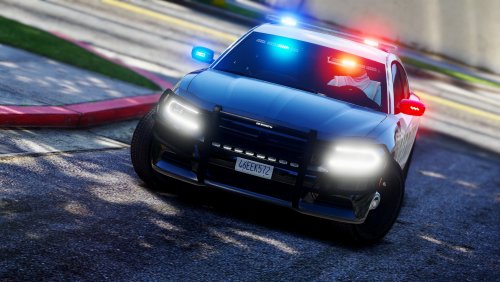 @DevinKanMods In regards to your review, I don't believe there has been any wrong doing on MrPotato's behalf. Just because both mods are 2015 ELS marked chargers doesn't mean he copied. A different light bar was used as well as many other things. This is just competition. After all competition leads to a better quality content from all who are involved. As Century has shown, do some research before you try to discredit someone else's work.
- 61 comments
- 14 reviews
-
-
- 3
-
-
After using this vehicle mod in game for a bit, I have the following feedback... Pros - It has a Goldilocks amount of lights (Not too many, not too little) - The Amber Traffic Adviser can be disabled as it's part of the secondary lights. (This is great for me, as I hate amber traffic advisers when your driving code 3). Cons - Only one livery slot is available. - The default lighting pattern is a bit odd. (Not that much of an issue as you can of course change the pattern yourself). I gave 4 stars overall instead of 5 (Opps I actually gave 5 oh well) just because of it only having one livery slot. But other than that, this is an excellent model. I defiantly like your charger more than ablaze's. Good job! I am defiantly looking forward to seeing more vehicles by you.
- 61 comments
- 14 reviews
-
-
- 2
-
-
-
Another 2015 ELS Charger?! Good! Nothing makes for a better quality mod than competition. This car looks really good so far.
- 61 comments
- 14 reviews
-
-
- 1
-
-
-
 Its also the toggle key for the Reshade I use. So I'm forced to play without a pretty reshade aaandddd without my keyboard being light up. Dang first world problems :-)
- 2,700 comments
- 241 reviews
.thumb.png.171ceb3fac9ed766e15269b655550a7a.png)
