


Creators: Due to background reprocessing of files, approvals and file security checks may be delayed. Thanks for your patience.

EFox
Members
-
Joined
-
Last visited
Everything posted by EFox
-
I am so pumped for this game! It's going to be amazing.
-
I'm a fan of the Ultra Freedom
-
I'm sorry, but does that fire fighter have a hose :D
-
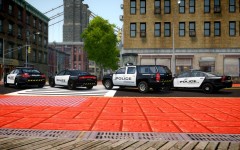 That's a suburban but those rims do look sharp.
 -
![Unmarked Tahoe [WIP]](//s3-gallery.int-cdn.lcpdfrusercontent.com/gallery/album_1264/sml_gallery_16132_1264_275728.png) Yeah, I'm trying to find wheels for it. I may settle for something that is more civilian looking but not exact.
Yeah, I'm trying to find wheels for it. I may settle for something that is more civilian looking but not exact. -
Yeah, mine uses a different ELS setup than yours does. I also chose a different visor light and I set up wig wags in the head light assembly. So it is a bit different than yours lol. I'm also toying around with the idea of a spotlight. Not sure yet.
-
Previews of mods both by me and by others.
-
From the album: Previews
I started this Tahoe about 2 days ago, it's fairly close to release, just waiting on some friends to get back to me with the Beta Test results. This will be a GTA Modding Chest exclusive release. It is based off this vehicle: http://www.youtube.com/watch?v=N2RJEt07pbE. -
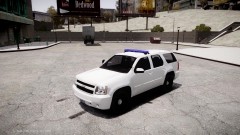 No, local department PD can have them. I've also seen some sheriff units with unmarkeds. I have not however seen OSHP unmarkeds.
 -
Very nice!
-
None that I know of. I haven't been able to find any. I may make a concept vehicle though. Just to mess around with the vic. Don't know if I'd do the charger or not.
-
Very nice. I'll miss the bullet proofing though lol
-
New truck?
-
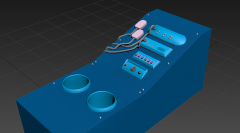 Looking good so far.
 -
Man I'm loving all the OSHP stuff. I just wish they had unmarked/slicktop units.
-
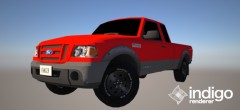 Looking good so far. Can't wait to see how this turns out.
 -
@Foward, did you try the handling line for EVI's command center? I'm sure that should be close.
-
Should be the same, if not similar to the 2006 handling on the first page. 1696.0 0.33 85 0.0 0.0 -0.25 1.0 4 0.13 1.0 283 0.5 0.56 0.6 33.0 1.55 1.1 15.0 0.11 0.48 2.7 1.9 1.9 0.1 -0.06 0.0 0.5 1.0 1.0 2.2 1.5 0.0 25000 400010 00000010 0
-
Well unfortunately I'm lost so I'll see my way out of this thread. Good luck.
-
Well if you didn't make this car model then why are you claiming it as your own? The title as it stands right now is rather misleading.
-
The only way you'd be able to change the lightbar would be if you opened it in Zmodeler and attached a different lightbar to the vehicle. The other option you have would be to just put the skin on a different crown vic.
-
Okay, but the thing is that there are a lot of textures that appear to be missing or just grey. The other issue being that I see the lightbar, and I see the ground flash, but I don't actually see any ELS lights. I'll give you a piece of advice that I, and many others, have received. When you are first starting with Zmodeler, don't release your first 4 or 5 vehicles. This is because it takes that many working vehicles to really understand how to use Zmodeler. I can tell you that from experience and I'm really glad that I've waited on releasing any models. When I look back on my first few projects that I thought were amazing, I see now that they have a lot of problems that need fixed. So just take our advice, and in some case constructive criticism, and practice your Zmodeler skills a little more. EDIT: I will correct one thing in my statement, I looked up the video of the actual car and realized that the back windows are actually grey. It still appears that some textures are missing, but I see now that the windows are supposed to be grey. Linked a video for other posters in the thread.
-
I'm so bummed, the website hasn't been working for me.
-
 That's what I thought too.
 -
Congratulations sir, you win nothing. Seriously though, this was way off the random scale lol.


![Unmarked Tahoe [WIP]](http://s3-gallery.int-cdn.lcpdfrusercontent.com/gallery/album_1264/sml_gallery_16132_1264_275728.png)

