


JASONROCKS1998
Members
-
Joined
-
Last visited
Everything posted by JASONROCKS1998
-
You could check the diagnostic tool and check your installation, to see if you are installing LCPDFR wrong
-
Back to LCPDFR again, i reinstalled GTAIV and got LCPDFR, deleted the EFLC folder and uninstalled it completley. Still defaults to it and gives me the EFLC version even after putting it to the directory and deleting ''LCPD First Response''. When I start the game it loads up and 3 seconds after it loads the game it crashes with ''invalid resource. please reinstall game'' I'll try it one more time to see if it works and if not, I don't know what I can do Now it says ''No settings file found in Program files/Rockstar Games/EFLC. Creating new settings file The configuration tool is located at C:Program Files (x86)SteamSteamAppscommonGrand Theft Auto IVGTAIVLCPDFR LCPDFR.ini But at the top of the configuration file it says Editing C: Program Files (X86)Rockstar Games EFLC LCPDFR LCPDFR.ini Fixed it, I put in my EFLC disc and did a complete uninstall and it is all working perfectly
-
Thanks, I was doing all of that before except I kept LCPD First Response. LCPDFR is fixed BUT really annoyingly ELS is not, it was fine before LCPDFR stopped working, and now the lights are frozen and it acts like ELS isnt there. All of the cars I have modded in are ELS enabled except the 3 taxis Reinstalled ELS, put ELS folder, ELS.ini and ELS.asi into directory, same problem Please use the edit button to add more information to your post. Do not double post -Staff
-
Did a fresh install, worked fine, then i only replaced the cop cars, and got els and lcpdfr and when I try to start it I get a DFA error, so I ran the launchGTAIV as an admin, same issue, the mods I have installed worked perfectly before it started crashing Found out what may have been causing it, I think it was not starting because I had ELS enabled but one of my cop cars did not have ELS (Was an NYPD C6 Corvette), so I put in my backups for the vehicles model databse and it is now working fine Fixed GTAIV be reinstalling, but now i am getting the EFLC version of LCPDFR instead of IV as it says I need version 1.1.2.0 which is EFLC, so when I use alt p to start LCPDFR it does nothing. And it is in my GTAIV directory So, I reinstalled LCPDFR multiple times, it defaults to my EFLC folder, then I change it to my GTAIV directory then I install as normal, then I check the install in the LCPD First Response, LCPDFR folder and it says wrong game version requires 1.1.2.0 or later. I am also using the latest, steam version of the game So, I reinstalled LCPDFR multiple times, it defaults to my EFLC folder, then I change it to my GTAIV directory then I install as normal, then I check the install in the LCPD First Response, LCPDFR folder and it says wrong game version requires 1.1.2.0 or later. I am also using the latest, steam version of the game Please use the edit button to add more information to your post. Do not double post -Staff
-
I try to do LCPDFR and within 5 minutes GTAIV will crash, with the error GTAIV Has Stopped Working. This is what is showing in the Advanced Hook Log File. The video shows the gameplay for these logs This is what the LCPDFR Log shows
-
Been using USA vehicles on LCPDFR but I'm from the UK and this is an amazing pack, thanks alot
- 89 comments
- 36 reviews
-
-
OK, I got it to work. Turns out it was because I used XLiveless instead of DSound with LCPDFR
-
Yeah its great
-
All the adventures I have in LCPDFR
-
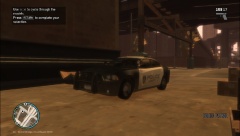
From the album: LCPDFR
-
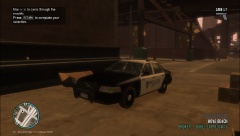
From the album: LCPDFR
The Crown Vic I use with a Liberty Police Livery with ELS replacing the Police Cruiser -
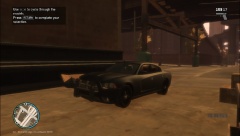
From the album: LCPDFR
The 2012 Dodge Charger R/T with ELS I use as the FBI Buffalo -
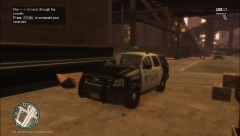
From the album: LCPDFR
The Chevrolet Tahoe which I use with a Liberty Police Sherriff Livery with ELS as the Police Patriot -
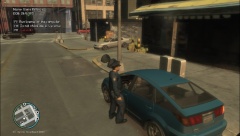
From the album: LCPDFR
Pulling over a Prius in Hove Beach for running a red. -
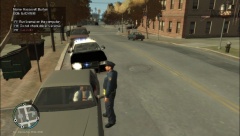
From the album: LCPDFR
Pulling over a Sabre in a residential area for an expired registration. -
Sorry for late reply, got it working.
-
Thank you so much, finally an easy way to mod my GTAIV the way I want to, you are the best!
-
I installed ELS V8 and I have not used ELS before and the info panel isn't showing and my cop cars sirens are frozen and none of the keys do anything. Im pressing all the keys in the documentation files and have definitely installed it correctly. Here are the mods I use LCPDFR 1.0C ELS V8.0 Ford Crown Victoria Interceptor ELS (Downloaded from LCPDFR.com) Dodge Charger Unmarked ELS (Downloaded from LCPDFR.com) Chevrolet Impala LS Cruiser ELS (Downloaded from LCPDFR.com) Ford Crown Victoria Taxi (Downloaded from LCPDFR.com) Chevrolet Impala 2003 Taxi (Downloaded from GTA4.cz) All mods are installed correctly with car mods installed using OpenIV. I really don't see why it doesn't work, my game doesn't crash its just ELS wont work properly. Maybe tomorrow I will upload a screenshot of what it looks like on my cruisers
-
I bought a GTA IV EFLC today and after installing I got LCPDFR 1.0b. I put it into the BOGT folder inside the EFLC folder as that's what I wanted to use LCPDFR on. When I go to the police station in-game no marker appears and there is no way to start LCPDFR. Also if I try to check the status it brings up an error but I saw that it said the installation was corrupted and I just don't know what to do to make this work. I have no other mods installed onto my game. Also if I try to check the log it just says the diagnostics tool has stopped working. I have reinstalled LCPDFR and EFLC 3 times as well. Reinstalled the mod just into EFLC folder and tried it again and noticed that when I started it up that there was a failed script with LCPDFR, is there a way to fix this?

