




flwpheonix
Members
-
Joined
-
Last visited
Everything posted by flwpheonix
-
No problem! Glad you got it sorted!
-
Easiest way to do it would be select everything and enter poly mode. Got to select--->select by material. Click the first one, default material then go over to the properties tab and change the material to something else.
-
That is because the file is 0kb most likely...look at the errors it is throwing. One of your parts has Default Material as the shader. Therefore Zmodeler will not export.
-
Update Ragehook. https://ragepluginhook.net/Downloads.aspx
-
That is nothing you are doing wrong. It all depends on how the modeler setup the model.
-
hmm. There has to be a reason why it is doing it. I haven't updated yet do to no scripthook, so I cannot help any further.
-
hmmm...intresting...and you are 100% certain the DLC is setup correctly?
-
Any time...too bad we couldn't figure out the problem!
-
Ah..ok...Just wondering. It could be that the export is corrupt or so. All out of ideas....
-
Thanks for explaining it in a better way. Appreciate it.
-
ITC Benquiat Condensed Bold https://www.wfonts.com/font/itc-benguiat-std
-
-
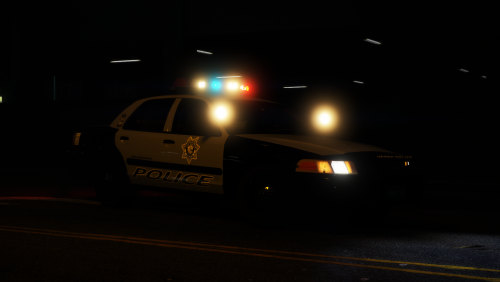 That means either the carcols was not installed correctly or the Carvariations.meta is not being read correctly.
- 46 comments
- 29 reviews
-
Honestly. that might be the issue. Try using a patchday folder and see if it does the same thing. If it doesn't, then it has something to do with the custom DLC folder. I don't use those so I cannot say for certain. May I ask why you are using a custom DLC folder in the first place? Not being a jerk or anything, just curious.
-
Which patchday are you putting the vehicles into? The latest one? For example in my mods folder I only have patchday18 and mpchristmas2. Try removing any patchday folders you are not using from your mods folder, and making sure you have both .yft and _hi.yft in the latest patchday . Make sense?
-
Had this happen before. If I remember correctly, it had to do with GTA V seeing and or reading one of the models. I believe it was the non _hi model.
-
It was meant, you have to click on UV2 in the material tab in UV mapper.
-
I did the same thing and disabled the outbound rule in Windows firewall. Make sure you disable the Social Club rule too.
-
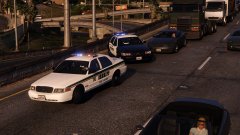
From the album: My random patrols
-
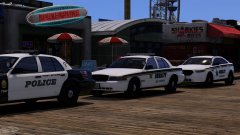
From the album: My random patrols
-
I have a feeling it was you putting the file into mpchristmas2. Like I said, I was having the same issue after the last patch (not 11 DEC patch) with my ELS Hybrid pack. Glad you got it working though!
- 46 comments
- 29 reviews
-
The recommended paths noted here on somewhere else on the forum. The only other thing I could think of is try placing the carvariations also into mpchristmas2 instead of mpluxe2. I had the same issue after the latest patch.
- 46 comments
- 29 reviews
-
-

- 2
-
-
That means something didn't get installed correctly. Make sure all files are placed where they are supposed to be.
- 46 comments
- 29 reviews
-
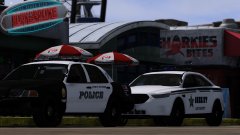
From the album: My random patrols
Need to change the modules on the X2100 but LCSO is gettting closer. -
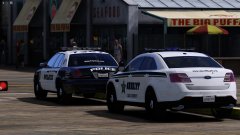
From the album: My random patrols

