


ValuedPear05
Members
-
Joined
-
Last visited
Everything posted by ValuedPear05
-
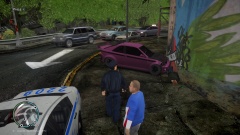
From the album: Crime Scenes
Arriving on the scene to possible gang related violence. Driver of the vehicle is said to have fled after the crash according to the witness in the red, white, and blue shirt. Hand gun found under the car 'R.I.P' First upload :) -
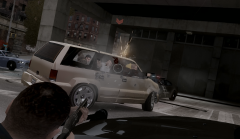 Looks like things didn't turn out too well... UNLESS.. They were trying to go out 'Devils Rejects' Style!! *Edit* Was looking at the pic :P cool video
 -
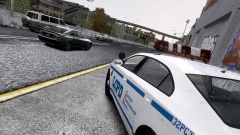 Wow I hate corrupt cops " don't think that extra 10mph over the speed limit will get you to your flight on time, because the only place you'll be going is back to the station." Typical LCPD arresting people for speeding, scums!!! Oh nice pic btw :)
 -
1. Hi all, I can't imagine I'm the only one with this problem but it very well could be. I hope I'm not posting a duplicate topic as I searched the forums for this issue and didn't see anyone with similar problems. Right now everything works fine. But when I pull over a pedestrian, and walk up to the PASSENGER side window, the driver will then scoot over into that seat and it will tell me to press UP DOWN LEFT OR RIGHT, for different options (reckless driving, speeding, etc.) But nothing happens after that. My player will just stand there leaning up against the car while I'm not able to virtually press anything to cancel out. However, upon teleporting a very short distance with a trainer I can cancel it out. So it's a work around, and it's not like it's crashing my game but I figured I would bring it up, and wonder if this is just a known issue that I missed. (Or for that matter if there is a topic with a list of known issues that I may have missed as well) 2. Also, this is completely off topic-- but I don't want to create another topic for a simple answer.. Are there any future plans to change the 'Parking Ticket' Animation? I think it would be even better if the player didn't even bend down at all and instead just stand there and issue the ticket with the clipboard, taking away that animation. The animation for me has to activate usually when the player is looking at a vehicle, then when it does my character will hunch down and clip into the car. (sorry I don't know anything about scripting, so I probably sound like one of those people who want all these changes but have no real idea how any of it works) Thanks for your time to read this, and once again I apologize if this has been stated before. I'm new here and still trying to figure everything and the website out :)
-
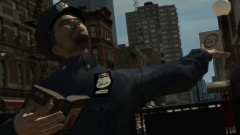 I thought this was about his sexuality lol, then I saw the G&Y sign in the back. Makes it hilarious without being too offensive !
 -
Dang that's unfortunate. Maybe I'll TRY and force myself to learn using the keyboard, since this is like the ONE game I use a controller on. Anything you'd recommend in-game settings wise for keyboard? Such as if it's more comfortable to have camera zoomed all the way out, or if it's better to have it up close over the shoulder, etc? I know it's kind of a silly question to ask, but the short time I was using KB&M was a little hard to get accurate (walking direction, etc.) in comparison to a controller, But I'm sure that's all familiarity.. Thanks again
-
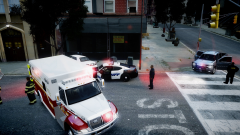 Still cool, I'm curious as to how he got all the cops and peds to hang around like that and not eventually leave. I want to set up scenes like this but I'm afraid of things disappearing and people leaving, Cuz it doesn't look like MP judging from the graphics, etc. Thanks for the quick reply
 -
Hi all, I'm new here so I apologize if this question has been asked before, but I could not find anything similar when searching. I prefer to use a controller, I have been playing GTA on and off since it's xbox release. I moved to PC a few years ago and eventually discovered this awesome mod. I played a little during .95 and there was no official controller support, but now there is and it doesn't seem to pick up my logitech controller for lcpdfr. It works for GTA, but I've tried changing the controls in the .ini for the controllerconfig. For example I set 'Arrest' as A without any modifier (set to none) But nothing happens in game, it displays the right button to arrest the ped but there is no response. So i'm forced to juggle between the keyboard and controller. I guess I'm just wondering if there is actual PC controller support, or it's only for xbox controllers. At least then I know if i'm doing something wrong, or don't have something enabled. Thanks for your help
-
Hi I'm pretty new to LCPDFR, and I was wondering if you stumbled on the actual scene like that? Or did you go and position this all by yourself? I haven't actually joined in on any singleplayer pursuits or accepted a call. I've mostly been patrolling and doing random ambient events like random drunk peds on the sidewalk, etc. Most things end up turning into a jumbled mess though, from cars crashing, piling up, to gunfire from the cops, etc. Thanks!

