HomerS
Members
-
Joined
-
Last visited
Everything posted by HomerS
-
-
You can get it for PC. Finally I've wanted this for so long!
-
Is the flash on the lightbar blue or the reflection from the flash on the ground?
-
-
-
I agree. Could be, but doesn't look like it.
-
-
Happy bday!
-
-
Thank you to all those people who defended me and gave constructive critcism :).
- 15 comments
- 2 reviews
-
-

- 1
-
-
This is my first texture and I didn't try too hard because it's supposed to be bad (they painted it while stoned).
- 15 comments
- 2 reviews
-
So I had an idea, a old Lancia police car I can't find one anywhere. Would anyone be willing to make one? One of these: http://www.gp-classiccars.de/tl_files/catalog_cc_fahrzeugbestand/Lancia_Delta_Integrale3.jpg With one of these: '>
-
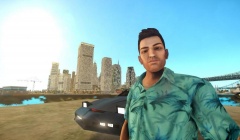 Is that Night Rider in the backround?
 -
Same here!
-
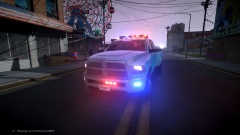 I think the runners would look good!
 -
-
-
-
Thanks! One question I noticed that the back was raised. Is that part of the model or vehicles.ide? Never mind I got it! I'm going to have to create my own ELS config because the lighs on the truck flash, because there are some lights floating about 5ft away from the truck.
-
I have a requst for a 1980's SWAT truck for GTA 4. I don't really have a preference on make or model, just a LCPD ESU SWAT truck. Anybody up for it? '>
-
Oh thank god! I really hope GTA 5 is moddable. GTA 4 is great, but for 5 to be moddable...
-
Not bad! One problem though I think the decal is too small, but still great job!
-
-
-
I was going to post a topic on the same thing!