

ThreattzZ
Members
-
Joined
-
Last visited
Everything posted by ThreattzZ
-
 I'm really enjoying this pack at the minute, however I have one query about POLST1 aka Slicktop CVPI When I turn the takedowns on using ELS the spotlights (extra) on the car appear and the takedown light shines under the car When I turn it off the light under the car disappears and the spotlights (extra) disappears again. I'm not sure if I've installed something wrong but any help would be great.imag
- 143 comments
- 23 reviews
-
Have you tried a custom config file? I saw one somewhere for 300 cars or something
-
Have you tried a clean installation of GTA V?
-
From what I've read it's best merging all your add-ons into one DLCpack folder and just adding one DLCpack to the dlclist.txt.. not sure if it's true but might be worth a try!
-
I'd say something has went wrong on your installation, probably best to revert to a backup mods folder or a new mods folder and try again. I currently have EUP (Both skin packs) + Menu running with a mod called WOV (World of Variation) which has a bunch of add-on vehicles. Double check your dlclist.xml, Ensure you have all of EUP's requirements on it's page. Ensure all of the requirements are installed correctly too
-
Hey Keith, This is my first time changing Audio hashes but I changed Police2 to the Windsor hash like this: "<audioNameHash>Windsor</audioNameHash>" Worked perfectly with no crashes. Not sure if something went wrong when you edited the .meta or something or maybe a conflicting mod? Just a heads up I edit my .meta through OpenIV > Edit Mode > Right Click > Edit Don't know if this is how you do it, or if you export and re-import but just as a reference in full detail that is what I did Hope you get it fixed. ThreattzZ
-
Great work there, this is great! I can't wait to test them out once they're downloaded! Thanks for this upload man!
- 16 comments
- 13 reviews
-
Hey, I have a problem with the large vehicles towing mod, Basically for bikes + Cars the vans/flatbeds work fine. However when it comes to a Trash lorry that needed to be towed the Helicopter flies in normally then bugs a little to where it's meant to be then it just goes up and hovers for ages... Can you think of why this may be? P.s this is on EFLC and I have renamed the Paths file so I could use bait car chop shops (incase that has something to do with it).. Thanks in advance.
-
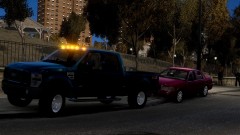 "Just another day on the job" ;) Nice truck dude!
 -