



1210saad
Members
-
Joined
-
Last visited
Everything posted by 1210saad
-
Thank you so much, it worked.
-
doesn't work :/
-
Thx, but it only has these options for car Car changes: RCtrl+Num 1 Fix Car RCtrl+Num 2 Flip Car RCtrl+Num 3 Clean Car RCtrl+Num 4 Change Car Color Slot 1 RCtrl+Num 5 Change Car Color Slot 2 RCtrl+Num 6 Change Car Color Slot 3 RCtrl+Num 7 Change Car Color Slot 4 RCtrl+Num 8 Change Car Color Slot 5 RCtrl+Num 9 Change Car Color Slot 6 il try it anyways.
-
Which one? Im using this atm https://www.gta5-mods.com/scripts/enhanced-native-trainer
-
Is there a way to remove the unmarked vapid cruiser's pushbar without LSPDFR?
-
Is there a way to turn on the sheriff SUV's spotlight, u can turn on that one spot light on the interceptor by pressing "H" but u can't on the SUV.
-
lol ya, sick videos tho i subbed.
-
-
OMG FINALLY!!
-
It's a school computer lol , on windows 7 but slow as hell lol had to use classic theme. (core 2 duo)
-
This gave me a heart attack "Start Download" God dammn you ads.
-
I CANNOT WAIT..............
-
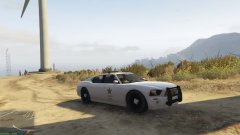 What kind of sorcery is this? how did u change the skin of the buffalo?
 -
 God dammn it.
 -
its funny lol.
-
Please tell us!!
-
Thank you.
-
That would be awesome.
-
TItle
-
Can't Wait.
-
I mean idk i thought US cop websites might be different.
-
Lol your name
-
-
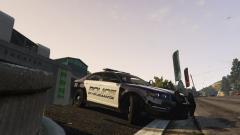 How did u edit the texture?
 -
LOL didnt read the bottom part till now. I mean cmon it does look pretty legit and the URL.



