




F5544
Members
-
Joined
-
Last visited
Everything posted by F5544
-
Thats why i need someone with a xp system
-
I want to convert that charger first. Then i will look for other conversions
-
I know the dodge is already available. But the driver version is much smaller and helps the gta engine. That's why i want to convert it.
-
The problem is that there is no way to force it if your pc is dx 11
-
the whole thing is about DX9 and vista and windows 7 use dx11 so 3d ripper doesn't work on them.
-
-
Maybe you changed the handling with installing a previous vehicle? the standard handling is good enough i think.
- 24 comments
- 7 reviews
-
64 bit. Why? Does anyone have a xp system with driver sf ?
-
yes i hope so to. i am busy with to install driver on my xp laptop but i don't know if he can run it.
-
Tried that before posting this topic. Doesn't work. Because its still using Dx11. And 3d ripper works only with Dx9. And shortcut extensions also didn't work.
-
yes, but i will not change this version. There are other modders who has my model. maybe they will change the lights. i am sorry.
- 24 comments
- 7 reviews
-
Hi, I have ripped the Dodge Charger police and the Ford Taurus from Driver San Francisco. I will convert these cars for Gta IV, for its HQ low Poly models. Greets, F5544
-
Dhruv. Would you like to make screenshots for me? For all the cars i will release? I saw your great screenshots.
- 24 comments
- 7 reviews
-
Thanks. Sgt. But have you seen in the game? Screenshots of mine are not good. If someone can make good screenshots please make it. And you can do it yourself.. Thanks dhruv for your support. You're in the credits Haha.
- 24 comments
- 7 reviews
-
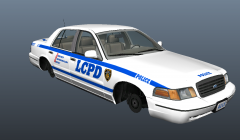 It is released in the download section.
 -
Hi dhruv. The vector version is pending for admins. So it will be ready for download soon.
-
The normal is 3 mb minimal
-
Yes the car is in game. And it is 642kb total
-
-
Sa? This car is from driver not gta. It is converted to gta
-
The standard template of the cvpi. Most of the skins are compatible
-
Model is original Ford Crown Victoria by Driver SF, modified for and converted to GTAIV by F5544. Lightbar made by: F5544, Textures by Lt.Caine. Police equipment made by: Rockstar Games modified to it's current form by F5544. Main Skin textures are made by: F5544/Lt.Caine. Ripping From Driver SF: RacingFreak Rhino Rambar Low poly made by: F5544 Thanks To: Cj24 & KevinDV For helping and advice. Dhruv For support. It is forbidden to upload this or a modified version for public without permission. Changing textures is allowed for personal use.
- 24 comments
- 7 reviews
-
From the album: previews.
Converted this version of Driver SF It's a High quality model but very low poly. Good for the Gta engine. It's ready for modders to make a police version of it. Ask permission(no beginning modders please) and you'll get the unlocked version. Thanks to Cj24, KevinDV, Dhruv(for supporting)© Lcpdfr exclusive
-
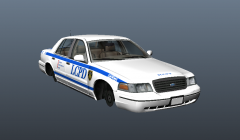 It has the standard layout. So most of the skins are compatible.
 -
Yes. Only bug fixing


