
Astrum.
Members
-
Joined
-
Last visited
Everything posted by Astrum.
-
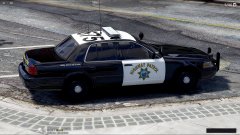 Wow where can I get the CVPI??? ;)
 -
-
 Looks awesome!
 -
-
.thumb.png.5fbbb989547defaeeb5c22864df62b54.png) @bizzlezx10r Put the attached file in: \update\x64\dlcpacks\mpheist\dlc.rpf\common\data carvariations.meta
@bizzlezx10r Put the attached file in: \update\x64\dlcpacks\mpheist\dlc.rpf\common\data carvariations.meta- 174 comments
- 47 reviews
-
@pav500 I wish there was just as much as you
-
-
Nope. This is another amazing feature ELS V will offer.
-
 God damn...
 -
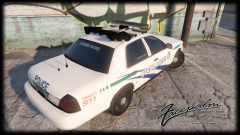 10/10 would model again.
 -
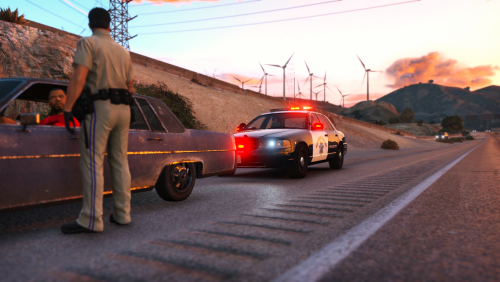 @Schecter004 I know it is. I will try to hide it but no promises. For now you must remove coronas from your game if it bothers you to much and it will make the game look odd.
- 95 comments
- 29 reviews
-
@SoloMan Any textures that don't use BxBugs' template will fit this model @bizzlezx10r Yes that is why.
- 174 comments
- 47 reviews
-
-

- 1
-
-
-
I am working to fix all the bugs everyone!
-
@fleming334 I'll get that fixed. Sorry about that. @accord137 I wanted it to replace it upon release but hopefully
- 95 comments
- 29 reviews
-
@forsakenbacon17 It wasn't wasting my time I just haven't tried your method and I only thought of trying to do it my way as an answer :)
- 95 comments
- 29 reviews
-
-
@forsakenbacon17 "The car must be an addon vehicle for now until worked on further!"
- 95 comments
- 29 reviews
-
-
@steinberg4145 LOL. I will have that fixed! Working on it now!
-
@densup I am going to make a slicktop CHP CVPI and that will have steady burns
- 95 comments
- 29 reviews
-
-
- 3
-
-
-
V1 Uploaded!!!
-
@PNWParksFan The texture actually is a SAHP texture ;) I am going to add a actual CHP one sometime
- 95 comments
- 29 reviews
-
-
- 1
-
-
Information Introducing the California Highway Patrol CVPI. It is not an exact and has a lot of work to be an authentic replica. I have spent a good amount of time on this file so please leave feedback below. The car must be an addon vehicle for now until worked on further! Any issues with the credits may be addressed my sending me a message and will be fixed :) For any questions or concerns use the comments not the reviews! Installation and Usage Installation for these vehicles is very simple! No need to worry about a difficult process! Installation was made easy with a folder path! When you download the modification simply follow the path of each folder in OpenIV to successfully replace the vehicles. Make sure to install everything included! Those who don't will not be given support! Planned Features Make it a more authentic CHP CVPI Miscellaneous Please, PM me any bug or crash reports. I'll try my best to fix any unseen issues that might happen. Thanks.
- 95 comments
- 29 reviews
-
-
- 23
-


.thumb.png.5fbbb989547defaeeb5c22864df62b54.png)