Xplicit92
-
Joined
Everything posted by Xplicit92
-
Okay thanks
-
I'm trying to change my cop model to blackops01, would anyone be able to tell me where i put the files please? I have tried renaming s_m_y_blackops01 to s_m_y_cop_01 and putting them in "x64e.rpf/models/cdimages/componentpeds_s_m_y.rpf" but it doesn't change the model. Anyone able to shed some light please?
-
 This might be a stupid question but which model name is this? Like if im using a trainer which name am i looking for?
- 5 comments
- 4 reviews
-
1-Lincoln-18 is the default officer in Albo's plugins, go into the ini file for the plugin you wish to change and you can edit it to something else.
-
Is there any tutorials on this? Might be able to help me
-
Thanks mate If POLICE3 isnt in the carvariations can i just add it or is there more than 1 carvariation file?
-
Okay, thank you.
-
Hi, on the Default Police Transporter the lightbar is a rotator lightbar and on the Default Police3 the lightbar is LED, i have changed the lightbar on the Police3 using Zmodeler to a rotator lightbar however it doesnt rotate, it flashes as the LED lightbar would. Does anyone know where i can find settings to tell the game that Police3 now has a rotator lightbar and not an LED one.
-
It usually doesn't take them that long' a few days at most. You should have backed up your current version. On the ragehook settings, go across to game settings and click revert game settings if you have a backup.
-
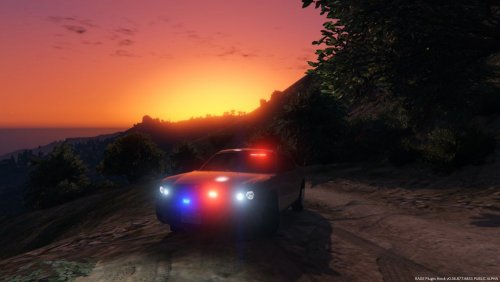 Good work mate. Unlike others I prefer a car to have minimal lighting. Once the bugs have been fixed it will be perfect.
- 12 comments
- 4 reviews
-
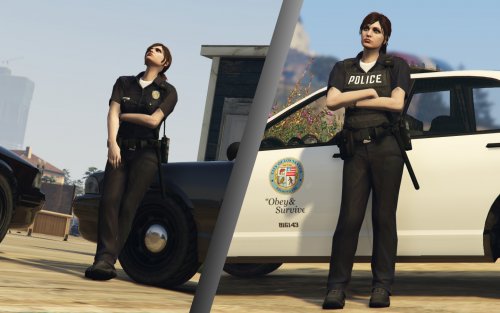 Hey. Nice job! These look awesome. Might be a stupid question but is it possible to play as this model in Single Player?
- 45 comments
- 8 reviews
-
-
 Excellent plugin, makes everything so much nicer when it's covered in snow. Just one thing though, I have no tire tracks or footprints. I have most of my settings on very high. Anyone know what could be causing them not to show? Thanks
- 85 comments
- 33 reviews
-
Make sure you have this: # Edited by Bxbugs123 (8/21/2015)(upDated 10/29/2015) # emissive bits car.headlight.day.emissive.on 15.00 car.headlight.night.emissive.on 3.00 car.headlight.day.emissive.off 0.05 car.headlight.night.emissive.off 0.001 car.taillight.day.emissive.on 25.0 car.taillight.night.emissive.on 20.0 car.taillight.day.emissive.off 0.30 car.taillight.night.emissive.off 0.003 car.indicator.day.emissive.on 30.00 car.indicator.night.emissive.on 30.00 car.indicator.day.emissive.off 0.30 car.indicator.night.emissive.off 0.003 car.reversinglight.day.emissive.on 25.00 car.reversinglight.night.emissive.on 5.00 car.reversinglight.day.emissive.off 0.10 car.reversinglight.night.emissive.off 0.003 car.defaultlight.day.emissive.on 380.00 car.defaultlight.night.emissive.on 120.00 car.defaultlight.day.emissive.off 0.05 car.defaultlight.night.emissive.off 0.003 car.brakelight.day.emissive.on 35.00 car.brakelight.night.emissive.on 30.00 car.brakelight.day.emissive.off 0.30 car.brakelight.night.emissive.off 0.003 car.middlebrakelight.day.emissive.on 40.00 car.middlebrakelight.night.emissive.on 40.00 car.middlebrakelight.day.emissive.off 0.30 car.middlebrakelight.night.emissive.off 0.003 car.extralight.day.emissive.on 400.00 car.extralight.night.emissive.on 150.00 car.extralight.day.emissive.off 0.001 car.extralight.night.emissive.off 0.05 car.emissiveMultiplier 2.00 Also can you send me a picture of your ingame settings.
-
Im not sure then mate, that problem isnt anything to do with EVL its something to do with the actual settings. Lots of people had it to start off with, the fix was to edit the visual settings and to make sure post FX was on high. Open OpenIV and use it to make sure that your visualsettings.dat has been changed in the update.rpf.
-
Make sure that you installed the Radiance Mod V correctly and make sure that in game your post FX are on high or ultra or they will look like the lights in your your photos
-
-
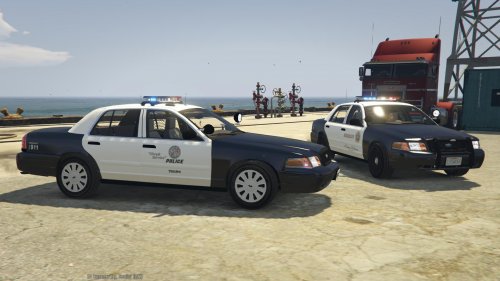 At the moment you can only replace 2 siren sounds. The wail and the Yelp in the EVL/siren folder. I'm going to include the hi-lo, airhorn and a few other tones in the next update
- 60 comments
- 9 reviews
-
-

- 1
-
-
Yeah of course mate. I'm not gonna make people use a siren they don't like ;)
- 60 comments
- 9 reviews
-
-
- 1
-
-
Yeah go into scrips/EVL/sirens and change them files. Make sure you name them the same though
- 60 comments
- 9 reviews
-
Make sure you Post-FX are on high or ultra.
-
EVL hasnt been removed from LCPDFR. Its being hidden by me. It will be available soon when i release the newest update.
- 60 comments
- 9 reviews
-
-
- 4
-
-
I cant remember off the top of my head. BxBugs released a mod that has the settings in. Its called RadienceV and its on GTAPoliceMods.
- 60 comments
- 9 reviews
-
-