


DannyBoy1909
Members
-
Joined
-
Last visited
Everything posted by DannyBoy1909
-
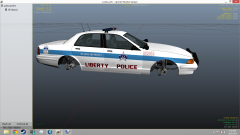 I like the concept. The base vehicle, not so much. I'm just not a fan of the Vapid Cruisers, then again that is only my Opinion. Keep up the great work, man!
 -
-
-
My Fictional "British Style Crown Victoria Police Interceptor". I was messing around on ZModeler a while ago, and I made something like this up just to see what it would be like. After some good feedback, I went back and remade it, this time with more detail. It is an interesting concept and I know it is weird, but that I what I was going for. The main thing is, that it's something different. Depending on feedback, I may turn some other American Vehicles into British variants. I hope you continue to enjoy my work, as I continue to enjoy making it. -Danny DISCLAIMER The following standards are expected of those whom use this modification: ~1: Please do not redistribute this modification without prior permission from me. ~2: I take no responsibility for any damage caused to your game in any case where the modification is working fine and no errors surfaced during extensive testing. ~3: No prior permission or authorization is given to anyone to include this modification in any publicly released pack or clan pack. Please approach me for permissions in any case you dyingly wish to release the modification as part of your pack. This modification is done on a pure non-profit basis. This modification is created with no intention if benefits to anyone who contributed. This is created based on the original author's pleasure. Installations is not included along with this modification. This modification is released with the expectation of the person downloading has prior knowledge to modding GTA IV. PLEASE NOTE: If anyone has NOT been credited for their work, contact me in PM with and explanation of use and serious evidence.
- 17 comments
- 3 reviews
-
-

- 1
-
-
I like it. Nice and simple is always good in my books. No need to plaster it with Decals. You should have got Mr Data to take some nice ENB Screenshots though! Anyways, nice pack all round! :D
- 2 comments
- 3 reviews
-
-
- 3
-
-
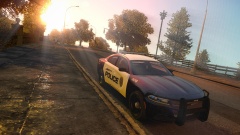 In my opinion, the front looks pretty bad ass, but they ruined the back. It looks horrible now.
 -
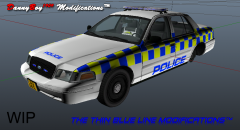
From the album: Danny's 3D DEVs
This is something I made up in ZMod just to see what it would look like. It still needs a lot of changes...But it came out with an interesting result. -
![Liberty City Bomb Squad Suburban [WIP]](//s3-gallery.int-cdn.lcpdfrusercontent.com/gallery/album_3389/sml_gallery_148203_3389_75598.png) I'm not too sure, to be honest. I need to look into that, but replacing the rims/wheels is one of the things on my list before release. (Along with re-sizing the lightbar and bomb robot).
I'm not too sure, to be honest. I need to look into that, but replacing the rims/wheels is one of the things on my list before release. (Along with re-sizing the lightbar and bomb robot). -
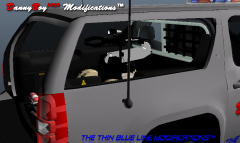 Haha, I definitely need to resize it then :P It looks great though and I had always wanted to make a Bomb Squad vehicle and your Dragon Runner is just the "Icing on the Cake". :D
 -
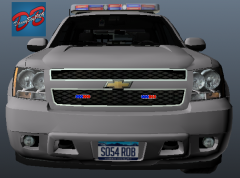
From the album: Danny's 3D DEVs
-
From the album: Danny's 3D DEVs
-
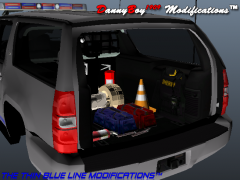
From the album: Danny's 3D DEVs
-
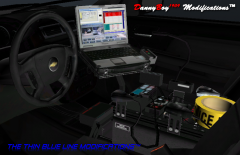
From the album: Danny's 3D DEVs
-
From the album: Danny's 3D DEVs
-
Dayum, them skins are fine! But a 9.5/10 for me, I feel like the badge needs to be re-sized slightly, it's a bit disproportionate .
- 9 comments
- 2 reviews
-
-
- 1
-
-
-
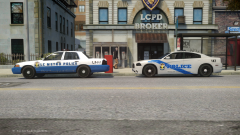 Having the older skin and vehicle was a good idea, add a nice hint of realism into the pack.
 -
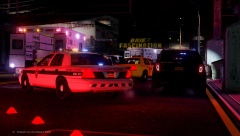 11 lines of description? Ain't nobody got time for that! Haha, nice job on the Screens, Dillon :D
 -
Looks good, mate :) I love the strip of lights on the Ram-bar, It looks nice, and the all blues are pretty nice as well! Great Job!
- 17 comments
- 5 reviews
-
-
- 1
-
-
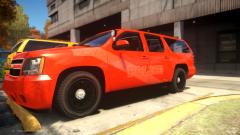 Because I wasn't good enough for you... :'( Anyway, it looks really nice :) Can't wait for release!
 -
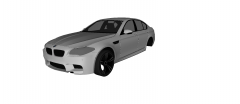 *Heavy Breathing* ... It looks great! I can't wait to get my hands on this!
 -
That is the ELS File. To use this vehicle you will have to install ELS v8 and place that file in your "ELS" folder. Then you will have to change the "SLOTCONTROL.ini" to set that config file for whichever slot you put the Durango into. I hope this helped!
- 5 comments
- 2 reviews
-
To be honest, I tried not to go overboard with the Lights, you see so may models out there that look like Christmas trees... Thanks for the good feedback!
- 5 comments
- 2 reviews
-
-
- 2
-
-
Liberty City Police Department - Dodge Durango --- This is a fictional Dodge Durango for the LCPD, with a Federal Signal Integrity lightbar two ALPR Camera's on the roof, (amongst other equipment). I have included the ELS files (with the patterns I like) and a read-me with all of the credits. --- Special thanks to ScrimpyData for Screenshots! --- I hope you enjoy my work! P.S. Constructive Criticism is always appreciated, as it is the only way to improve, please just be blunt and if something isn't right, or there is a bug which I am not aware of, please let me know!
- 5 comments
- 2 reviews
-
Uhm... No... I fixed that problem with the hood, and now it's the door? That's very strange, anyway thanks for the good feedback!
- 21 comments
- 3 reviews

![Liberty City Bomb Squad Suburban [WIP]](http://s3-gallery.int-cdn.lcpdfrusercontent.com/gallery/album_3389/sml_gallery_148203_3389_75598.png)
