DannyBoy1909
Members
-
Joined
-
Last visited
Everything posted by DannyBoy1909
-
-
-
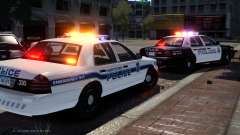 Looking amazing. I'm not surprised.
 -
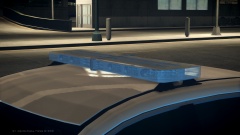 > RELEASED < '&do=embed' frameborder='0' data-embedContent>>
 -
Hopefully it will be released in the next few hours. I'm just waiting for someone to take some in-game screenshots.
-
6795.
-
From the album: Danny's 3D DEVs
Model made by me, Converted by IronicRainbow. Screenshots by Him1250. Release expected in the next week. -
All of DannyBoy1909's Work In Progress Development Stuff for Grand Theft Auto IV.
-
Whelen Liberty II v2.0 - In-game Shots
-
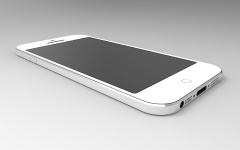 Apple iPhone 5 [DEV]
-
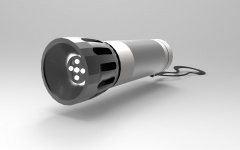 LED Flashlight/Torch
-
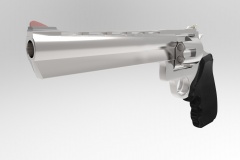 44. Magnum [DEV]
-
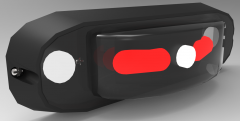 Whelen ION V-Series Super-LED Surface Mount
-
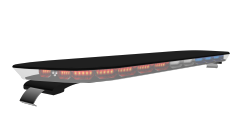 Sound off Signal nForce LED Lightbar - [WIP]
-
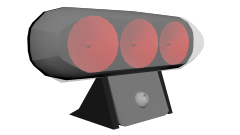 Soundoff Signal XP 63 Deck/Grille Light - [WIP]
-
 Dodge RAM - Wheel [WIP]
-
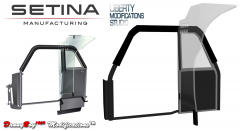 Setina BodyGuard Single Prisoner Partition [WIP]
-
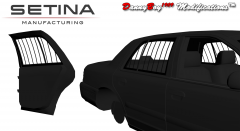 Setina Window Bars [DEV]
-
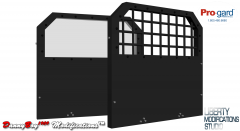 Pro Gard - Cargo Partitions [WIP]
-
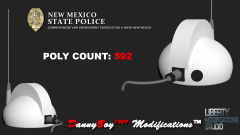 NMSP Roof Antenna [WIP]
-
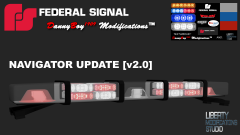 Federal Signal Navigator Lightbar (UPDATE) [v2.0]
-
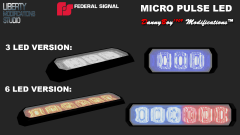 Federal Signal Micro Pulse 3 & 6 Point LED
-
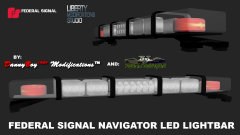 Federal Signal Navigator Lightbar [v1.0]
-
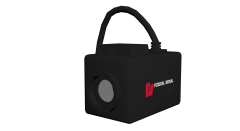 Federal Signal DTX Front Camera [WIP]
-
 Whelen SA315 Speaker/Siren [FINAL]
-
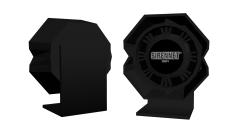 Sirennet SNSP 1 Siren/Speaker [WIP]
-
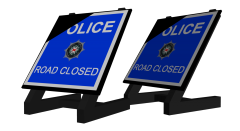 Road Closure Sign - PSNI [WIP]
-
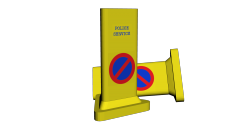 TriSide Cone - [WIP]
-
-
What? You didn't see that one coming? Haha. I don't know what mine is, I never really pay attention to the name I am given. (Check Skype, bro...)
-
*The Screenshots of the Oxygen Tank do not correctly represent the final product, it was heavily edited to reduce Poly Count*
- 6 comments
- 4 reviews
-
Liberty Modification Studios Christmas 2014 Miscellaneous Development Resources Pack This is being released by everyone at LMS as a sort of Christmas Present. It is really just a lot of random parts that were thrown in by LMS Members, but I am sure that someone will find it useful. This pack consists of a: Ray Allen CVPI K9 Insert Federal Signal Micropulse (3 Head and 6 Head) Generic Traffic Cone Medical Oxygen Cylinder Panasonic Toughbook Tablet Police Bicycle (Prop, not ride-able) Setina Bodyguard #7-S Setina Bodyguard #10-S Setina Single Prisoner Partition Soundoff Raptor Soundoff XP63 *Not everything listed above has a screenshot attached. I had hoped to be adding a lot more to this before release, my original list had 18 parts on it, but due to unforeseen circumstances, this is all I managed to do in time. I should be releasing more in the DEV Section in the next few weeks anyway. (Yes, I know it isn't Christmas day yet, but I will be spending tomorrow with family and will not have time to upload this. By the time this gets approved it will probably be Christmas anyway.) And from everyone here at Liberty Mods, we wish you a great Christmas and a prosperous new year!
- 6 comments
- 4 reviews
-
-

- 3
-
-
 This looks really good. Nice work to playstationmanrocks and you for the Screens.
 -
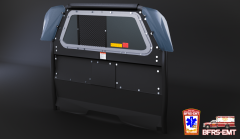 http://www.gta-mod-center.com/forum/index.php?/files/file/213-pro-gard-partition-pack/
 -
 Thanks, I appreciate it!
 -
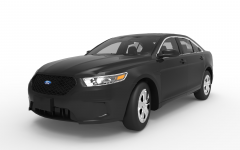
From the album: Misc 3D Renders
Larger Image: Model by IronicRainbow, Rendered by me in KeyShot 5.0. First Image took 1 hour and 10 minutes to render. The second took 2 hours and 25 minutes. -
-
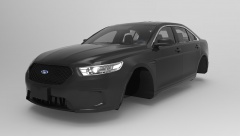 Yeah, you do. And send me the damn wheels this time...
 -
It goes in the grille actually. Supposed to give the car a 'futuristic' feel. And waste taxpayers money, obviously.
-
"The iBend Application is only available with iPhone 6 and 6+ variants".
-
From the album: Danny's 3D DEVs
-
From the album: Danny's 3D DEVs
Larger Image: -
I know I need to remap it. But it's pretty hard to do that in Keyshot 5.0, it's not as easy as in say ZModeler or 3ds Max.
-
From the album: Misc 3D Renders
Larger Image: Model by IronicRainbow. The ford badge kind of ruins it, but I can't seem to get it to fit. -
From the album: Danny's 3D DEVs
More renders to come soon. This first one took over an hour and I can't be bothered waiting for the second. -
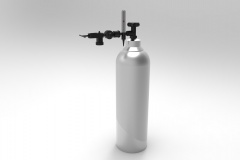 Keyshot 5.0... It even makes me doubt if this stuff is real or not...