


simplestarwarsfan
Members
-
Joined
-
Last visited
Everything posted by simplestarwarsfan
-
From the album: simplestarwarsfan's IV
-
-
From the album: simplestarwarsfan's IV
-
I've now also tried with ELSv7 (which looks much better) with still no effect.
-
You could try rebooting your computer, I've found that my GTA IV likes to not work after my PC's been on for awhile. That's all I can say off the top of my head..
-
So i just installed Corleone's model into TLAD as the prison bus model, and it works great. The issue is that the model supports ELS and I can't get the ELS.ini to reconize the pbus model and enable it to use ELS. I working with ELSv6 still, and I've checked the scripthook log file to confirm that the pbus vehicle is not being enabled. So is there some way around this or is there just no ELS support for the TLAD vehicles? ELS.ini [ PBUS ] Active = 1 Halogen_Only = 1 Color_Light1L = 0 Color_Light2L = 2 Color_Light3R = 0 Color_Light4R = 2 Color_Light7L = 0 Color_Light8C = 0 Color_Light9R = 0 Offst_SLights = 3 ScriptHook.log Log start: Fri May 24 16:26:00 2013 ----------------------------------------------- [INFO] GTA IV Script Hook 0.5.1 - (C) 2009, Aru - Initialized [INFO] Process base address: 0x11b0000 [INFO] Auto detecting game version [INFO] Using game version EFLC 1.1.2 [INFO] (ELS) Script started: V6-R1.13-091110 [INFO] (ELS) File - CMID 0, ADMIRAL off. [INFO] (ELS) File - CMID 1, AIRTUG off. [INFO] (ELS) File - CMID 2, AMBULANCE active - els_cmid 1. [INFO] (ELS) File - CMID 3, BANSHEE off. [INFO] (ELS) File - CMID 4, BENSON off. [INFO] (ELS) File - CMID 5, BIFF off. [INFO] (ELS) File - CMID 6, BLISTA off. [INFO] (ELS) File - CMID 7, BOBCAT off. [INFO] (ELS) File - CMID 8, BOXVILLE off. [INFO] (ELS) File - CMID 9, BUCCANEER off. [INFO] (ELS) File - CMID 10, BURRITO off. [INFO] (ELS) File - CMID 11, BURRITO2 off. [INFO] (ELS) File - CMID 12, BUS off. [INFO] (ELS) File - CMID 13, CABBY off. [INFO] (ELS) File - CMID 14, CAVALCADE off. [INFO] (ELS) File - CMID 15, CHAVOS off. [INFO] (ELS) File - CMID 16, COGNOSCENTI off. [INFO] (ELS) File - CMID 17, COMET off. [INFO] (ELS) File - CMID 18, COQUETTE off. [INFO] (ELS) File - CMID 19, DF8 off. [INFO] (ELS) File - CMID 20, DILETTANTE off. [INFO] (ELS) File - CMID 21, DUKES off. [INFO] (ELS) File - CMID 22, E109 off. [INFO] (ELS) File - CMID 23, EMPEROR off. [INFO] (ELS) File - CMID 24, EMPEROR2 off. [INFO] (ELS) File - CMID 25, ESPERANTO off. [INFO] (ELS) File - CMID 26, FACTION off. [INFO] (ELS) File - CMID 27, FBI off. [INFO] (ELS) File - CMID 28, FELTZER off. [INFO] (ELS) File - CMID 29, FEROCI off. [INFO] (ELS) File - CMID 30, FEROCI2 active - els_cmid 2. [INFO] (ELS) File - CMID 31, FIRETRUCK active - els_cmid 3. [INFO] (ELS) File - CMID 32, FLATBED off. [INFO] (ELS) File - CMID 33, FORTUNE off. [INFO] (ELS) File - CMID 34, FORKLIFT off. [INFO] (ELS) File - CMID 35, FUTO off. [INFO] (ELS) File - CMID 36, FXT off. [INFO] (ELS) File - CMID 37, HABANERO off. [INFO] (ELS) File - CMID 38, HAKUMAI off. [INFO] (ELS) File - CMID 39, HUNTLEY off. [INFO] (ELS) File - CMID 40, INFERNUS off. [INFO] (ELS) File - CMID 41, INGOT off. [INFO] (ELS) File - CMID 42, INTRUDER off. [INFO] (ELS) File - CMID 43, LANDSTALKER off. [INFO] (ELS) File - CMID 44, LOKUS off. [INFO] (ELS) File - CMID 45, MANANA off. [INFO] (ELS) File - CMID 46, MARBELLA off. [INFO] (ELS) File - CMID 47, MERIT off. [INFO] (ELS) File - CMID 48, MINIVAN off. [INFO] (ELS) File - CMID 49, MOONBEAM off. [INFO] (ELS) File - CMID 50, MRTASTY off. [INFO] (ELS) File - CMID 51, MULE off. [INFO] (ELS) File - CMID 52, NOOSE off. [INFO] (ELS) File - CMID 53, NSTOCKADE off. [INFO] (ELS) File - CMID 54, ORACLE off. [INFO] (ELS) File - CMID 55, PACKER off. [INFO] (ELS) File - CMID 56, PATRIOT off. [INFO] (ELS) File - CMID 57, PERENNIAL off. [INFO] (ELS) File - CMID 58, PERENNIAL2 active - els_cmid 4. [INFO] (ELS) File - CMID 59, PEYOTE off. [INFO] (ELS) File - CMID 60, PHANTOM off. [INFO] (ELS) File - CMID 61, PINNACLE off. [INFO] (ELS) File - CMID 62, PMP600 off. [INFO] (ELS) File - CMID 63, POLICE off. [INFO] (ELS) File - CMID 64, POLICE2 off. [INFO] (ELS) File - CMID 65, POLPATRIOT off. [INFO] (ELS) File - CMID 66, PONY off. [INFO] (ELS) File - CMID 67, PREMIER off. [INFO] (ELS) File - CMID 68, PRESIDENTE off. [INFO] (ELS) File - CMID 69, PRIMO off. [INFO] (ELS) File - CMID 70, PSTOCKADE off. [INFO] (ELS) File - CMID 71, RANCHER off. [INFO] (ELS) File - CMID 72, REBLA off. [INFO] (ELS) File - CMID 73, RIPLEY off. [INFO] (ELS) File - CMID 74, ROMERO off. [INFO] (ELS) File - CMID 75, RUINER off. [INFO] (ELS) File - CMID 76, SABRE off. [INFO] (ELS) File - CMID 77, SABRE2 off. [INFO] (ELS) File - CMID 78, SABREGT off. [INFO] (ELS) File - CMID 79, SCHAFTER off. [INFO] (ELS) File - CMID 80, SENTINEL off. [INFO] (ELS) File - CMID 81, SOLAIR off. [INFO] (ELS) File - CMID 82, SPEEDO off. [INFO] (ELS) File - CMID 83, STALION off. [INFO] (ELS) File - CMID 84, STEED off. [INFO] (ELS) File - CMID 85, STOCKADE off. [INFO] (ELS) File - CMID 86, STRATUM off. [INFO] (ELS) File - CMID 87, STRETCH off. [INFO] (ELS) File - CMID 88, SULTAN off. [INFO] (ELS) File - CMID 89, SULTANRS off. [INFO] (ELS) File - CMID 90, SUPERGT off. [INFO] (ELS) File - CMID 91, TAXI off. [INFO] (ELS) File - CMID 92, TAXI2 off. [INFO] (ELS) File - CMID 93, TRASH off. [INFO] (ELS) File - CMID 94, TURISMO off. [INFO] (ELS) File - CMID 95, URANUS off. [INFO] (ELS) File - CMID 96, VIGERO off. [INFO] (ELS) File - CMID 97, VIGERO2 off. [INFO] (ELS) File - CMID 98, VINCENT off. [INFO] (ELS) File - CMID 99, VIRGO off. [INFO] (ELS) File - CMID 100, VOODOO off. [INFO] (ELS) File - CMID 101, WASHINGTON off. [INFO] (ELS) File - CMID 102, WILLARD off. [INFO] (ELS) File - CMID 103, YANKEE off. [INFO] (ELS) File - CMID 104, FAGGIO off. [INFO] (ELS) File - CMID 105, HELLFURY off. [INFO] (ELS) File - CMID 106, NRG900 off. [INFO] (ELS) File - CMID 107, PCJ off. [INFO] (ELS) File - CMID 108, SANCHEZ off. [INFO] (ELS) File - CMID 109, ZOMBIE off. [INFO] (ELS) File - CMID 110, POLICE3 off. [INFO] (ELS) File - CMID 111, POLICE4 active - els_cmid 5. [INFO] (ELS) File - CMID 112, POLICEB active - els_cmid 6. [INFO] (ELS) File - vehicle properties retrieved. [INFO] (ELS) File - information retrieved. [INFO] [AdvancedCarActions] Thread started [INFO] [EmergencyLightingSystem] Thread started [INFO] [SimpleTrainer] Thread started [INFO] [SimpleTrainer_TBOGT] Thread started [INFO] [SimpleTrainer_TLAD] Thread started [INFO] [ScriptHookDotNet] Thread started [INFO] Car model available... spawning it! [INFO] Car model available... spawning it! [INFO] [ScriptHookDotNet] Thread killed [INFO] [SimpleTrainer_TLAD] Thread killed [INFO] [SimpleTrainer_TBOGT] Thread killed [INFO] [SimpleTrainer] Thread killed [INFO] [EmergencyLightingSystem] Thread killed [INFO] [AdvancedCarActions] Thread killed [INFO] Script Hook - Shutdown Sorry if that code was a bit long, don't what the 'spoiler' syntax is in these forums.
-
Email questions please.
-
(This is a port of the same tutorial I posted a few years back on GPM) Find and extract the emerglights.png located in the car's .wtd file. It should look something like this.. Now. There are 2 areas you need to edit here. The bit with the little mini images of the lightbars and the big colorful things. Those.. Now with the lightbar image bit, you need to find your car's lightbar type. i.e. if its useing the Vector then its obviously the one that looks like the Vector.. so you would edit this one.. But in this case it's not that one but this one... ..as I am editing FORD CROWN VICTORIA / CVPI-V4.6A ELS-H Now to editing it. It is very important to note that the color is slightly transparent! So you will need a program like GIMP or Photoshop to do this. Paint (to my knowledge) will NOT WORK! This one's easy as it is just a rectangle.. First make a new transparent layer. Next take your box/select tool and select the entire bar. Make sure you are currently on the new layer. Then with the fill/bucket tool select 'fill whole selection' and set the opacity level to about 50% and fill that area with the desired color. Then with the pencil or paintbrush tool go over the black separator lines, but with no opacity! These have to be solid. Oh, and be sure the area is still box selected. Should look like this.. Now, switch to the original layer, and clear the boxed contents. Should look.. Do the same thing to the smaller one next to it. Alright you should be here by now.. Good. Onto this section... Now these are the textures that the individual 'bulbs' in the lightbar will have when they are off. In this case this part of editing is very easy because we only have one color on the lightbar. So most are going to be the same color. If we had different colors we would need to figure out what sections of the bar used what. For example I already know where certain thing go for this car. This should be pretty obvious when you 1st open up the original texture. For this car it like this... 5 is for the rear secondary's and i'm not sure what 6 is for. Anyhow this not so hard for this car. You are just going to make 1,2,3,and 4 orange. Get yo box select tool and select one of em. Then will the fill tool, set the opacity to around 50% (this can varies per car and color) and fill that box. Now for the trick.. with that select tool box still there, right click and go to 'copy visible'. Then just copy and paste a few time over the others and boom. Now say you wanted that back secondary light to be green. Use a similar process. Use the circle select tool (cause its a circle!) and do the same. Bucket fill with a green at about 75% opacity (only cause we are covering red this time so it takes a little more). Should get something like this... And that is it for the emerglights file! Save as a .png with any name. Next is the emerglights_emis.png Extract the emerglights_emis.png from the .wtd Open it up! Should look something like this.. What this file does is give texture to the individual 'bulbs' when they are on. Now again this will be easy as our lightbar is all one color. If it were not we'd have to figure out which ones go to which parts of the lightbar. This can be really annoying sometimes. Just remember these were designed with some sense so its not going to be toooo complicated. Oh and those labels are there for a reason. But we don't have to worry about that! Because our bar all has the same color we are just going to make all the ones to the right orange. These.. With your box select tool, select any of those and fill with the bucket tool with an opacity of about 65% (again this will vary depending on the colors, just experiment).. Now, with the box still selected, right click and go to 'copy visible'. Then it is just a simple process of copying and pasting that over all of those that i showed we had to make orange. You can even use a trick to make this go faster. Cover the top row then box select it, copy visible and paste onto the lower two. Should end up like this... Now since we concluded that we wanted the back secondary's to be green we have to change the top static, generally the secondary's will be one of the statics. So do the same as before but this time only the one and making it green. I suggest a bucket fill opacity of about 75%. Oh whoops i missed one.. this one needs to be orange too for some reason. Generally you don't need to touch that one. Thats it! Save it as a .png with any name. Finally import these over the ones you extracted from the car's .wtd Lastly to get the els reflections right edit your els.ini. Depending on the car's name go to its section in the els.ini file. For example say it was just the regular police. Find the section for police... [ POLICE ] Active = 1 Halogen_Only = 0 Color_Light1L = 0 Color_Light2L = 0 Color_Light3R = 2 Color_Light4R = 0 Color_Light7L = 3 Color_Light8C = 3 Color_Light9R = 3 Offst_SLights = 0 The primary light are Lights 1 to 4. The secondary lights are 7 to 9. Since we made the primary's orange we'll set the primarys to amber, the closed to orange. Only red, blue, white, amber, and green are supported. They have corresponding numbers as seen in the reference section of the els.ini (located at the bottom). // REFERENCE // // Active Determines whether the ELS can be enabled on that vehicle / 0 for OFF, 1 for ON // Halogen_Only Determines whether the model is intended for halogen only lighting patterns // Offst_SLights Y axis offset of secondary environment lights relative to vehicle // // Red 0 // Blue 1 // White 2 // Amber 3 // Green 4 So to set the primarys to yellow we change 1-4 to 3 and to make the secondarys green(since we make em green) set 7-9 to 4. Oh and don't forget that this car is a Halogen. End result show look like this.. [ POLICE ] Active = 1 Halogen_Only = 1 Color_Light1L = 3 Color_Light2L = 3 Color_Light3R = 3 Color_Light4R = 3 Color_Light7L = 4 Color_Light8C = 4 Color_Light9R = 4 Offst_SLights = 0 DONE. Lets go test it out. In-game: Questions? Comments? PM or email me (simplestarwarsfan@gmail.com)
-
love the model, bit annoying with the different template, but i'm always up for a challenge. also what's up with all the nypd skins being Brooklyn precincts..
- 17 comments
- 8 reviews
-
just to let you know, someone has taken this and put it up at GTA4-Mods: http://www.gta4-mods.com/misc/beach-patrol-1988-jeep-wrangler-f16652
- 17 comments
- 5 reviews
-
yeah i know.. i was thinking about that when i was uploading these.. those securitas textures were kinda a bonus. i never really intended to throw them in with these.. but they look so good. i'll probably do some more securitas in the future.
- 8 comments
- 4 reviews
-
Crown Victoria, Sultan, Trailblazer, Taurus, Minivan, Nissan, Chevrolet Silverado These are textures for any CVPI (I suggest: Lt. Caine's CVPI-V4.4M ELS-H OR CVPI-V4.4E ELS-H), Lt. Caine's SULT-V1.3W ELS, Lt. Caine's MINV-V4.2V ELS, Bxbugs123's TRBZ-V1.5PD, Bxbugs123's 2011 Ford Taurus Police Interceptor, KevinDV's NissanNP300 V1.1AV ELS, and TUNES' Chevrolet Silverado. All the files included in this download are pictures, these are the textures. One you have the cars the textures are made for installed, please refer here: http://gtapolicemods.com/showthread.php?1449-How-To-Install-Textures for further instructions. Additional credits go to Bxbugs123 for his great Trailblazer and Taurus models, Lt. Caine for his great Police Sultan, Crown Vic and Police Minivan models, KevinDV for his Nissan, and TUNES' for his Silverado. As in 'Terms of Use', just don't remove my credit text on the texture itself. Other than that, do whatever. Enjoy. Links to suggested cars: CVPI http://gtapolicemods.com/downloads.php?do=file&id=361 OR http://gtapolicemods.com/downloads.php?do=file&id=477 Sultan http://gtapolicemods.com/downloads.php?do=file&id=307 Minivan http://gtapolicemods.com/downloads.php?do=file&id=628 Trailblazer http://gtapolicemods.com/downloads.php?do=file&id=497 Taurus http://gtapolicemods.com/downloads.php?do=file&id=516 Nissan NP300: Chevy Silverado: Note: It is possible to replace the airport cars with ELS police cars and have them enabled. Just add FEROCI2 and PERENNIAL2 sections in the ELS.ini
- 8 comments
- 4 reviews
-
This is a mod that replaces your currents sirens to those of the Federal Interceptor model PA-20A's. This is the model of siren used in the movie, The Blues Brothers by the police cars. It features that iconic epic sounding siren heard during the chase seen through Chicago. To install: Using SparkIV, open up resident.rpf (located: Rockstar Games\Grand Theft Auto IV\pc\audio\Sfx) then import the HORNS.ivaud included with this download. Click save. That's it! Credits: Me (simplestarwarsfan), for extracting the siren sounds from the Youtube video and manipulating them to work in GTA IV, lightsirenman (from Youtube) for his video featuring the sounds of PA-20A Siren, without his video this mod wouldn't have been possible. ENJOY! Video:
- 3 comments
- 3 reviews
-
lol wat... i use DHS textures for the noose all the time, its the real world equivalent. interesting about that "Seal and Signature Usage Guideline PDF", thanks DHS for that express guide on how to counterfeit your documents! but it will be useful for making more accurate textures.
- 9 comments
- 5 reviews
-
BladeRunner Spinner Texture for Lamborghini Reventón Police by simplestarwarsfan This is just a texture for DanteUniversal's Lamborghini Reventón Police NFS Hot Pursuit Version. It includes a BladeRunner Police Spinner Texture, and new lightbar textures. As a bonus, i have also included a Homeland Security Texture i made for this car awhile back. It also includes a new lightbar texture. Both include ELS setting for the new lightbars. Again these are only textures, to use them you NEED the car model, found here: http://www.gta4-mods.com/vehicles/lamborghini-reventon-police-nfs-hot-pursuit-e-f9082 If you need help installing these textures please go here: http://gtapolicemods.com/showthread.php?1449-How-To-Install-Textures In addition, there is a BladeRunner mod out on GTA4-Mods.com that makes police cars fly, so use this with that and it might be fun. Credits: DanteUniversal for the great model Ridley Scott for the great film Blade Runner Bugs: Only one very minor bug, all the glass on the car (windows, windshield, headlight glass, etc.) is all blue. This is due to me retexturing the middle part of the lightbar from white to blue. It seems the glass on the car uses the same texture as the white middle section of the lightbar. But I think it looks kinda cool. Legal Usage: Do whatever you want, just credit me and leave my credit text on the texture itself. ENJOY!
-
NYPD + LCPD Textures by simplestarwars for the Saab 9-3 2008 by corleone This file only contains textures. To use these you must have the car model, which you can get here: Included are 7 textures. 3 NYPD style LCPD textures, a HWY, SOD, and ESU. 3 NYPD textures of the same, HWY, SOD, and ESU. 1 Homeland Security Customs and Border Protection. Also included are lightbar textures to change the color of the lightbar from blue to red. To install please see these instructions: http://gtapolicemods...nstall-Textures As for editing my textures, all i ask is that you give credit and DON'T remove my credit text from the texture itself. ENJOY!
- 1 comment
- 2 reviews
-
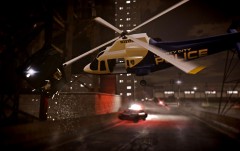 that is by far my favorite quote out of gta iv, its almost as good as "robot man juice"
 -
yeah i've been really lazy and busy, i have a bunch of random texture mods (like this one) that i should really start uploading.
- 2 comments
- 2 reviews
-
LCPD Textures for 83' Impala by simplestarwarsfan This small pack contains 4 NYPD style LCPD textures for any of Gfxle's 83' Impalas. Also included are 4 bonus textures and re-texture of the Chicago version lightbar to red (only applies if you are using the Chicago version of Gfxle's Impala). So, the paintjob textures will work on any of Gfxle's 83' Impalas: 1983 CHEVROLET IMPALA / IMPH V1.8S-CPD ELS-H 1983 CHEVROLET IMPALA SHERIFF / IMPH V1.8J ELS-H 1983 CHEVROLET IMPALA 9C1 / IMPH-V1.0J All can be found here: Gfxle's Files The lightbar re-tex to red only applies to 1983 CHEVROLET IMPALA / IMPH V1.8S-CPD ELS-H. To Install: Follow these instructions, How To Install Textures Credits: Me for making the Textures, Gfxle for his great work on the Impala Terms of Use: Just don't remove my credit text from the texture itself. Other Notes: If you are also looking for a good period accurate siren mod to fit with the Impala, Check out my Federal Interceptor PA-20A Siren Found here: Federal Interceptor Model PA-20a Siren Enjoy.
- 2 comments
- 2 reviews
-
well i think it looks fine. it doesn't nesssary look like or is considered a 90's van. this kinda looks like it:
- 22 comments
- 12 reviews
-
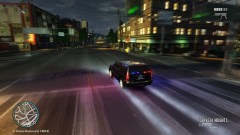 Where can i find that Tahoe? (or is it a suburban..)
 -
I've had this problem before. What seems to fix it (for me anyway) is to re-download the trainer to default and to re-download your ScriptHook.
-

