



Bleed Blue
Members
-
Joined
-
Last visited
Everything posted by Bleed Blue
-
This (Below) Is a Whelen Edge 9000 Duplex.
-
Special K is my rapper name... dont hate... appreciate.
-
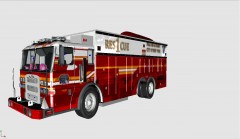 I remember this bad boy from about a year or so ago... glad youre starting up the project again man....
 -
-
ohhhhh right, yea because i havent 'tested using default cars or anything like that... thats not something that came to my mind before suggesting more stable scripts. thanks a bunch. :dry:
-
Thats not what I'm talking about..... I'm in a multiplayer community, I know theres stuff to get involved in. What Im saying is I wish LCPDFR was more Multiplayer Friendly..... it crashes us out allot, because its spawing different things in the same spot.... using allot of resources.
-
I'd like to see a multiplayer version...
-
Multiplayer is great! We do it all the time, like 5-10 of us.
-
Try getting V6, or finding the luminescence mod.... it increases light bloom
-
NICE TAHOE... lol, I love the new gen spotlight too.... Cant wait for the PPV if youre making it..... VB just bought 90 of em, you think you could make a VBPD part two with the caprice? Same setup as the Vic... just on a more badass car. Keep up the epic work buddy!
-
I passed my polygraph... fun stuff
-
First off.... What car is that? Second, have you changed your Visual Settings file? Third, Make sure your weather is not set to "Extra Sunny 2" Fourth, try getting the luminescence mod.
-
Just...... just hit "P" again...
-
You need to have both players go into their ELS.ini file, and enable ELS in multiplayer... Then, (This step is very important) When you go into the game, you need to attach your light to your siren (Default Alt-T) and when you hit you siren, the lights will flash at the same speed for you, and all the other players. Let me know if this helps.
-
-
Hey, maybe we could get our groups together some time, and have a massive game... thoughts?
-
yep, its the MDC mod for "serious roleplay enthusiasts." Link: http://mdc.lcpdfr.com/mainlogin.php
-
BEST PUNISHMENT EVER!!!!! I was LOLing.
-
Agreed.... the CVPI can drive through a building at 60 and still work.. its a freakin tank. My department just bought 90 new Caprice PPVs... and they're actually quite nice... more horses than the Vic.... the only downside is the Gear shift is in the center console... so its kinda hard to put in the comp. They make good trucks!
-
I see them all the time... the guys I ride with, We HATE them.... Lol, we saw a silbar CVPI with a headlight out... and we were about to stop him, but a priority call came out.... needless to say we didnt get to stop him.
-
Just took one the other day.... I think its questionable whether they really do any good.
-
http://www.lcpdfr.com/page/teamspeak
-
I know some of you have already done it, but get Teamspeak! and go to the LCPDFR/G17 Media Teamspeak, and you will see some of these guys chillin in a game that you can join!
-
There is not enough statistical research to determine what police agency/department/officer is the most proactive/the best.
-
 howd ya do that? The takedown spotlight... its not ELS is it?


