
SheriffTanta
Members
-
Joined
-
Last visited
Everything posted by SheriffTanta
-
Okay so it turns out deleting the MLO map mods from the dlclist temporarily fixed it. Hopefully it stays fixed 😃
-
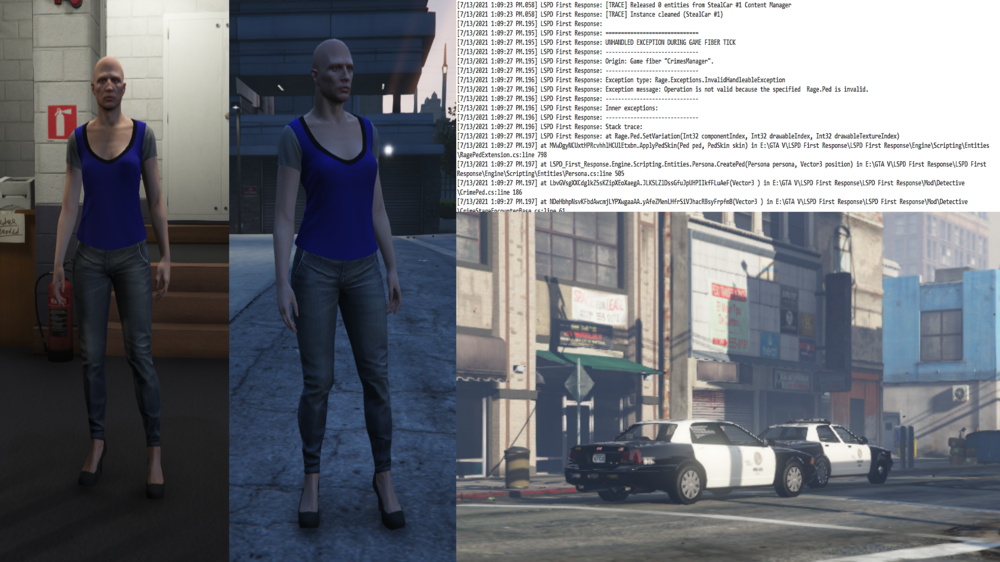
Hey there, hope y'all are having a good week so far. I've been playing LSPDFR again recently, however every time I go on duty, the plugin either crashes after around a minute or two, or it crashes instantly and makes my game crash alongside it. I've double checked my installed vehicles and everything seems to be fine with those. When I go into Mission Row PD, there are sometimes issues with the peds. Instead of wearing the proper uniforms and walking around, they wear the default blue EUP outfit for some reason. Both Males and Females. And I also notice that there are abandoned police cars in the middle of the streets. I'm assuming that the plugin is trying to spawn ambient cars, however they're ending up unmanned for some reason. I tried spawning a partner, and they spawn as the default model as well. Here's a few screenshots I've stitched together for examples: The only thing I've really recently installed is three MLO mods and an MP Map enabler. This shouldn't make a difference since this bug started a week or so before I installed them, until recently it's just got A LOT more common. I have the Mission Row Community Police Station mod, Del Perro Police Station and the La Mesa SAHP Station. I also have an edited EUPFR Ultimate config for Dispatchworks vehicles and some others. Here's a file list of what plugins I have installed: And finally here's my log: Thanks to everyone who helps out with this! I've really missed playing LSPDFR and it's a shame I can't play it because of these annoying errors. I tried looking up other threads regarding this same error and I haven't really gotten anywhere.

-
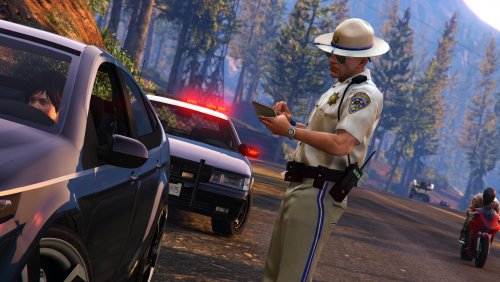 Yes there is, it's the RDE Mod. Heres the link if you want it: https://www.gta5-mods.com/misc/realism-dispatch-enhanced
- 14 comments
- 2 reviews
-
After LSPDFR, i installed the PoliceRadio mod, which enhances the LSPFR experiance. :P If you want the download link, here ya go: http://www.lcpdfr.com/files/file/7866-police-radio-plate-checker-coroner-tow-truck-tackle-suspect-request-pit-barriers-request-additional-traffic-unit/
-
-
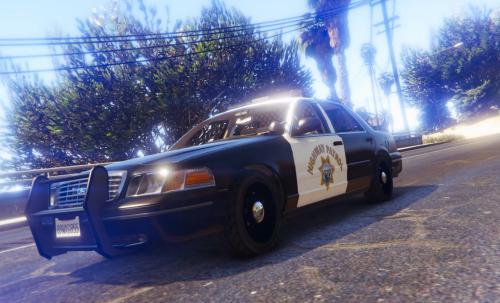 Firstly, you need the original Crown Vic from here: https://www.gta5-mods.com/vehicles/1999-ford-crown-victoria-police Now, there isn't a lot to do to get the new textures, all you have to do is: Run OpenIV and enable Edit Mode. Now all you need to do is navigate to the location of your Crown Victoria and enter the YTD File. When you've done that, simply click on one of the old skins and click "Replace", navigate to the new Highway Patrol skin and then double click on it, and vuala! Enjoy the new Highway Patrol skins! Special Thanks to the creator of the Crown Victoria YCA-RE for the original! DO NOT RE-PUBLISH THE SKIN WITHOUT PERMISSION!
 -
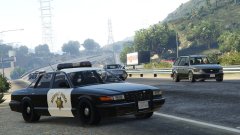 Wow, what a beauty! EDIT: Wait a minute, do i see a black box near the red side of the lightbar?
 -
Nevermind! I fixed it, can a moderator please close the thread?
-
Hello everyone, I have an issue here, ever since this morning it has been refusing to automatically log me in automatically and keeps coming up with these screens: Has anyone got any ideas how to fix this that doesn't involve Reinstalling my game/Contacting rockstar support?
-
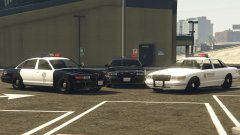 Are these going to be released at any time? These would look brilliant ingame! EDIT: Never mind, i read your comment on the other image, hopefully i can fix my game by then.
 -
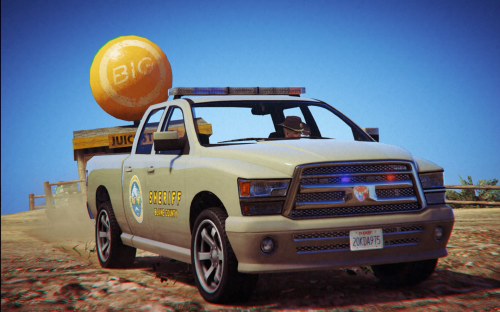 Ah thanks for that, i'll edit the instructions with the correct value! I've also just added a White variation to the truck, so you can download the White version or the Brown version.
- 9 comments
- 2 reviews
-
-
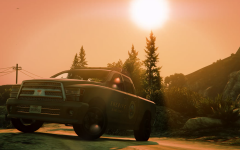 I've released the skin now.
 -
Since i've had a lot of demand from the picture i did of this, i've decided to release it to the public! :) Firstly, you need the original base from here: http://www.lcpdfr.com/files/file/8287-added-police-vehicles-by-dbock/ Now, there isn't a lot to do to get the new textures, all you have to do is: Run OpenIV and enable Edit Mode. Extract the main file "Pobison.ytd" and replace the original Pobison.ytd in update/x64/dlcpacks/mpluxe2/dlc.rpf/x64/levels/gta5/vehicles/mpluxe2vehicles.rpf Your new Sheriff Bison skin should now be installed and should work correctly! :) Special Thanks to the creator of the Added Vehicles pack in the forum for the original Police Bison! DO NOT RE-PUBLISH THE SKIN WITHOUT PERMISSION!
- 9 comments
- 2 reviews
-
-

- 5
-
-
Most likely, i'll either do a pack of the cars I've done, or just release them separately when they're all done. I may even do more skins for more vehicles if more cars will be released like these.
-
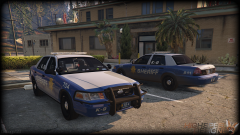 I don't think Gta 5 needs ELS, it already has LED Lighting. Then again this is just my opinion so.. Great job on the CVPI's by the way, the textures are brilliant!
 -
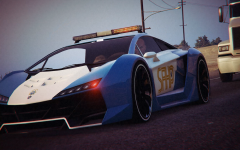 One of my favorite GTA 5 cars is now in the SAHP! Surely this car can catch up to anyone who thinks they can get away from the SAHP. Credits to whoever originally created this amazing car.
© SheriffTanta
-
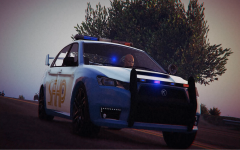 The 2nd addition to my WIP skin pack, the SAHP Kuruma! I still have a bug to figure out on this one.
© SheriffTanta
-
Just completed my skins, the skin on this bison is one of them! Thanks to the guy who made the original skin for the Stainer Sheriff!
© SheriffTanta
-
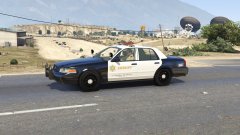 Looks absolutely astounding! Can't wait for this to be available for download!
 -
I am still asking myself how the hell he did the animations, when i first saw this i was laughing so much that i pissed myself. Definitely deserves a prize for best GTA 5 Comedy Video.
-
I won't be here for the release, shame
-
Yep, there is definitely a countdown on the top of the website, you sure you can't see it?

-
Oh thank god that timer isn't LSPDFR, i would be breaking down if it was, because i'm going on holiday on Thursday for 2 weeks.