


ErinLindsay
Members
-
Joined
-
Last visited
Everything posted by ErinLindsay
-
![2010 Ford PPV [WIP]](//s3-gallery.int-cdn.lcpdfrusercontent.com/gallery/album_2692/sml_gallery_138650_2692_76370.jpg) I will take that as a compliment!!! Thanks!
I will take that as a compliment!!! Thanks! -
Trying to make it like this: '?do=embed' frameborder='0' data-embedContent>>
-
-
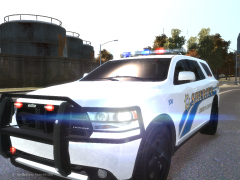 Nice truck, the skin looks good too!!!
 -
From the album: Vertex3D's WIPs
Let me know what you guys think!!! COMING SOON!!! -
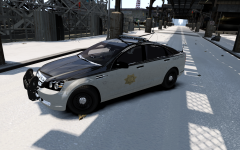 I think it is, judging by the rambar lights.
 -
-
![[REL] 2010 GMC Sierra 2500HD - LCPD](//s3-gallery.int-cdn.lcpdfrusercontent.com/gallery/album_547/sml_gallery_2101_547_291455.png) This is nice gangrenn!!!
This is nice gangrenn!!! -
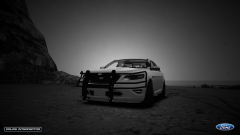 Nope! PM me!
 -
From the album: Vertex3D's WIPs
- -
![[WIP] 2010 Taurus PPV](//s3-gallery.int-cdn.lcpdfrusercontent.com/gallery/album_2692/sml_gallery_138650_2692_114553.jpg) VRRROOMMMM VRRRROOOOOMMMMM Thanks!
VRRROOMMMM VRRRROOOOOMMMMM Thanks! -
From the album: Vertex3D's WIPs
With a custom wraparound! Let me know what you guys think! -
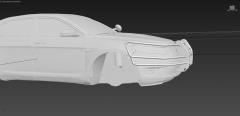 Thanks man, ingame pics in a few!!!
 -
3DS Max is easier to use IMO, so I always do edits on simple thing in 3DS max. I will just simply export it to Zmod.
-
From the album: Vertex3d's Scratch Made Parts
Not scratch made... but this is a modified CVPI wraparound made to fit the Ford Taurus. Let me know what you guys think! -
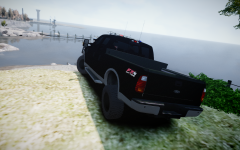 Haha, ok! Looks good!
 -
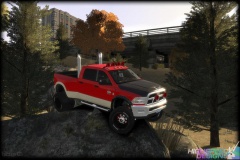
-
-
Originally by Vertex3D... :) JK, JK (but I did do this) Nice pic!
-
![[WIP] 2010 GMC sierra 1500HD - LCPD](//s3-gallery.int-cdn.lcpdfrusercontent.com/gallery/album_547/sml_gallery_2101_547_294916.png) You have a point! You would think they would take the badges off, I guess not.
You have a point! You would think they would take the badges off, I guess not. -
Nice! One thing though, take vehicle badges off for it to be a proper PPV. (2500 HD, GMC ,Sierra) A Whelen Liberty would complete this IMO!
-
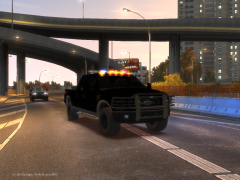 Who is this Vertex3D... I need to holla at him? JK... Nice job BTW!
 -
Maybe... But I think you would want to see it in person, hear how it runs, and inspect it before buying it. Most retired police cars are beat up and need some repairs before putting them on the road.
-
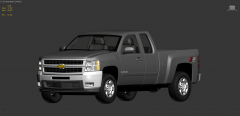 Haha, I don't know how I am going to convert this, this is my first time!
 -
I had that in mind...

![2010 Ford PPV [WIP]](http://s3-gallery.int-cdn.lcpdfrusercontent.com/gallery/album_2692/sml_gallery_138650_2692_76370.jpg)

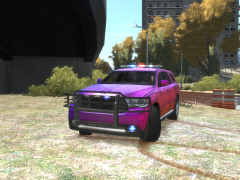
![[REL] 2010 GMC Sierra 2500HD - LCPD](http://s3-gallery.int-cdn.lcpdfrusercontent.com/gallery/album_547/sml_gallery_2101_547_291455.png)
![[WIP] 2010 Taurus PPV](http://s3-gallery.int-cdn.lcpdfrusercontent.com/gallery/album_2692/sml_gallery_138650_2692_114553.jpg)
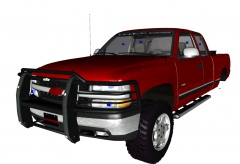
![[WIP] 2010 GMC sierra 1500HD - LCPD](http://s3-gallery.int-cdn.lcpdfrusercontent.com/gallery/album_547/sml_gallery_2101_547_294916.png)
