




Black Jesus
Members
-
Joined
-
Last visited
Everything posted by Black Jesus
-
http://codes.lp.findlaw.com/nycode/PEN/THREE/K/190/190.26 I believe it states that if you wear the badge you could be found guilty of impersonating a police officer
-
http://gyazo.com/40d030bf2bad3f2579a6c02cf11386c3It is fair because they warned you, and your responsible for whatever you do with it. And I believe someone posted the NYS penal law for police impersonation. As others have said it wasn't a smart move by you, so be happy they only took the badge
-
He had the right to stop you, and I wouldn't wear that badge out in public anymore. All it takes is one person to make a call about someone impersonating an officer and you're screwed. Those are probably meant to be worn as props/costumes, not out in public.
-
I couldn't find an exact breakdown of my town's department. But the annual report(2013) says they got 54,014 calls, 1734 parking tickets, and 8,087 traffic tickets. They also have to cover one of the biggest malls in America, and got around 400 arrest there.
-
Closest your gonna get is the Madera County Pack on the site, but there's no taurus in it
-
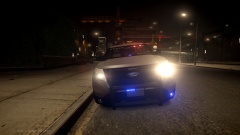 Yea, but I'd rather do this so people have more flexibility in the pattern they choose
 -
Couple days l8 m8
-
You technically don't need college or military to be a cop for some departments. Although some are requiring an Associates Degree. You really should think about community college at least. You don't have to go to some private university. But if you really don't want to, then try and find a department that requires only a GED. I don't think any department would love to see an applicant with no college credits or military experience. They're just gonna hire the next guy with college credits over you. EDIT: If you do get into explorers, try and ask about National LE academies. Those help with resumes and college applications
-
From the album: BlackJesus1's WIPs
Bad pic, I know. Just wanted to get opinions on the lighting setup -
I'm not sure the exact number of cars, all I know is that there are about 90 people in the patrol division.
-
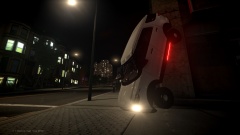
From the album: Black Jesus's Random Pics
Hit a curb going 40, ended up hitting the streetlamp and flipped into this mess. At least the lights still work... -
I'm gonna say 2006 oldest, based solely off the hubcaps because they were available starting around 2006. I'm not good at aging vics, because they all look the f******* same lol. My town probably would've found a way to get the money because we would have a good amount of crime without our pd(larcenies, stolen vehicles). But it's different with a town of 80,000 compared to 4,000
-
Oh cool that's the camaro I put together. Check to see if I made a window tint texture for it in the .wtd. If there isn't one there then there's nothing you can do because it's the glass. And I don't have the files anymore, sorry lol
-
Yea, I walked past a civ one and it was ridiculous how big the doors were
-
He can make a low speed pursuit sound like the most dramatic thing in the world lol
-
What do you mean oversized? They're bigger than crown vics in real life
-
-
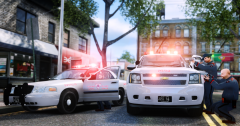 Those are pretty awesome
 -
I don't have any take downs in the lightbar( slicktop) so I'll try this. Thanks for the help VolvoGuy
-
Sorry FordDude
-
Totally forgot about the user guide, I'll check that out. Thanks Dodgeman
-
I know, but doesn't it need a certain dummy?
-
Hey, I saw that IronicRainbow's Madera County pack used this feature and I was wondering how to setup a car with it. Do I just make a dummy in the spotlight, and name it a certain thing?
-
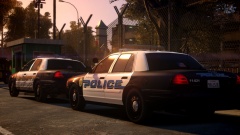 I wish the real world looked as beautiful as your game...
 -
Yea, but it's just objects. Not really an add on to lcpdfr


