


Scyattica
Members
-
Joined
-
Last visited
Everything posted by Scyattica
-
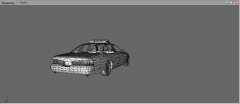 @Harper, I was making that Spurbury police car, remember?! I can give you that Jetsonic I was making so you have both style police cars if you'd like. Well, I would like. lol
 -
You can make a car in 3DS Max, you still HAVE to use ZModeler to get the car into GTA IV.
-
if you want to add more then just a lightbar, it gets a bit more complex. Start with that.
-
You can't really just move the wft. You need to move the contents of the wft into the police.wft. take helper from the justice.wft and put it in the police.wft, just under chassis_L2. then rename helper to like lollights and try it.
-
Use open 4 or spark 4 to open the .wtd file, police.wtd or whatever the model is. Once that's opened look for something_sign_#.dds. Those are the skins.
-
Well, you should have moved the contents of the helpers into the car .wft heirachy. If that's the case, then delete Justice.wft, and Talon.wft. If that's not the cast, move the contents from both of those into your car. I.E.: It should go from this to something like this:
-
Click the + sign next to the Error Collectiong Exporting Data, and it will tell you what the actual error is. Chances are there are duplicate LODS somewhere.
-
Or you can just use openIV and add cars to the vehicles.img...just add them to the carcols.dat,vehicles.ide, and handling.dat. Don't need to make a new IMG.
-
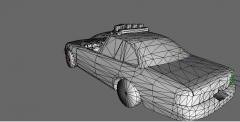 Awesome! I'd love to see this in game.
 -
-
ELS Police Cruiser - http://gtapolicemods.com/downloads.php?do=file&id=354 ELS Sultan - http://gtapolicemods.com/downloads.php?do=file&id=307 ELS Huntley - http://gtapolicemods.com/downloads.php?do=file&id=306 ELS Landstalker - http://gtapolicemods.com/downloads.php?do=file&id=407
-
Make sure you move the contents of justice.wft into the police.wft, ZM will only export the file name. If you have 4 hierarchies, justice.wft, police.wft, avenger.wft, rims.wft and try to export police.wft, only police.wft will get exported. You can either drag and drop everything into the police.wft (RECOMMENDED ROUTE) or export it as something like LOLCAR.wft. If you do the later option there is a chance your car will run with a screwed up center of gravity, that no matter how much you try to fix it with handling lines or whatever, will NEVER drive right. EDIT: for those interested:
-
Do you have all the dummies in the right spot? you need to have atleast all the dummies in the right spot before you can take it in game.
-
Use selected mode.
-
Use the material editor. The Red ball in Zmodeler
-
-
Here's a couple links to my PBSO CVPI's: http://gtapolicemods.com/downloads.php?do=file&id=1378 http://gtapolicemods.com/downloads.php?do=file&id=1330
-
Use an IVAUD Editor. http://www.gtaforums.com/index.php?showtopic=436550
-
I got that error...It's a problem with the .NET FX. You need a certain version, and other versions overwrite it or something. I had to uninstall ALL of my .NETFX, and start from 2.0 x86 all the way up to 4.0 x64. Was a bit of a pain in the arse I tell ya.
-
-
The adventures within chatford!
-
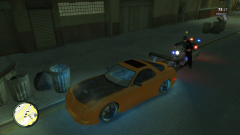
From the album: Chatford
Dang Popo got me again... -
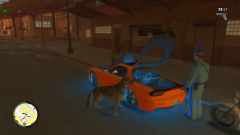
From the album: Chatford
Chatford PD aint got nothing better to do that harass a dude with a nice car. -
You can uh....not use ELS?
-
in spark 4, or open 4, open your vehicles.img. Once you've done that, find "Vehshare.wtd" and "vehshare_truck.wtd" and extract all the images in there...theres your vehshared textures.


