


hvymtal
Members
-
Joined
-
Last visited
Everything posted by hvymtal
-
No, it's more likely that RPH hasn't updated itself to the latest verion of GTA
-
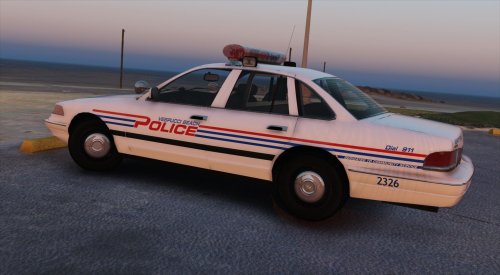 Was joking In fact the Vespucci beach livery may almost be too 90's. Which is definitely a good thing
- 12 comments
- 2 reviews
-
-
 more like eight months later :P
 -
Rosie Commander. Engine, Ladder, bare chassis, doesn't matter. I need my dope fascia
-
 Yes but it needs more chevy... You know the expensive as fuck made in Australia car that doesn't melt when exposed to extended periods of heat and moisture and has no sound deadening :D
- 779 comments
- 187 reviews
-
*mouth waters vigorously*
-
oops, yes. I didn't mean to make this topic either, check the other one as it has a bit more info
-
I am unable to start LCPDFR 0.95RC2. I am using steam, but I have a separate desktop shortcut to LaunchGTAIV. I have everything up to date. I have double checked that everything is present in scripts etc and nothing is read-only, including folders. I cannot use the diagnostic as i have the game on steam. I have attempted one reinstall and it still hasn't worked. I have remapped the P key as well, still nothing. I am using a 100% new save file and have only completed the first mission (where you get the phone).
