TGM
Members
-
Joined
-
Last visited
Everything posted by TGM
-
It seems as if the textures are embedded. I use OpenIV, it gives an option to open embedded textures.
-
My favorite cars would be the early 90's models of the Ford Crown Victoria, the 80's and 90's Caprices and the last generation of the Ford Crown Victoria.
-
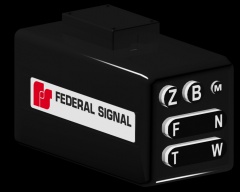 Looks great! I'm going to look forward to the release, I know I'd use this for sure.
 -
Hello everyone, I am currently attempting to convert a model right now, but I have encountered an issue. I don't know how to add the proper texture for the car to be recognized by GTA:IV. Could somebody tell me how the textures work for GTA IV and how to set them up correctly? I'd appreciate all the help I can get.
-
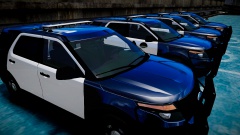 Looks great! Is this Evan's explorer model?
 -
If it says clearly that the car is used to development purposes and the vehicle is released unlocked with the word of the author saying you may edit and release the model, it's fine.
-
-
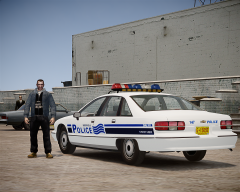 Amazing skin.
 -
I like older Code 3 bars, such as the LP6000, Code 3 MX7000 and Code 3 Excalibur.
-
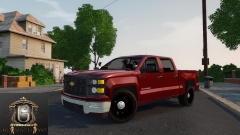 Looks awesome.
 -
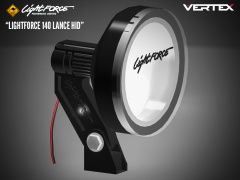 How many polies? This looks amazing.
 -
There's a really good tutorial by Kinksta on YouTube, also Corleone has a good one in the tutorial section.
-
Anyone else know another tutorial?
-
Ah, that's too bad.
-
Hey all, I was wondering if there was a good tutorial on how to convert 3D parts to GTA:IV. It would be very helpful and I'd appreciate it. I haven't been able to find one, I've been having issues with the textures and such. If anyone knows of one or has one and if they wouldn't mind sharing, reply to this topic. Thanks!
-
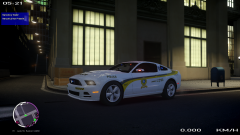 Tres interesente! Very interesting!
 -
You can change your light textures by editing the "emerglights" and "emerglights_emis" file in the .wtd to change them to blue.
-
I believe it is in something like 'HOSP' or something close to that. The mobile bed (stretcher) is called something close to 'hosptrolley'. I tried to do something like that too, you'll also need to add all the required textures to make it visible on the vehicle.
-
Still money in your pocket, also recycling is an option too.
-
Why not sell it to a local electronics store or pawn shop? You could split the money between your buddies, and less pollution in the ground.
-
This will be cool, I could do an LAPD patrol on this, kinda what I do on the GTA III RAGE mod.
-
-
I believe you have to pay for a membership there, it's kind of expensive but the model seems to look good.
-
There are some available on 3D model sites, I just don't know if I can post what the name of it is. Even if you google "1997 Ford Crown Victoria 3D model" I'm sure that there would be some results.
-
GPM isn't working today for me, it may be down temporarily.