


TGM
Members
-
Joined
-
Last visited
Everything posted by TGM
-
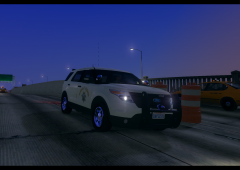 Nice road textures!
 -
She sure is a beut. Nice lights, is there any local emergency equipment vendors around NS? I've been trying to see if I can find a siren system and/or some lights around here.
-
I keep a completly original directory of GTA IV with no mods backed up. I've only really uninstalled once before I knew that I could keep multiple GTA IV directories. I have a few different ones with different mods installed on them.
-
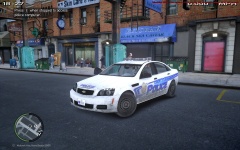 Wow!
Wow! -
Thanks a lot bud! This will be helpful.
-
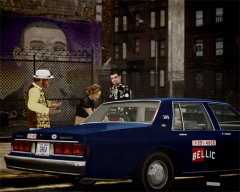 Great livery!
 -
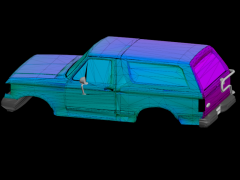 That Bronco is really interesting, I'm going to be looking for the lighting equipment and miscellaneous things that it has. It does indeed look nice, the only thing is that the Longmire is a '94 model, not a '90.
 -
Hopefully I'll be done mapping this soon, thanks again for doing this!
-
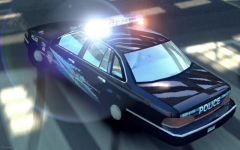 The 93/94 Crown Victoria was my favorite model year. I really like this screenshot.
 -
To be honest, I'm not quite sure. They seem like generic LEDs, I don't know the exact brand they are.
-
I am currently working on a 1990 Bronco, I'd like to see some pictures of the Bronco. Somebody might make a Longmire variant of Bronco.
-
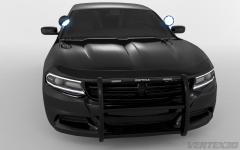 Amazing render!
 -
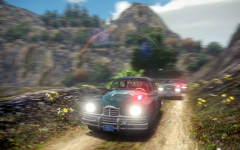 This screenshot is amazing! The vehicles, the motion blur and the scenery blend together very well!
 -
-
This is brilliant! I will definitely be using this. I also like the video, we get to see more of the amazing Taurus. Great job!
- 33 comments
- 6 reviews
-
-

- 1
-
-
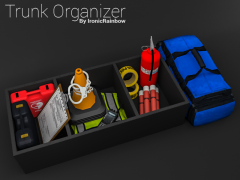 I really like all this unique equipment.
 -
 Really nice render! Could you check your pm's?
 -
I'm not rich, I worked off an arm and a leg for this. The rich people have the dual GTX 780 with an expensive keyboard, mouse and monitor.
-
I run my GTA IV with almost every vehicle modded. I run LCPDFR. ELS and Game4Video ENB, I may change that. I don't crash for hours, nor do I get texture loss. 16 gigs of ram and a GTX 650 Ti works well. No framerate lag whatsoever.
-
![2013 Ford Police Interceptor Utility CHP CVE [COMING SOON]](//s3-gallery.int-cdn.lcpdfrusercontent.com/gallery/album_1355/sml_gallery_5927_1355_1040559.png) Good work!
Good work! -
No problem bud. Really glad I could help.
-
That's a lot easier. I usually import a stock GTA IV vehicle that is similar to the vehicle that I am converting. I'd usually use the materials that come with the vehicle, if you can you should make your own.
-
Yeah, you need to make sure that the game sees it, and it has all the proper maps for it.
-
I usually import the .max files into 3DS Max, then export to Zmodeler. Converting is basically re-assigning textures to the model, you just need to follow the proper "codes" for the texture.
-
In your vehicles.img, there is the vehshare.wtd. Have you altered/deleted that file?
![2013 Ford Police Interceptor Utility CHP CVE [COMING SOON]](http://s3-gallery.int-cdn.lcpdfrusercontent.com/gallery/album_1355/sml_gallery_5927_1355_1040559.png)