




Oatmeal
Members
-
Joined
-
Last visited
Everything posted by Oatmeal
-
From the album: Ketan's pictures
-
-
The end was the best:
-
Just a tip, get simple native trainer. Comes in handy
-
Lol I'm confused. Save the extra somewhere you can find it. Open up spark and navigate to pc, audio, six, resident. Import the extra and save twice.
-
Ya, you got to import it.
-
![[GIF BELLOW!]If your happy and you know it, clap your hands[GIF BELOW!]](//s3-gallery.int-cdn.lcpdfrusercontent.com/gallery/album_3377/sml_gallery_134703_3377_29177.jpg) forgot to put it in the description: http://makeagif.com/BvyYer
forgot to put it in the description: http://makeagif.com/BvyYer -
From the album: Ketan's pictures
-
Two things: Audio files for ME don't work when I use open iv, so I have to use spark. The ini should be in your scripts folder.
-
Did you put the, "extras.ivaud" in?
-
-
Just type that into Google. I'm on my mobile so I can't link your right now. Also you can mix match, your not always going to find everything in one big pack.
-
Partner #1:
-
From the album: Ketan's pictures
-
From the album: Ketan's pictures
-
Use more vehicles by Custo, adds police3, police4, policeb to the game. Also you know you can add car slots to the game, you just have to edit all the necessary files.
-
Damn, I didn't realize it was that bad!
-
New Video:
-
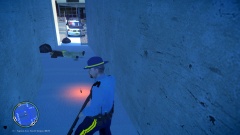
From the album: Ketan's pictures
Sergent Mackay received a call that mugging was taking place near the firefly projects. He responded to roll up on a female down and a man running away(female not in picture). He calls in backup and starts to get out of his car with his shotgun. He runs through the fence and the suspect turns around and starts sprinting at Mackay with his knife drawn. He gets within a meter of Mackay before he pulls the trigger, causing the suspect to fall to the ground and drop the knife. Mackay quickly kicks the knife away and proceeds to cuff the suspect. By this time backup has arrived and have secured the female. The suspect did not make it and the female will survive but was badly wounded. We congratulate Mackay for his courage and bravery. -
I don't know if the secret service use some sort of special unmarked livery. If th don't you could easily make or find a premade one. Also please be more specific when you say full pack, cars, textures or what? Also you can mix and match, you won't be able to always find one pack with everything you need.
-
This might help you out: '?do=embed' frameborder='0' data-embedContent>>
-
Barca, Man City, and...... Toronto FC lol
-
Memories.... Also its fun to play all the videos at once, lol.
-
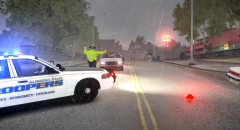 Do use animations from the trainer to get the ped like that?
 -
Step one: put on God mode Step two: spam the spawn attacking peds in the trainer Step three: get behind cover Step four: turn off,God mode Step five: pray


![[GIF BELLOW!]If your happy and you know it, clap your hands[GIF BELOW!]](http://s3-gallery.int-cdn.lcpdfrusercontent.com/gallery/album_3377/sml_gallery_134703_3377_29177.jpg)

