



TheRealNBK71
Members
-
Joined
-
Last visited
Everything posted by TheRealNBK71
-
Also you should try using GeorgieMoon's charger. So much better than dhruvs. other than that and what officerlund said, you do know how to model.
- 12 comments
- 1 review
-
-

- 1
-
-
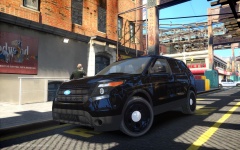 Yes i do. But first I'm making it into a Halton Regional EMS Rapid Response Unit.
 -
 Yea I just realized that. :p
 -
How? They both look black to me..Are you talkng about the indicators and the circular center in the headlights?
-
From the album: WIP
Original Model by jasonct203. Headlights made black by awesomeburodude. Rear window Cages to be removed by awesomeburodude. Any constructive critisim is greatly appreciated! -
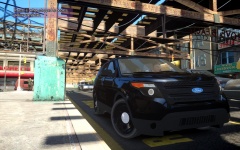
From the album: WIP
Original Model by jasonct203. Headlights made black by awesomeburodude. Rear window Cages to be removed by awesomeburodude. Any constructive critisim is greatly appreciated! -
Do you have an unlocked one? I wanna make an Explorer with one :) PM you?
-
 Whats diferent in the update?
 -
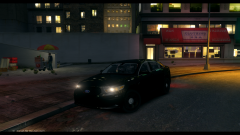 The ford logo is waaay to big man.... make ti smalled it would look much better...other wise the front looks spot on!
 -
It comes with a fan but you can replace it. And you can pretty much get any liquid cpu cooler you want to attach it. And the temperature drop alot. On idle it went from 45 to 27 and in game it has around a 5fps increase.
-
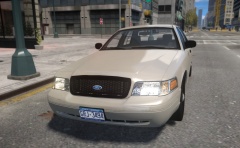 Release! Release! Looks darn amazing!
 -
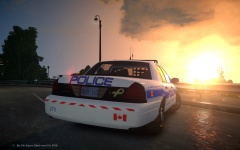
From the album: Glamour Shots :)
System Specs in my profile -
From the album: Glamour Shots :)
System Specs in my profile -
So I've been doing some searching and I found you can water cool your GPU for quite cheap compared to a custom loop using the NZXT Kraken G10 and a water cooler of your choice. I want to switch my ASUS R9 270X DCU2 2GB TOP card to this water cooler but i dont know if its compatible. Anybody know if its compatible?
-
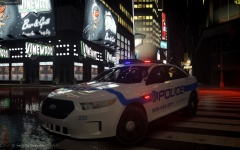 It actually is from NFS. Look> here
 -
I believe so. Reading some credits of some models I remember seeing sone "Original Vehicle From Forza" or "Interior from Forza". BUt I don't know if there is a tutorial or a guide on how to convert it.
-
Yes it was the FPI released on lcpdmods. Its the one in the Ford Interceptor Pack.
-
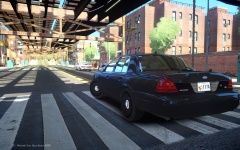
![2011 Ford Crown Victoria Police Interceptor [D:SF]](//s3-gallery.int-cdn.lcpdfrusercontent.com/gallery/album_3687/sml_gallery_28626_3687_238267.png) I would say it looks pretty nice. I would fix the outer indicator though. Make the whole indicator light up instead of the circle? Other wise it looks really nice! Best model I've seen in terms or detail after Schaefft's model.
I would say it looks pretty nice. I would fix the outer indicator though. Make the whole indicator light up instead of the circle? Other wise it looks really nice! Best model I've seen in terms or detail after Schaefft's model. -
From the album: Glamour Shots :)
System specs on my profile page. -
Pretty sure you can do that in movoe maker or iMovie. Or just torrent something :p
-
Try looking in some other mod sites and the ped modification section in Downloads
-
So ever since i got my new GPU I've been using CryENB V1 and when he released V3 I tried it out and I noticed even on the insane enb settings, it was really blurry compared to CryENB V1. I tried using the enbconfig from V1 in V3 but it didn't work. I tried changing the AA settings in the config, using the V1 timesync and using the enbeffects.fx i think from V1 but also no luck. Anyone have a solution?
-
If you're using an ENB and there is a commandline provided with it, just use that. I have CryENB V1 and I use the original commandline from the download and I have no problems.
-
I don't think anyone would do it for you unless you have some nice friends :p just try them yourself using Paint.Net 4. If you do it yourself then there's that self pride in it and you boost your self confidence level.
-
Just search it up on youtube how to make an intro. And the banner should be the right size so double check the banner resolution and try paint.net 4. Its free :)

![2011 Ford Crown Victoria Police Interceptor [D:SF]](http://s3-gallery.int-cdn.lcpdfrusercontent.com/gallery/album_3687/sml_gallery_28626_3687_238267.png)