


Boz
Members
-
Joined
-
Last visited
Everything posted by Boz
-
 Alright then, Thanks
 -
Looks awesome! When is this getting released?
-
I live in NSW and this is the best NSW police siren I have come across. Only problem I have is the wail siren has slight city echo. great job anyways 9.5/10
- 7 comments
- 2 reviews
-
He means an extra car with ELS compatability No problem. If you need any more help just PM me the problem and I will try my best to help
-
DISCLAIMER: This comment was copied from a comment on another post made by Rng43. This has worked for me multiple times. Remember that adding too many cars may cause your game to crash on startup. In OpenIV add the file into the vehicles.img I recommend using notepad++ to edit these files notepad would just be a pain to use. 4 files are needed to be edited : handling.dat vehicles.ide cargrp.dat carcols.dat all files are located in the Grand Theft Auto IVcommondata folder MAKE BACKUPS OF THESE FILES BEFORE CONTINUING vehicles.ide In vehicles.ide copy police2 and paste below it and edit the first 4 words to this. The first word is the Model Name (e.g. police3.wft) and the second one is the Texture file name(eg police3.wtd), third is the type of vehicle. Fourth is the name given to its handling info in the Example: police2, police2, car, POLICE2, POLICE2, VEH@STD, VEH@STD_RI1, 100, 999, 0.2348, 0.2348, 0.2, 2, 1.0 ,1, ext_requi+ext_strong+livery police3, police3, car, POLICE3, SULTAN, VEH@STD, VEH@STD_RI1, 100, 999, 0.2365, 0.2365, 0.7, 2, 1.0 ,1, ext_gang+ext_strong+livery at the moment don't worry about the numbers they just relate to the dirt on the car, wheel radius and the frequency of seeing the car. Once vehicles.ide has been edited save it and open handling.dat handling.dat In handling.dat paste the handling info of the car you are adding below POLICE2 then rename it to POLICE3. Save handling.dat and go to cargrp.dat cargrp.dat In cargrp.dat find police2 and add police3, next to it the line should look like this police, police2, police3, polpatriot, noose, predator, pstockade, nstockade, fbi # POPCYCLE_GROUP_COPS editing this file ensures that you don't see civilians driving the police car around, it groups specific cars to groups of people. Save cargrp.dat and open carcols.dat carcols.dat This file just handles the default colors that the car gets spawned with. Find police2 copy and paste below it, then change the name to police3. If you like a specific color for the car to be spawned with use the col table they have at the top of the file. it looks like this: col #BLACK's 10,10,10,-,black # 0 black 37,37,39,-,black # 1 black poly if you want black to be one of the defaults copy " 10,10,10, " and paste it next to the other set of numbers in police3 that segment should look like this police2, 113,74,113, police3, 113,74,113, 22,34,72, 10,10,10, make sure you have a comma at the end of the line Save carcols.dat Adding it to ELS 7.0 Open your ELS.ini file Make 2 lines underneath [ AMBULANCE ] Status = on File = default_config The '[ CAR NAME ]' is the name of the .wft and .wtd files in your vehicles.img, written in all capitals The 'Status = on/off' defines wether this car has ELS Compatibility The 'File = _________' defines which vehicle config this vehicle will use (see ELS Manual for more details) Then Add these lines: [ EMERG1 ] Status = on File = default_config Then click save, Adding it to the trainer [simple Native Trainer] In trainer.ini(located in the main GTAIV folder) find the Added Cars section //Added Cars // [AddedCars] edit Enable1=0 to Enable1=1 change ModelName1= turismo to ModelName1=police3 and then change DisplayName1 = Car 1 to the Cars name it should look similar to this //Added Cars // [AddedCars] Enable1=1 ModelName1=police3 DisplayName1=Police Commodore SS Save trainer.ini Open up GTA IV, go into the trainer and spawn the new car in the added car section on the last page, then have some fun!!! To view the original post copy this link and paste it in your address bar '?do=embed' frameborder='0' data-embedContent>>
-
Alright then, thanks for the support! I'll wait for deco's car to come out. Until then, I'll use gangrenn's 2011 car.
-
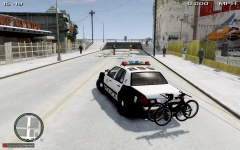
Hi, I'm looking for a 2013 Ford Police Interceptor Sedan NYPD car like the one in this picture. '> I would prefer a car with Full ELS, and a proper NYPD lightbar (Federal Signal Vector or Federal Signal SLR). It doesn't necessarily need to have the correct livery, as I could make one in Photoshop easily, but I would like to have one with the correct livery so it would save me the trouble. Make sure that it is the 2013 model, not the 2011 model. I wish anyone luck in finding the model I am looking for. If one of these cars is found, please include a template.
-
My custom ped models and skins

