



googleplex2010
Members
-
Joined
-
Last visited
Everything posted by googleplex2010
-
-
Thanks
-
-
-
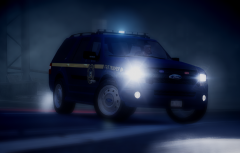
This is a AST texture for Sheriff Van Dycks 2008 Explorer. Nothing much more but Do not edit or reupload with out permision. A second texture for Sheriff Van Dycks other model will be uploadded after its release.
-
-
i made some ast textures for this baby but im just waiting on that expidtion to upload
- 35 comments
- 6 reviews
-
 ITS SO BUTEIFUL!!!!!!!!!!!!!!!!!!!!!!!!
 -
-
thats not what a nysp car looks like. all you did was put a nysp logo on a fhp skin
- 14 comments
- 3 reviews
-
-

- 2
-
-
how did you get the firetruck ladders like that?
-
-
-
 when does it release?
 -
-
im gonna get the gtx770
-
so which one should i get
-
Desktop after some more reseach im getting this one instead http://www.amazon.com/EVGA-GeForce-Superclocked-Graphics-04G-P4-2744-KR/dp/B00KJGYOBQ/ref=sr_1_fkmr0_1?ie=UTF8&qid=1404175683&sr=8-1-fkmr0&keywords=nvidia+geforce+735+graphics
-
im getting the 735 from amazon 2gb and another 8gb crossair vengance ddr3 ram stick
-
well this is similar but needs a lightbar http://www.gta4-mods.com/vehicles/oshkosh-m-atv-f26473 http://www.gta4-mods.com/vehicles/cougar-mrap-4x4-battlefield-4-f26337 ?
-
is that the oshkosh tpv?
-
what rambar?
-
just wondering about my specs Processor 3.4 GHz Intel Core i7-4770 RAM 8 GB DDR3 Memory Speed 1600 MHz Hard Drive 1 TB Graphics Coprocessor NVIDIA® GeForce® GT 635 1GB DDR3 I overclocked my cpu to 4.0 and i play on the highest settings no lag
-
 AMAZING
 -
RELEASED NEW 2015 TAHOE http://www.gta4-mods.com/vehicles/2015-chevy-tahoe-ppv-slicktop-f28811 HERE: http://www.gta-mod-center.com/forum/index.php?/files/file/102-2015-chevy-tahoe-ppv-slicktop/

