




VWking
Members
-
Joined
-
Last visited
Everything posted by VWking
-
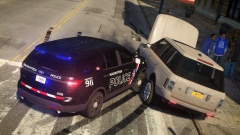 Talk about brutal force! Awesome pic Carry! :D
 -
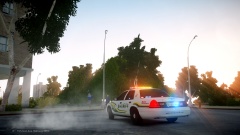
From the album: VWking's Screenshots
Testing out ELS V8 and tweaking environment lighting / bloom. -
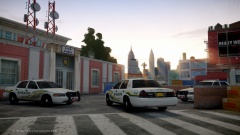 @GreenAid - used Dax1s shaders (to fix red sky) and then Dax1s 'ShaderOverDax1' for SSAO fix. Spycounter does actually include a version of Dax1s fixes along with his enb :) @UC Haha thanks bud! Yup, fancied a change for a bit so am now patrolling the streets of Liberty ;)
 -
Thanks guys. I'm using spycounters spXenb 2014 (edited by me for better compatability with ELS) with skylighting and SSAO fixes for 1.0.7.0.
-
From the album: VWking's Screenshots
An abnormally quiet afternoon for the Liberty County Sheriffs Department... -
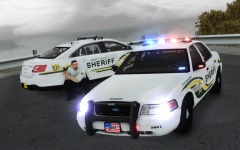
From the album: VWking's Screenshots
Liberty County Sheriff's Department taking part in a timed training exercise. -
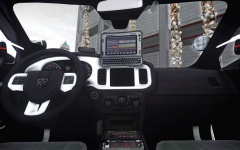 Thanks all! :) @Casey24 I wasn't planning on making it a DEV but if there was enough interest... @0taku & Vertex3D it's a Panasonic Toughbook CF-U1, I think it's probably a lot smaller in real life but I think it fits pretty well in the car.
 -
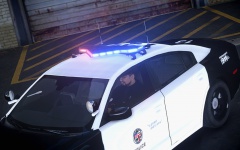 Thanks for the feedback, will resize them before release :)
 -
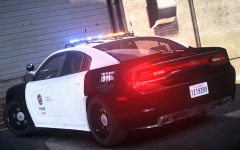
From the album: VWking's Screenshots
2013 L.A.P.D. Dodge Charger - Remapped the lights on the valor, looking much better than before. -
From the album: VWking's Screenshots
2013 L.A.P.D. Dodge Charger features, [HD] Panasonic Toughbook, [HD] CB Radio, [HD] Smart Siren Console (the lights on the console also flash with the ELS light extras), [HD] Speed Reader and [HD] in car camera. -
From the album: VWking's Screenshots
2013 L.A.P.D. Dodge Charger - Remapped the lights on the valor, looking much better than before. -
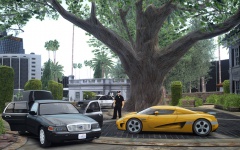 Thanks guys! @Sgt.Kanyo if you're having trouble getting the map to work feel free to PM me and I'll try my best to help you get it working :)
 -
From the album: VWking's Screenshots
10AM - L.A.P.D. searching for and collecting any evidence of Fraud from an estate in Beverly Hills. The identity of the suspected fraudster is unavailable at this time. -
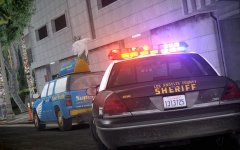 Thanks guys :) @Ringo4493 me too! @CG Blaze it's Bxbugs123 unlocked suburban that I modified into a Shuttle / Taxi.
 -
From the album: VWking's Screenshots
On patrol with the Los Angeles County Sheriff. -
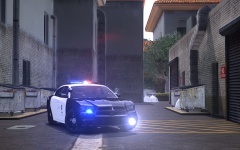 Thanks and yes it is.
 -
From the album: VWking's Screenshots
Sorry officer, didn't see you there... yeah right! -
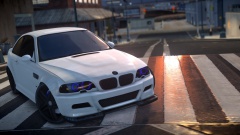 Looking good Carry! :D
 -
Thank you to all that responded, didn't expect as many responses as I got @Slimory not when your computer isn't in a very well ventilated area haha. @DeputyLund I've actually thought about having a fan on the floor to help with ventilation, might actually consider doing it! @davelaric thanks for the info, after doing some more research seems the CM EVO is one of the best air CPU coolers (bar the noctua series of CPU air coolers). @BiohazardGT that's some pretty hard core stuff :D @LukeD really appreciate the advice, couldn't agree with you more about water cooling, I think it'd just be a constant worry for me that something might eventually go wrong! For those interested I've ordered the following: 1 x Cooler Master Hyper 212 EVO 3 x Noctua NF-F12PWM Case Fans I was seriously considering the Corsair H80i but in my case I don't think it'd be used to it's full potential as I'd have to use it as an exhaust fan too. Thanks again for all the advice guys!
-
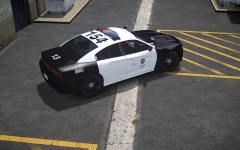 Thanks :)
 -
Hey guys, I'm so undecided about my computers current cooling setup, so I thought I'd ask for some advice... Ok so briefly, my current specs are as follows: CPU: AMD FX-8120 (Bulldozer) factory clock GPU: ASUS Nvidia GTX660Ti 2GB factory overclock PSU: Be Quiet! L8-630W Pure Power As for my case, I think it's a 'GamersCase', I can't really remember, but I've got four 120mm fans, one at the front (pulling air in), two on the side (pulling air in) and one at the back (extracting hot air from the case). I'm still a bit skeptical about water cooling, I know most of them are all in one units but it's just the thought of mixing water and electricity. As far as fans go, I've been hearing very good things about the Noctua NF-F12PWM. Basically I'd just like to have lower temperatures throughout my system, any advice would be greatly appreciated :) (Apologies if this post is a bit scattered, that's tiredness for you.) VWk.
-
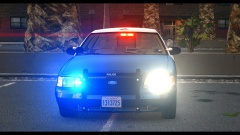 Looking good, like the non-symmetrical spotlights, looks way more realistic! :)
 -
I'm still making it, I'm going to do 2 versions, one with the FS Arjent lightbar (pictured) and the other with Setina pushbar and FS Valor lightbar.
-
From the album: VWking's Screenshots
That new car smell... L.A.P.D. taking delivery of a 2013 Dodge Charger. -
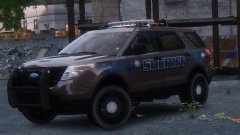 Dayumm that looks good!


