




Sniper296
Friends of LSPDFR
-
Joined
-
Last visited
Everything posted by Sniper296
-
You can also do what Olanov has done in some videos, use SNT to start a mission and then after the cut scenes start LCPDFR.
-
For the first issue just press P after using Alt + P.
-
What exact model/s and/or texture/s is it that you need? I can give you any but NoosE, unless you don't mind a LCPD-ESU skin.
-
Thanks, this would not have happened if i hadn't emptied my recycle bin with eraser. :down:
-
I was making some changes to the WeaponInfo.xml files and somehow messed them up, and my backups got deleted, so can someone post the contents of the unmodified WeaponInfo.xml files from GTAIV, TLAD & TBoGT. Thanks.
-
It is not helped by the fact that it is poorly optimized, i mean the PS3s GPU was co-developed by NVIDIA and it does not do happen on that.
-
Here it is [link] there was a period(.) in the url.
-
Update GTAIV and are you sure you have the latest LCPDFR? In your logfile it says "found script 'FirstResponse.Main.Start'!", but it should say "found script '0.LCPDFR-Obfuscated-5'!", make sure you have the up to date version.
-
I think he means install it back onto your computer. Edit: You beat me again.
-
I think the textures disappearing is not directly related to TrafficFlow but in your case might have been triggered by it, this problem happens on my laptop when car mods are installed, it is due to their high poly count(very high detail) the game cannot allocate enough memory, I would recommended removing car mods until you get a more powerful computer or upgrade it, if you must have car mods then I would recommended Minimem it can postpone the loss of textures for 10-30 minutes.
-
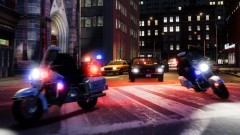 Those bikes are the EFLC ones.
 -
-
I agree, my laptop has a 529 MHz, 256 MB memory Nvidia and it can only just run it at the lowest settings.
-
Here are two good tutorials for coding: .NET Script Hook Tutorial This one is in VisualBasic [iV | .NET] Writing .net scripts in C# This one is in C♯ Personally I would recommended C♯ (LCPDFR uses it i think) but you can also use VisualBasic or C++
-
IVDashCam is a .Net script for GTA IV &/or EFLC that adds a dashboard camera style interface to your screen when in car. Features: Digital speedometer. (MPH or KP/H) Displays when the siren is active. (not functional with ELS) Displays game time and real date. Displays department, unit number & officer name. (set these in included .ini) Displays current street and area. Displays brake indicator (only for Xbox360 controller users) Enable and disable with Alt + D (changeable in included .ini) Only visible when in car. Works with any resolution. Works with ENB antialiasing.* Displays very small "IVDashCamv1.2" watermark.§ Current version: Video by Nicolai Bavnbek with IVDashCam installed Old screenshots: Requirements: GTA IV 1.0.7.0 OR EFLC 1.1.2.0 XNA Framework 4.0 If you have installed LCPDFR properly nothing else is required. Detailed requirements in readme.txt Install: Copy/Extract the included files into your Scripts folder, usually: C:\Program Files\Rockstar Games\Grand Theft Auto IV\Scripts OR C:\Program Files\Rockstar Games\EFLC\Scripts Only install either IVdashcam.net.dll or IVdashcamENB.net.dll NOT BOTH! Changelog: v1 Released v1.0.1 Fixed: siren indicator bug v1.1 Added: ability to enable/disable mod with key Added: street name and zone display Fixed: swapped time and speed position v1.2 Added: brake display (only for Xbox360 controller users) Added: ability to change enable/disable key binding Added: ability to change from MPH to KM/H Added: ability to remove watermark (PM me @ LCPDFR for info) Fixed: bug with date display v1.2.1 (this release) Fixed: ability to change MPH to KM/H Added/Fixed: compatibility with ENB antialiasing* * Only AntialiasingQuality=1 at this time. §Only displays when in car, PM me at lcpdfr.com for removal. Download Mirror (7z format) Please feel free to post suggestions for features and layout alterations, if you receive an error please PM me your ScriptHookDotNet.log contents and a brief description of what you were doing when the error occurred.
-
I can't upload it as it is not my product but you can get it here or here or here.
-
It is your computer that needs the RAM, however your gaphics card might need upgrading too, I don't know as "VG910" appears to be a monitor, download and run this to find out your graphics card info.
-
As long as you rename it back to FirstResponse.ini after editing, it will work.
-
Try copying the file to your desktop, renaming it to "FirstResponse.ini.txt" edit that, rename it back and move it back to the scripts folder.
-
In FirstResponse.ini fill out these fields or add them if they aren't there. Services|Enabled = True Services|Username = USERNAME Services|Password = PASSWORD
-
Does your keyboard have a [fn] key?
-
Looks to be a false positive [link] As long as you downloaded it from a trusted site (LCPDFR or GPM) it should be fine.
-
Update GTAIV [link]
-
This one has worked with the latest patch for me. Edit: Beat me to it.
-
What he did was load the mission with Simple Native Trainer, then after the cutscenes go on duty.

