




Sniper296
Friends of LSPDFR
-
Joined
-
Last visited
Everything posted by Sniper296
-
You should be able to run it for all games and applications, but the only two games I have seen this used on are GTA IV and SimCity 4.
-
Download and run this, then post the results.
-
No problem, if it helps anyone else here are the Minimem settings I use: Processes: GTAIV/EFLC, LaunchGTAIV/EFLC, svchost (it can be a memory hog) Options: Uncheck the two checkboxes, Optimize every 5-30 seconds You can add anything else to the processes list that may hog memory (explorer, firefox, chrome, dwm, ...)
-
Looks like the "unnecessarily high poly count els car" bug, if you want to keep els cars you could try Minimem it can delay the texture loss.
-
-
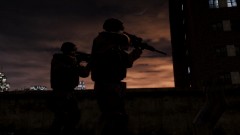 That looks great!
 -
To avoid unnecessarily high number of posts by me in this category all skins and models by me will be released here. Index of mods <u>(<b>NEW!</b>) <a href="#CVPIBW">CVPI LCPD black and white</a></u> <u><a href="#LCPDAUX">LCPD Auxiliary skin</a></u> <a name="LCPDAUX">LCPD Auxiliary skin</a> An LCPD Auxiliary skin as a replacement for TBoGT police3. Unlocked file is available on request. Download Mirror (7z format)
-
An LCPD Auxiliary skin as a replacement for TBoGT police3. Unlocked file is available on request.
- 1 comment
- 3 reviews
-
UnarmedCopsIV is a .Net script for GTA IV and/or EFLC that removes firearms from police officers giving you unarmed police, this is a beta release and may contain bugs. Features: Removes firearms from cops Configurable using included UnarmedCopsIV.ini file Displays very small "UnarmedCopsIV v0.1" watermark.§ Requirements: GTA IV 1.0.7.0 OR EFLC 1.1.2.0 If you have installed LCPDFR properly nothing else is required. Detailed requirements in readme.txt Install: Copy/Extract the included files into your Scripts folder, usually: C:\Program Files\Rockstar Games\Grand Theft Auto IV\Scripts OR C:\Program Files\Rockstar Games\EFLC\Scripts §PM me at lcpdfr.com for removal. Download Mirror (7z format) Please feel free to post suggestions for features, if you receive an error please PM me your ScriptHookDotNet.log contents and a brief description of what you were doing when the error occurred. @Sam Thanks for approving so fast!
-
UnarmedCopsIV is a .Net script for GTA IV and/or EFLC that removes firearms from cops, this is a beta release and may contain bugs. This mod is no longer under development and is unsupported. Features: Removes firearms from cops Configurable using included UnarmedCopsIV.ini file Displays very small "UnarmedCopsIV v0.3" watermark.
- 10 comments
- 5 reviews
-
It is because the cops use the "Shoot first, brush doughnut crumbs off lap and get out of car second, check if suspect is armed when they are dead last." rules of engagement in the current version of LCPDFR, but yes I am from the UK but I would prefer armed cops IF they don't shoot always, it does not really matter since in the next version the cops try to arrest rather than shoot the suspect. Edit: Just released a script that removes the weapons from cops, [link].
-
So the only likely way of removing the weapons would be a script, I don't think it is worth the potential bugs that might result, I will just wait until the next version where they stick to the ROE.
-
I probably should have pasted the comment too: Modelname Sex Age Sexiness Bravery Attack Defend Agility MeleeMartialLevelPercent 1stLanguage 2ndLanguage Tickboxes M_Y_COP, M, 30, 3, 5, 1, 1, 5, 50, E, E, core_moves, hits_pool, unarmed_gang, counters_player, firearm_core, -, -, move_tough, +policeofficer+onfoot+late+cancarryweapons Edit: Thankyou IPB for killing the formatting! Everything after the seccond E is a tickbox so maybe I can remove firearm_core. Edit 2: Nope both firearm_core and +cancarryweapons removed and they are still armed.
-
The only thing I can find is +cancarryweapons: M_Y_COP, M, 30, 3, 5, 1, 1, 5, 50, E, E, core_moves, hits_pool, unarmed_gang, counters_player, firearm_core, -, -, move_tough, +policeofficer+onfoot+late+cancarryweapons and it does not make any difference. There is also firearm_core but every character has that.
-
The only thing I can find is +cancarryweapons in \common\data\pedpersonality.dat, but I only really want to remove the sidearms.
-
I would like to remove the sidearms from all police in the game until the next version of LCPDFR is released, but can't find anything in the files that specifies weapons for specific pedestrians, does anyone know how I would do this?
-
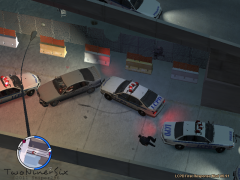
From the album: Images - Laptop
<p>In a shootout with two drug dealers.</p>© Copyright © 2011 Sniper296, All rights reserved.
-
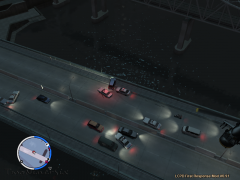
From the album: Images - Laptop
<p>In a shootout with two drug dealers.</p>© Copyright © 2011 Sniper296, All rights reserved.
-
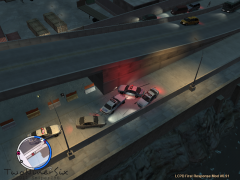
From the album: Images - Laptop
<p>In a shootout with two drug dealers.</p>© Copyright © 2011 Sniper296, All rights reserved.
-
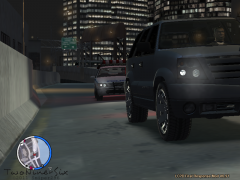
From the album: Images - Laptop
<p>In a shootout with two drug dealers.</p>© Copyright © 2011 Sniper296, All rights reserved.
-
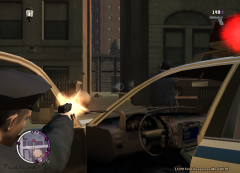
From the album: Images - Laptop
<p>In a shootout with two drug dealers.</p>© Copyright © 2011 Sniper296, All rights reserved.
-
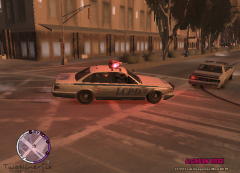
From the album: Images - Laptop
<p>NoosE team droped off on the roof of a building.</p>© Copyright © 2011 Sniper296, All rights reserved.
-
I thought that the C++ requirement was for .Net ScriptHook, on that page says: "Make sure to install the linked x86 version, even on x64 systems!".
-
If the random stuff on the streets is not often enough you can edit Relationships.dat in common\data and add "Hate COP" without the quotes to a few of the lines, but back up the file first!
-
Just got the email Lucky that none of my card details are on my PlayStation account!


