kungfubeer
Members
-
Joined
-
Last visited
Everything posted by kungfubeer
-
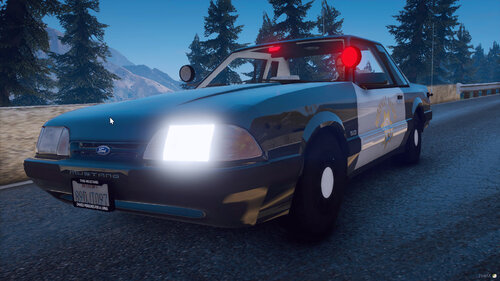 All the cars are perfect, except the 2018 Charger lights. I have redownloaded and put them in fiveM, cleared cache, rebooted server and this is what I get when the lights are on. All the lights are way away from the vehicle. Only this model.
- 93 comments
- 3 reviews
-
I turned off preloads last night and experienced massive texture loss for the first time ever. Turning it back on.
-
It just prompted me for an update. I backed up my old version so I can run it if needed until scripthook gets updated too. FYI.
-
the forums are going to take a hit once they release it.
-
I just reinstalled my RS version of GTV in preparation for this awesome update!
-
Awesome!
-
-
 ERROR: Could not load plugin from "D:\Rockstar Games\Grand Theft Auto V\Plugins\SpeedRadar.dll". Assembly SpeedRadar.dll (SpeedRadar, Version=1.0.0.0, Culture=neutral, PublicKeyToken=null) does not have the required Plugin attribute. [3/11/2016 1:27:37 PM.965] Parameter name: assemblyPath
- 101 comments
- 40 reviews
-
-
 Crashes during startup with RPH .36 Maybe not, removing all plugins to verify. No, its something else.
- 477 comments
- 73 reviews
-
-
-
 I have created a skin, but it needs some cleaning up. Should take me a few days then I will upload it.
- 102 comments
- 28 reviews
-
-

- 1
-
-
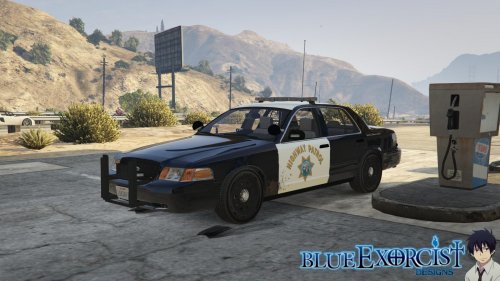 Great model. I have only one suggestion, needs traffic advisor or something in the rear besides the flashing brake lights.
- 77 comments
- 10 reviews