


best cop ever
Members
-
Joined
-
Last visited
Everything posted by best cop ever
-
so eup will not load into my game the error i get is this [10/20/2018 18:27:06.414] EUP Menu: WARNING! Plugin "EUP Menu" was terminated because it caused the game to freeze (Freeze was caused by game fiber: Plugin "EUP Menu" main fiber). can you please help RagePluginHook.log
-
OK so its crashed me every time ive done this on a traffic stop 1. login and go to the car database 2. back out and go to the ped database and click that RO it'll crash i am not sure if theirs a way to stop that from happening but id like to know if theirs something i can do to make it stop crashing
-
 every time i take the illegal parking it crashes that my negative other than that its good
- 28 comments
- 12 reviews
-
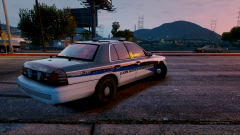 yup they are ;)
 -
thay looks awersome bro

