


Tom S.
Members
-
Joined
-
Last visited
Everything posted by Tom S.
-
It's a good thing that something is being done about it. It also doesn't help when the media feels the need to stereotype the middle east into labelling them as "criminals" or "terrorists" etc which isn't true at all.
-
Thanks trewq34! :) An update on this skin, I've redone it from scratch based on the modern look that Cleveland Police now use and I think it definitely looks a whole lot better.
-
Fair enough it may be a good idea to delay it to ensure that it runs as good as possible but they've delayed it more than enough now. It's been twice now isn't it that this has happened?
-
I also would highly recommend getting this. I've been playing since early gamma in it's testing stages and while it's an awesome game, I do see it having much more potential if they continue to update it and add features.
-
1: Double Doppler 2: pl0x101 3: stevetrackboyz55
-
Totally agree with this idea, it could make pursuits more interesting.
-
It's interesting reading up on different people's experiences. When the hotfix for 1.0d was released I managed to play for a full hour with a pursuit or two without any crashes, pure luck I guess lol.
-
Being a user on both Facebook and Twitter, I do use them sometimes to keep in touch with people that I know well in my life as well as what events there are that could be taking place. However, it seems to be the case that when I do talk to my friends or people that I know well on such sites, it doesn't feel the same when we happen to talk to them in person if that makes any sense. I know there are a quite a number of videos on YouTube discussing whether these sites are doing any "good" to us; I personally feel that we are becoming isolated in such a way but that's just my opinion. This may not apply to everyone of course. What do you guys think?
-
Chancellor Palpatine aka Darth Sidious=)
-
I've only just started reading books, I'm currently into the Game of Thrones books at the moment.
-
So here's something I've been working on for the past couple of days, I would appreciate some feedback and input as well as any ideas on how I could improve it=) I intend to release different versions of this skin in order to add some variety too, this will be released sometme soon I hope. Additonally I may also release this skin for different vehicles as well.
-
Since September of 2013.
-
Commencing a traffic stop and waiting for the offender to pull over without causing any chaos on the street.
-
I'm curious as to how long LCPDFR sessions typically last for different people with or without mods. For me playing with mods, if I'm lucky, I can have roughly 30 minute sessions which isn't too bad. Obviously this varies on different PC setups as well.
-
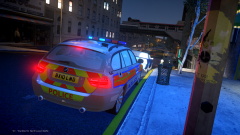
From the album: Stodd94's Gallery
Testing my British IV out on new rig with CryENB V3; driver pulled over for reckless driving. -
Yea the UK fools a lot of people, it's basically a collection of countries within one. @MasterTrooper, there are counties scattered all over these countries and each of them have their own police force. Some police forces may patrol one or more counties.
-
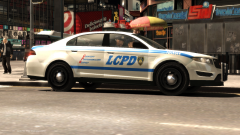
From the album: Stodd's Policing Moments
LCPD Officers pulling over a perp due to reckless driving. Interceptor model created by Yard1. -
Happy Birthday LCPDFR, I still remember back in the day the early versions of it :)
-
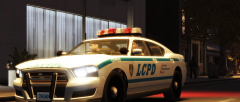
From the album: Stodd94's Gallery
Catching those speeders... Model by Yard1. -
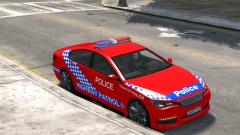
From the album: Stodd94's Gallery
To be released soon. -
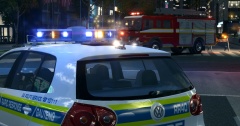 Its splendid and I'm British
 -
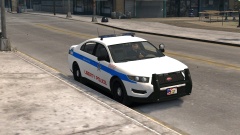
From the album: Stodd94's Gallery
Currently working on a Liberty Police texture pack based of Chicago for V vehicles. -
-
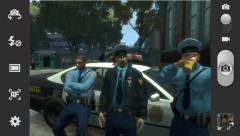 This is brilliant, liking the guy behind the car=P
 -
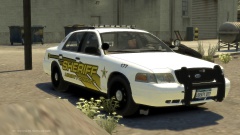
From the album: Stodd94's Gallery
Another Sheriff skin I've developed.


