
Chris780
Members
-
Joined
-
Last visited
Everything posted by Chris780
-
-
Paul.dll was the problem. Thx
-
I can't login to get online though because I can't launch the game xD
-
I'd like to play online
-
IV isn't launching, when I run GTAIV on admin mode, I get a SecuLauncher error. When I remove dsound.dll, it loads fine. This is on patch 7.
-
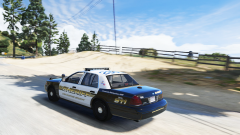
From the album: Chris' Screenshots
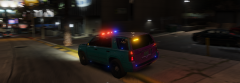
A LSSD ride along calls in "10-8" to dispatch... followed by mistakenly turning on the traffic advisor. -
So I'm confused... I know this is going to be the dumbest question but what does this mod bring to LSPDFR? I understand other models and agencies, but does it change jurisdictions of specific agencies? And how do they appear in game? Only based on the wanted level? Sorry, I've been trying to understand this mod for like a week haha =)
-
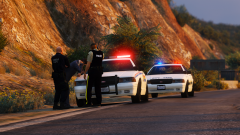 How come you use default models :o
 -
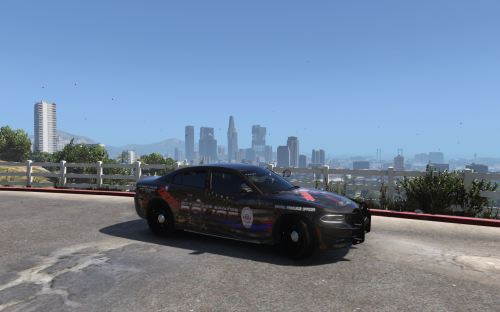 DARE cars were meant to have "a lot going on". Community interaction with youth . Well done
 -
Ok, so I'm confused... does RDE allow Sheriff's to patrol in Los Santos? I'm honestly confused just what this mod does to the vanilla LSPDFR :P
-
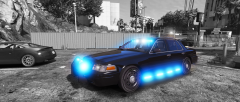
From the album: Chris' Screenshots
Just added all blue lights with what I prefer, the lighter turquoise blue as opposed to the generic blue and red color scheme. Car: -
So I wanted to address this before it became a problem. Just like the LCPDFR Computer Screens, once someone knew how to edit it the DL section became SATURATED with them. I can foresee this happening with ELS configuations for each vehicle in the near future. Is there any way we can can create a smaller section closed off in the DL tab to isolate these if they became an issue? Ie: Making a R/B car B/B (Which was something I wanted to do until I thought that others may get the idea and toss in a ton of overwhelming configuration amounts)
-
 Can I suggest some quadriflares on the trunk as opposed to the smaller LEDs at the bumper?
 -
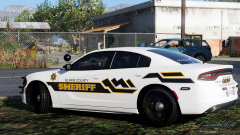 Decal is perfect for that area!
 -
I'll message. Don't want to link reddit to LCPDFR :P
-
Permission to repost on a verified LEO reddit?
-
Hi there, I'd like to make a lil suggestion here.. With all the new ELS vehicles coming out, there's usually 2 or 3 textures uploaded following that vehicle. Creating an abundance of textures.. Now when I go to click the "Mods" tab, I see a lot of texture artists typing "ELS" in their mod's title. That gives me the wrong impression . Is there any way we can can change the text color, or add some sort of differential between the two on the Mods page itself. Thanks Chris
-
That would be torture to keep up with. Not to mention not all dev models are released on LCPDFR.com However, I do like this idea in theory.
-
-
-
-
Looks like the reddit LE community tracked him down to Warrensville Heights and Highland Hills Area hahaha
-
He nailed it. I disagree with a badge, however. Stick with the patch on the shirt. Make the uniforms mock the physical appearance of the department. IE: if the agency uses dress pants over cargo pants, have the explorers wear dress pants as well. Make it extremely clear that they are not LEOs. That could put them at risk for god only knows what. Off colors, White / Grey etc.
-
I just tossed it on a verified LE subreddit. The guy put in his description "Advising HHPD of a 10-46 on Route 8" so maybe that'll shed some light. I just wanna punch this guy.
-
Hmmm... I'm going to take this to reddit to see if anyone recognizes the area he's driving around in... Definitely someone too stupid to pass the exam..