Dhruv
Members
-
Joined
-
Last visited
Everything posted by Dhruv
-
Also,SA has become dust collector. But IV's almost all mods are perfectly working till date.Because its not easy for everyone to achieve the quality IV demands.
-
 LOL! She isn't bro!!
 -
 If I'm not wrong,there's a Fusion in between..??
 -
Damn,mate are you crazy? I always fantasized about something like this!!
-
 Naw man,it messed up.Everything is too bright.So much that I can't even see a thing.Even in cloudy,it so cyanish bright.Even worse-I didn't take backup as you were so confident about it.
 -
Okay,I'm trying it out now,Will report back.
-
-
Thanks,LilQ.So I assume you have patch 7,but L3EVO's enb which are meant for Patch 4,right?
-
-
-
Damn! Your graphics are way better than mine.My specs: Core i7-2600k Quad GTX560Ti Edition 8 GB G.SKILL RIPJAWS RAM w/ heatsinks installed
-
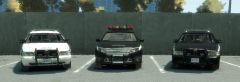
DODGE LAW ENFORCEMENT Skin for 2012 Charger REAL LIFE UNIT More Screens: DOWNLOAD: http://www.2shared.com/file/RsBXwRu1/Dodge_Law_Enforcer.html Model download: http://www.gamefront.com/files/21083885/Beta+2012+Dodge+Charger+Take+2.zip ATTENTION: The original model is by PfcBarefoot from GPM.I just created the texture. Please do comment.Feedbacks are valuable to even people like BxBugs and Sam. Thank you.Hope you guys like it.
-
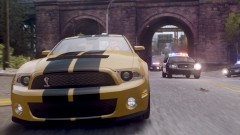 Wow! A Shelby GT500.Looks freakin' amazing!
 -
Dude,WTF! ROFLMFAO!!
-
Whats your system specs?
-
So how does your PC tolerate all these heavy mods? You might be getting frequent crashes,eh?
-
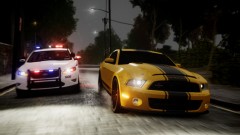 My favorite car.Shelby SuperSnake!! Nice pic.
 -
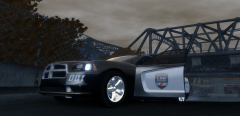
From the album: My Diary
DODGE'S PROMOTIONAL LIVERY FOR 2012 CHARGER -Made by me -
 Looks great.But I didn't want to take the slightest risk of it being an HQ mod,so I had to ignore it (did that with such a heavy heart!).
 -
Go to C:Program Files (x86)Rockstar GamesGrand Theft Auto IVif you have 64-bit OS,otherwise remove the (x86) thingy and open common folder.Go into Data folder and press H.Press enter and the handlings.dat file should be opened.You need to open it w/ notepad.Now determine what car has been installed on what in-game vehicle and assign the handlings,accordingly.I,personally,use those too.
-
-
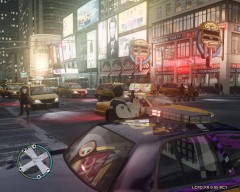 I have sympathy with you.Taxi bug.
 -
-
Well,if I say go pick up a 25 kg dumbbell,how well do you think you will perform? Then for your commandline sentence,I'd say what if I gave you a dilute steroid? You will still be yourself,just a bit more stronger,right? There's really no other way to make it go faster than it currently is.It'll blow up if its pushed to extremities,in the same way you'll exhaust if I make you stand with that dumbbell in your hands above your head. Use extra precautions while using a laptop as they're stressed more than desktops under similar levels of pressure to perform.Their advantage of mobility cost them back in this way.
-
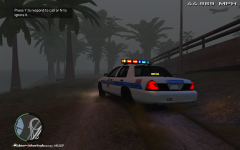 What the...?? I could never even imagine aerodynics can look so beautiful when they're lit!!