Dhruv
Members
-
Joined
-
Last visited
Everything posted by Dhruv
-
 Haha lol! I didn't even notice it.
 -
 Shit! I won't be using it until EVI fixes its rims.
 -
 You love black,doncha?
 -
Where can I find the first (2007) Charger?
-
Non-ELS setup supports a max of 8 lights only,dude.
-
Yes,please.Add the region specific spawning for police1 and police2. The current one doesn't allow to customize these two slots.And,it would be the most fantastic mod ever made,if the regions depend on cargrp.dat.I mean,the regions will be detremined same as in the cargrp like POPCYCLE_GROUP_AIRPORTWORKERS and so on.As for the wrong ped spawn,this mod itself will ensure that the desired peds spawn in it.The basic idea is,that the cars' patrol area will be defined by the system,but the game won't be able to override the mod to spawn the appropriate ped according to cargrp.
-
 Cool!
Cool! -
Yeah,wut?
-
This is GTA:IV discussion,my friend.You shoulda posted this in Random.
-
Good ones :thumbsup:
-
Open your els.ini and change these values: Color_Light1L = 0 Color_Light2L = 2 Color_Light3R = 0 Color_Light4R = 2 where, // Red means 0 // Blue means 1 // White means 2 // Amber means 3 // Green means 4 and 1L;2L control left side of the car's reflections 1R;2R control right side of the car's reflections If you're using v6,there'll be 8C;9C or something as well which controls rear hazard lights.
-
Looks promising :) The irony is that I already know how to change the colors lol! I appreciate the initiative,though.Keep up the good work.
- 16 comments
- 5 reviews
-
-

- 1
-
-
Okay,I uploaded it for you.Here: http://www.4shared.com/rar/VeDJVkby/flyus_textures_pack1.html
-
Damn! Thats one Hollywood style pic,man!
-
Please search for similar threads next time before posting one.
-
^Sorry,my mistake.That would be C: drive.
-
Not just the font,but the colors are,too.
-
-
Boner achieved.+1 On a side note,can we have a marked unit as well?
-
-
@Nutt: ROFL!! @OP: D:Grand Theft Auto IV - Episodes From Liberty CityTBoGTpcmodelscdimagesvehicles.ide will give you TBoGT vehicle files upon opening D:Grand Theft Auto IV - Episodes From Liberty CityTLaDpcmodelscdimages will give you TLaD vehicle files upon opening
-
*Laughs like Dark Knight Joker* Hoohoo hehehehe haah ahah!! Now you'll tell me what program do you use to churn out these lovely skins.
- 6 comments
- 3 reviews
-
-
- 1
-
-
-
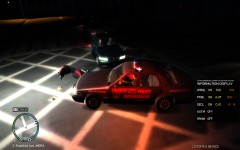 ^Press Alt+M Do you have ELS installed,BTW?
 -
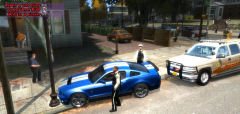 ^Oh yeah,thats a better idea,bro xD