

MystikSpiral
Members
-
Joined
-
Last visited
Everything posted by MystikSpiral
-
So many good mods being worked on, This RDE, EUP.. The community is doing great things.
-
 It is required by law for me to download this! Love it!
 -
On the edge of my seat, these screen shots and teasers are making me drool!
-
I'm hyped for this, been following this thread for awhile and it looks amazing.
-
You are very welcome.
-
I always loved Yard1's work and I really love this mod, I love the group effort going into RDE. Keep up the good work and can't wait to see and hear more.
-
 What in the hell....? On second thought, I don't even want to know!
 -
I have an issue with the mod itself along with Assorted Callouts, I cannot see the GUIs on screen. I have the latest RagePluginHook and Windows Updates. I installed the Frameworks and the C++ and all that crap, I am Stumped. The script itself works, but I cannot see the GUI for the Police Radio menu or Assorted Callouts Conversation Choices. I'm hoping somebody can help narrow the problem down with me. I just ran clean GTA V with only LCPDFR and Police Radio, still no good. My PC Also, I am not getting an crashes or error logs.
-
-
I noticed, and figured it out. I had the required loaders, but was missing a minor Windows update.
-
Does anybody have a the latest version of scripthook and ASI Loaders for GTA IV's latest patch?
-
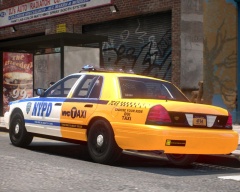 Lovey, Always loved the "Choose your ride"
 -
I find myself looking at the clock 8pm, I look again 2am.. I'm like "The hell?"
-
Law and Order was based from the Courts side, I used to watch that a lot. SVU is watched by a lot of NYPD. I caught Chicago Fire mid season one.
-
You know, Law and Order all of 'em not Just SVU.. Chicago PD and Fire.. I know they can be fictionalized, but only things I can watch on TV anymore... Besides Top gear (UK).. Bu that's a Different topic.
-
Oddly enough I have the same issue, I'd like to see this fixed.
-
Never Mind, By Telling me to repeat all hat I already di in the past months I figured it out. Thanks..
-
As in I click Run LCPDFR diagnostics tool and Nothing happens.
-
Well, The tool won't run. I even replaced The .asi and .dll with new Advanced hook of the Newest and Also ran other scripts with LCPDFR, LCPDFR is the only Issue. I'm stumped. If I could get an Advanced hook error I would, but... I've Had Windows 7 issues whne 0.95 Came out, had to Run as Admin and as Win Vista.
-
I would love to, but it won't even boot.
-
Uhm Yeah... Next! Look at the Folder. GTA.exe and Advanced Hook.dll are boh present. Already have Latest updates. Just to add.. Hate to say it, but done that ages ago... I work in ITS field, PC upkep is #1.
-
------------------------ [iNFO - 3:03:48 AM] [Log] Started [iNFO - 3:03:48 AM] [Main] Main: Initializing... [iNFO - 3:03:48 AM] [Main] Main: LCPDFR Engine © 2011-2013 LMS [iNFO - 3:03:48 AM] [Main] Main: DO NOT USE THIS WITHOUT PERMISSION. YOU MAY NOT SHARE, MODIFY OR DECOMPILE THIS FILE. [ERROR - 3:03:49 AM] [] System.IO.FileNotFoundException: Could not load file or assembly 'AdvancedHook.dll' or one of its dependencies. The specified module could not be found. File name: 'AdvancedHook.dll' at freval_187.fr0() at freval_187..ctor() at LCPD_First_Response.Engine.Main.eval_fr4() at LCPD_First_Response.Engine.Main.fr3() That is My Error Code I Get. I'm Running Windows 7. Screen Shot of System properties Below.