



Crizby
-
Joined
-
Last visited
File Comments posted by Crizby
-
-
On 5/25/2023 at 7:21 AM, gkarch01152001 said:
The pack is awesome, firstly. I always hate to be picky, but was it intentional that the correct OHP style pants were not included? When I installed the EUP uniforms, the standard CHP style pants were still there.
The tan pants with brown stripe is included in the base EUP, so I advise using those
-
On 4/25/2023 at 4:13 AM, Sil3ntCheesePuff said:
Hello Hello, fantastic car pack, i notice the textures are awesome on your posted screenshots, yet blurry when I use them. Is there a reason for this?
It's an issue tied to your computer and/or game which may be under lot of stress when playing. The pack is set up to use the +hi.ytd files with higher resolution liveries when up close to the car, however, it will use the lower resolution textures if your computer/game is under a lot of stress despite being close to the car
-
-
-
On 2/18/2023 at 9:18 PM, Helen14204 said:
Heyo Crizby! I was wondering where you got the siren sound for the Stanier. I'm also wondering if you could update the rest of the pack to have that siren. Thanks!
The add-on sirens were made by a very knowledgeable mod friend of mine but due to still some unknown regarding compatibility with other packs, I will remove the add-on sirens in a future update. As for replacing all siren sounds with it, I do not have any plans for that as only the old SMPD vehicles used the Touchmaster Delta siren.
-
-
On 2/4/2023 at 5:32 AM, Sil3ntCheesePuff said:
Any chance of making replacement vehicle packs? Either of your previous packs or possibly future packs? Awesome work man!
Thank you for your kind words. And to answer your question, no I will not make any replace vehicle packs because I believe that the add-on DLC is a better method of modding the game
-
Edited by Crizby
On 2/4/2023 at 3:06 PM, JAMESHU said:I can't enter the game after adding this package, but I can enter the game after deleting it.
Please read and follow the installation instructions and make sure that you have all the requirements that are clearly stated in the readme.txt and/or in the mod's description
-
-
On 12/17/2022 at 1:31 AM, Agent 14 said:
It doesn't have non-k9 version stanier?
Beverly Hills Police Dept. Only have 1 K9 CVPI left in their entire fleet and I wanted to replicate that for this pack.
On 1/2/2023 at 2:26 AM, palass33 said:Any templates available for these?
These vehicles are partially mapped so there is no template available
-
On 1/7/2023 at 1:21 PM, ALLSTATErp said:
hey crizby do you happen to have that template of the new stanier that has reverse lights on the trunk
lid
and have you thought about doing a yosemite?
No I do not have that template as I don't use that version of the Stanier, your best bet is to ask a lore modder who use that base for their mods 🙂
-
2 hours ago, FTW Flamez said:
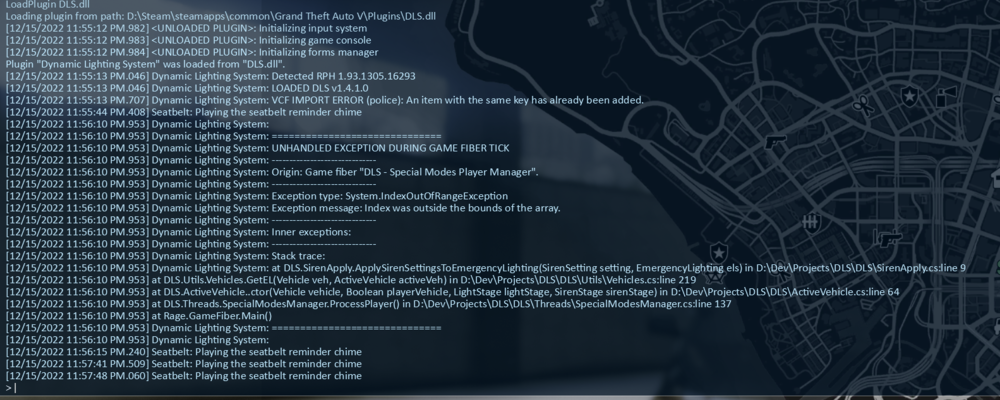
So I am having an issue with the DLS files I don't know if it's an issue on my end or it may be the file in general. I checked in XLM validator and everything seems fine. I checked the specific file rhpd_everon.xml and I found that the <Sound Settings> section is not configured with tones just the airhorn. P.S. This is happening with every vehicle not just the everon.
The Everon's config is not supposed to have any other tones than the airhorn, this was intentional as it is driven by civilian employees and (I'm pretty certain) does not have a siren.
Regarding the DLS error I do not know what would cause it, I know that it works for most people but unfortunately there have been some people who simply have had to make their own configs as their DLS refuses to co-operate with new configs. I've had people test it and ran it through the XML validator tool and everything should work, perhaps you could check with the DLS people's Discord if they can be of any help?
- FTW Flamez, EliteMikey and Trupel
-
 3
3
-
12 hours ago, spreilly said:
The Alamo K9 has no audio for me; no engines, no sounds. Weird because the regular Alamo does have it, and they both have the same audionamehash
That sounds strange, as like you stated, both the Alamo 2s use the same sound config. Perhaps try re-installing the pack?
12 hours ago, StubleStic said:On all the vehicles the back lights don't work?
Please read the mod's description:
"The Siren Setting Limit Adjuster is required to stop sirenSetting conflicts with other packs and enable 32 siren slots!"
-
On 12/10/2022 at 3:22 PM, kjm said:
Do you ever plan on adding more to this pack? Like a stanier or scout perhaps?
I may add a Scout with a variation or two in the future, but a Stanier will not happen. there are enough Staniers out there already and I wanted it to be a Texas-themed SUV pack 🙂
-
7 hours ago, IceyAsylum23 said:
Your packs are amazing. Just wish I could fix my game. Keeps crashing once I use the lights of the police cars
Spontaneously I'd guess you haven't installed the SirenSetting Limit Adjuster properly (or at all?) if that is the case. It is required for the 32 siren slots to work, as is stated in the mod description
-
Edited by Crizby
8 hours ago, Spectre32A said:Yup i installed the one provided with you vehicle ( in the post ) and its still throwing those errors.
Perhaps there is a conflict with another DLS config you have installed? I'm not sure why it would say 'VCF IMPORT ERROR (POLICE)' as that is not the name of the config.
No-one else has reported any issues with the DLS config so for now I'll have to assume it's something on your end. Also ensure that the SirenSetting Limit Adjuster is installed correctly, DLS and so forth.
-
1 hour ago, Spectre32A said:
For some reason i am getting a DLS crash with the added XML for this vehicle. DLS loads fine until i spawn the vehicle and then once spawned DLS will crash.
LOADED DLS v1.4.1.0
[11/13/2022 8:44:11 AM.264] Dynamic Lighting System: VCF IMPORT ERROR (police): An item with the same key has already been added.
[11/13/2022 8:44:11 AM.485] Dynamic Lighting System: TAGROUP IMPORT ERROR (ssso_pattern1): There is an error in XML document (3, 2).
[11/13/2022 8:44:11 AM.486] Dynamic Lighting System: TAGROUP IMPORT ERROR (ssso_pattern2): There is an error in XML document (3, 2).
[11/13/2022 8:44:12 AM.812] Dynamic Lighting System:
[11/13/2022 8:44:12 AM.812] Dynamic Lighting System: ==============================
[11/13/2022 8:44:12 AM.812] Dynamic Lighting System: UNHANDLED EXCEPTION DURING GAME FIBER TICK
[11/13/2022 8:44:12 AM.812] Dynamic Lighting System: ------------------------------
[11/13/2022 8:44:12 AM.812] Dynamic Lighting System: Origin: Game fiber "DLS - Special Modes AI Manager".
[11/13/2022 8:44:12 AM.812] Dynamic Lighting System: ------------------------------
[11/13/2022 8:44:12 AM.812] Dynamic Lighting System: Exception type: System.IndexOutOfRangeException
[11/13/2022 8:44:12 AM.812] Dynamic Lighting System: Exception message: Index was outside the bounds of the array.This is what i am getting.
Do you have the latest SirenSetting Limit Adjuster installed to allow for 32 siren slots?
-
-
15 hours ago, Lotfi Ramoul said:
How to make them spawn in traffic?
You need to add them to the popgroups.ymt which is located (if you have added it to the mod folder) in the following location: mods\update\update.rpf\x64\levels\gta5.
Replace each vanilla taxi entry if you want the taxis included in this pack to spawn instead of the vanilla taxi.
Replace this:
<Item>
<Name>taxi</Name>
<Variations type="NULL"/></Item>
With this:
<Item>
<Name>staniertaxi</Name>
<Variations type="NULL"/>
</Item>
<Item>
<Name>diletaxi</Name>
<Variations type="NULL"/>
</Item>
<Item>
<Name>astetaxi</Name>
<Variations type="NULL"/></Item>
After which they should spawn ambiently in traffic.
-
5 hours ago, TopHatWalrus said:
They are not "little more than a security guard". Many universities even have thier own SWAT teams, detectives, ect. Im a college Police Officer and our college does traffic on public roads, serve search warrants, take people to jail do investigations like any regular PD.
Obviously my mod descriptions, just like the game of GTA, is just satire and does not reflect the actual opinions regarding different types of law enforcement agencies.
-
18 hours ago, T0XIC R3DACT3D said:
Where you get the EUP? Just asking to match the pack
It's from the EUP Serve & Rescue beta 2.5, but security uniforms are also included in this publicly available version:
-
14 hours ago, HankVoight said:
Another excellent pack mate! Any chance you could upload the templates with them though?
Thank you for your kind words.
Here are the templates for the models included in the pack (they can usually be found in various lore modding servers):
- Alamo 2 template by IlayArye and Nacho, edited by ActuallyToxic
- Everon template by Bravo_1_Charlie
I can't upload the Scout 2 template, for some reason LSPDFR claims that it is above the 4 mb limit although it's under 2 mb
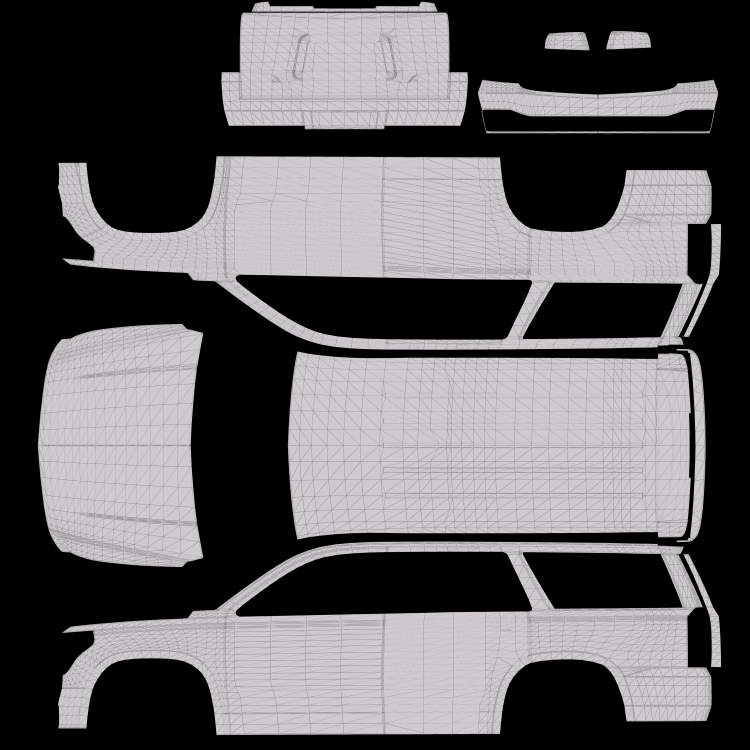
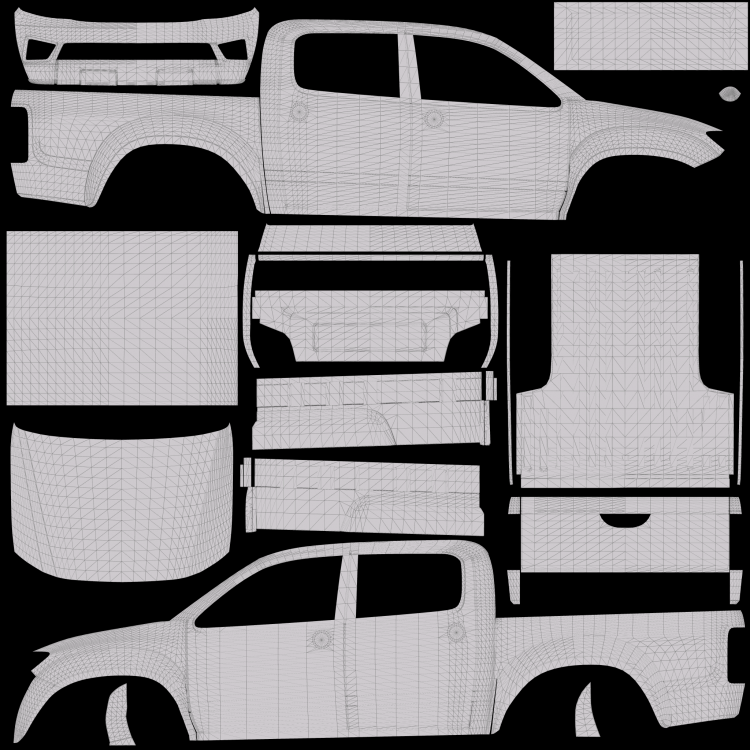
Now it seems to have worked, here's the Scout 2 template by JacobMaate
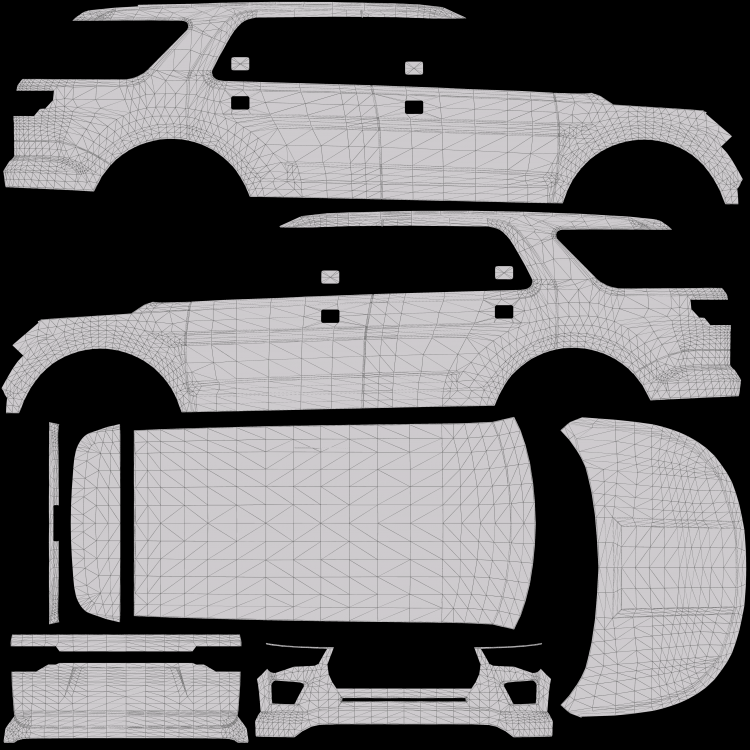
- HankVoight and Elenova78204
-
 2
2
-
19 hours ago, ShiftinSmiles said:
Asset was probably made by him or another lore dev but the bicycle is featured in the mod as "dppdb"
On 7/28/2022 at 7:20 AM, LtSnoDawg69 said:Quick question, the bike on the back of one of the cruisers, is that a paid model?
The bicycle is the original Scorcher from base game GTA V, which was turned into a police bicycle by JacobMaate as a part of his WIP ULSAPD pack. With permission from him, I used it with modifications to be accurate to SMPD's set up (Which is stated in the credits too).
Like stated the bicycle is named "dppdb" and can be spawned and then attached to a vehicle through Menyoo or other trainers, it is not attached to the actual bike rack model by default
- ShiftinSmiles and EliteMikey
-
2
-
Edited by Crizby
45 minutes ago, Lunaveli said:Siren Limit Adjuster doesnt work and crashes games on start up unless you know a bypass around that
I've never had that issue, nor have I heard of it, make sure you've installed it correctly and have Rage Pluginhook installed. For further support I'd refer you to the creator of the Siren Setting Limit Adjuster or the forums


[NON-ELS/DLS/DLC-Add On] Del Perro Police (SM) Pack
in Vehicle Models
That is intended to replicate the California steady red burn requirement for emergency vehicles, which is present on all vehicles in the pack. For more information look up California Vehicle Code Sec. 25252