


IronicRainbow
Members
-
Joined
-
Last visited
Everything posted by IronicRainbow
-
 PM me. I'll see what I can do for ya.
 -
From the album: IronicRainbow's Pictures
Uploaded the wrong version earlier :P -
From the album: IronicRainbow's Pictures
-
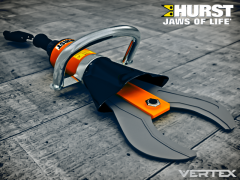 Maybe if you want to add 184k polys to the truck :P
 -
 Thanks!
 -
From the album: IronicRainbow's Pictures
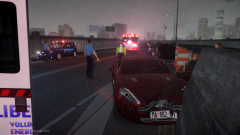
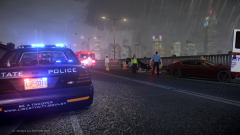
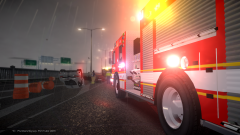
At approximately 7:18 PM on June 22, the LSP received reports of two vehicles street racing down Plumbers Skyway. Units were dispatched to investigate, and discovered that two exotic sports cars, a Porsche 911 Turbo and an Aston Martin Rapide had crashed. The Porsche was flipped on its top. The driver of the Porsche suffered from a broken rib and fractured pelvis, and was escorted to a nearby medical center for evaluation and treatment. The driver of the Aston Martin suffered minor injuries and was treated on scene. -
From the album: IronicRainbow's Pictures
At approximately 7:18 PM on June 22, the LSP received reports of two vehicles street racing down Plumbers Skyway. Units were dispatched to investigate, and discovered that two exotic sports cars, a Porsche 911 Turbo and an Aston Martin Rapide had crashed. The Porsche was flipped on its top. The driver of the Porsche suffered from a broken rib and fractured pelvis, and was escorted to a nearby medical center for evaluation and treatment. The driver of the Aston Martin suffered minor injuries and was treated on scene. -
From the album: IronicRainbow's Pictures
At approximately 7:18 PM on June 22, the LSP received reports of two vehicles street racing down Plumbers Skyway. Units were dispatched to investigate, and discovered that two exotic sports cars, a Porsche 911 Turbo and an Aston Martin Rapide had crashed. The Porsche was flipped on its top. The driver of the Porsche suffered from a broken rib and fractured pelvis, and was escorted to a nearby medical center for evaluation and treatment. The driver of the Aston Martin suffered minor injuries and was treated on scene. -
From the album: IronicRainbow's Pictures
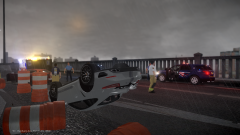
At approximately 7:18 PM on June 22, the LSP received reports of two vehicles street racing down Plumbers Skyway. Units were dispatched to investigate, and discovered that two exotic sports cars, a Porsche 911 Turbo and an Aston Martin Rapide had crashed. The Porsche was flipped on its top. The driver of the Porsche suffered from a broken rib and fractured pelvis, and was escorted to a nearby medical center for evaluation and treatment. The driver of the Aston Martin suffered minor injuries and was treated on scene. -
From the album: IronicRainbow's Pictures
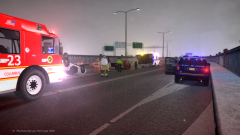
At approximately 7:18 PM on June 22, the LSP received reports of two vehicles street racing down Plumbers Skyway. Units were dispatched to investigate, and discovered that two exotic sports cars, a Porsche 911 Turbo and an Aston Martin Rapide had crashed. The Porsche was flipped on its top. The driver of the Porsche suffered from a broken rib and fractured pelvis, and was escorted to a nearby medical center for evaluation and treatment. The driver of the Aston Martin suffered minor injuries and was treated on scene. -
![2008 Tahoe PPV [WIP]](//s3-gallery.int-cdn.lcpdfrusercontent.com/gallery/album_722/sml_gallery_3386_722_451497.jpg) I see. Yeah, it looks pretty proper for a PPV version. Nice job so far, add some lights and i'm sure it will be a beast.
I see. Yeah, it looks pretty proper for a PPV version. Nice job so far, add some lights and i'm sure it will be a beast. -
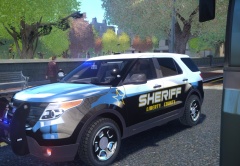 TREES CANT MOVE STUPID
 -
This skin really suck 0/10 Love you
-
2013 Mercedes-Benz E63 AMG S-Model: The Nürburgring: The Nürburgring: Nürburgring's Pit-Lane: Took a picture before the Race started of the Nürburgring: Mother Nature: iXS Cup 2014 Germany (Mother Nature): iXS Cup 2014 Germany (Willingen Upland): Porsche 918 Spyder (Sold): Home Sweet Home (Nürburgring): The best dog in the whole world (You'd say your pet is the best because it's YOUR pet): Oh, Nürburgring, the many many hours in which I raced on you in GT5 will never be forgotten...
-
Not much to "think" when nothing is really there.
-
-
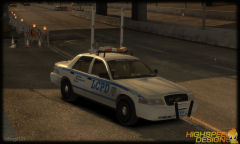 YES YES YES
 -
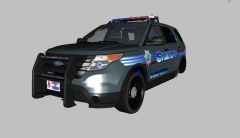 What does GAD have anything to do with his comment?
 -
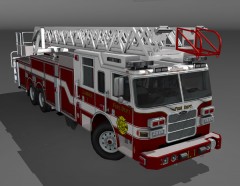 It's not released.
 -
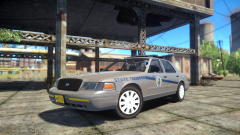 The Vic and skin may be released very soon (by two seperate people).
 -
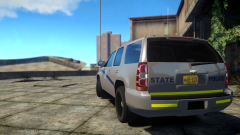 Maybe :)
 -
He already did ;)
-
![[REL] Alabama State Trooper CVE Slicktop Tahoe(s)](//s3-gallery.int-cdn.lcpdfrusercontent.com/gallery/album_2839/sml_gallery_120090_2839_1066352.png) Thanks! Hopefully it will be approved soon.
Thanks! Hopefully it will be approved soon. -
Looks like the rambar isn't suited for the vehicle at all. I would recommend using one fitted specifically for the FPIU, Jason. Otherwise, looks good, but there are way too many IONs on the rambar for my liking.
-
From the album: IronicRainbow's Pictures
Pending approval... ...3 hours later.


![2008 Tahoe PPV [WIP]](http://s3-gallery.int-cdn.lcpdfrusercontent.com/gallery/album_722/sml_gallery_3386_722_451497.jpg)
![[REL] Alabama State Trooper CVE Slicktop Tahoe(s)](http://s3-gallery.int-cdn.lcpdfrusercontent.com/gallery/album_2839/sml_gallery_120090_2839_1066352.png)