


Rudolph7s
Members
-
Joined
-
Last visited
Everything posted by Rudolph7s
-
So anyways I'm trying to use K-9 and when I go to spawn it Lctrl+Lalt+period it forces open the task menu and basically shuts down the game. I tried to change the controls of spawning the dog but no luck I this whole issue started today and I have no clue what happened?
-
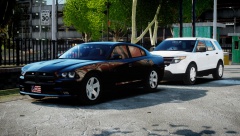 I love this I'm orgasimng from the mouth. Beautiful.
 -
Hey I'm looking for people to play with I'm running Lcpdfr 1.0 (with hotfix) ELS V7 3 Car mods and a few scripts nothing much but we can discuss what goes on add me on skype Rudolph7s
-
I am from Detroit and when I saw this on the news it was pretty awesome I wish I had the chance to do that.
-
Thanks for all the amazing feedback guys I would love to see this be put into affect I would love to be at a traffic stop and if another car is intruding you can you use a hand signal to pull it over when you're just standing there. Also with the drag racing I can see what you mean by "teaching them how to drive" lol, I think it would be pretty cool though to pull up to a street race and investigate.
-
Alright so I'm somewhat new here in the community, and I don't know if this was tossed around before but how about the choice to do a multiple pullover. For example if you got a call to go check out a drag race and you go there and see people racing like just 2 cars and you could pull both of them over instead of just one. Also my idea for a callout was Drag racing I think that would be pretty darn cool. Feedback would be appreciated thank you!
-
I love the MSP cars with the bubble light as said before it is tradition and it's very unique I see them all the time running I-75 also along Southfield I've started seeing them there quite often now.
-
Whoever wants to play right now or later today hmu on Skype my name is Rudolph7s we can discuss cars, uniforms and such. I'm running 1.0 with the hotfix Els v7.0 ALPR PSS Spotlight vdH (no towing we can add it if we decide)
-
Looking to start a fun game of some LCPDFR online it will be fun also you'll need to have the same mods and cars but we can talk about that over skype if you're interested contact me on here or over skype and put in the message box something that says something about playing LCPDFR I look forward to playing with someone within the next couple of days I would love to get about 3 or 4 people.
-
I can usually play for hours in single player before crashing and we don't even have that many mods like you. Also We play EFLC And I bought it through Windows live and he bought his through steam and when I ran the Diagnostics test this is what came up
-
Alright so me and my friend are trying to get this to work and play together we have a few cars installed, lcpdfr, and the same handling along with Els v7, Braveheart Policing script, ALPR, A radar dector, and Vdh. We both have everything installed exactly the same and for some reason we can't play together we crash within minutes I would like some help if someone can please contact me via skype and maybe talk or even teamviewer and make sure I'm not doing something wrong I see this on youtube where people play perfectly together with no issue at all. Also are computer specs are nothing to worry about as we both have great computers and they're both custom bulit. My skype is Rudolph7s Thank you to whoever can help me or assist me to the best of there ablities. I will also post a crash log if we crash again we're removing the policing script and seeing if anything changes. Here is the Diagnostics

