


Officer_Mathiesen
Members
-
Joined
-
Last visited
Everything posted by Officer_Mathiesen
-
Is it allowed for me to reupload the veichle if i give you credit for the model? I have made a new skin for you're model and would like to share it with the lcpdfr community. :)
- 9 comments
- 3 reviews
-
Yes you can, just rightclick on it in a folder/on you're desktop and rename it. But be sure that the file names are the same. For example if you wanna rename the car files from police.wft and police.wtd to police2.wft and police2.wtd it is important to have the same file names. For example rename police.wft with police2.wft and the same at the other car file. I hope i helped. :)
- 9 comments
- 3 reviews
-
-
-
-
-
-
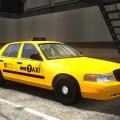 Nice taxi, put op a version without police lights, that would be awesome :) Just a normal taxi :)
- 7 comments
- 9 reviews
-
Thanks very mutch everyone! You guys made my day! :)
-
Hello. When i am using trainer and pressing alt+e to request backup it spawns a car the same time because of trainer. I have tried to remove all the numbers from the trainer file, but it did't work. Anyone of you guys there can link me to a place where i can download trainer where there is no hotkeys so i just do it manual with F3? Thanks for your time. :)

