


Monomachos
Members
-
Joined
-
Last visited
Everything posted by Monomachos
-
From the album: WIPs
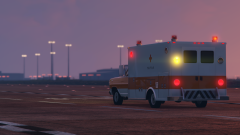
Haven't updated in a while, so I thought I'd upload some old screenshots. Amber lights are used on the back as per California law. (I also forgot to put the license plate on when I took this pic...) The ambulance will be released in some form before September 1st. I'll be unable to mod during the Fall unfortunately, so I'd like to get this wrapped up as soon as possible. -
-
From the album: WIPs
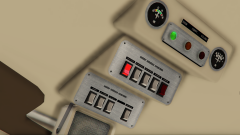
Console I made that's based on all Modular Ambulance Corp. interior photos I could find. Ignore the label order at the top by the dials; they aren't lined up with the light colours properly in this picture. -
From the album: WIPs
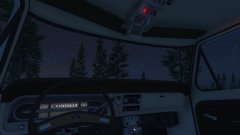
A good deal to be done with the ambulance overall, but progress is being made. -
From the album: WIPs
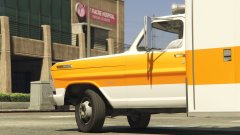
1971 Ford F-350 Modulance Ambulance, based on the ones seen in the show "Emergency!" -
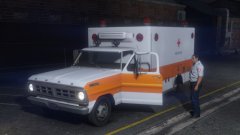
From the album: WIPs
1971 Ford F-350 Modulance Ambulance, based on the ones seen in the show "Emergency!" -
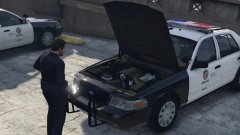 I had noticed that most CVPIs have the lame Driver SF engine. It's great to see someone changing that.
 -
-
Great car solo! I'm wondering about the Mars Skybolt lightbar on your release. Shouldn't it have a forward facing steady-burning red light as an LAPD cruiser? I see that your release's other lightbar has a steady-burning light (the Trio T-2s on Lundy's release also have them obviously). Was this intentional, or am I missing something? Either way, it's really not a big deal considering the superb quality of the car and the options you and Lundy have already provided. Thanks!
-
Hi, I was thinking about converting and improving the 1960 American LaFrance Pumper mod for GTA San Andreas. These would have been used by LA County to my knowledge. It will take a bit to improve some of the parts though, especially considering I'm still trying to finish the 1971 Ford F350 ambulance I've been working on. Regards, - Monomachos
-
 Nice!
Nice!



