Exo 401
Members
-
Joined
-
Last visited
Everything posted by Exo 401
-
Trying to make a new siren and in-game they are really low so I amplified them by 25 in audacity and now they sound a little louder but sound like shit. What's the best way to make a decent siren?
-
 Can you edit the mx700 to look more like this? Have it all clear with just the two red and blue strobe lights? Would look much better
- 139 comments
- 21 reviews
-
-
Hi where is the location of the carvariations file to change the sirensettings? I want to replace police2. I found carvariation @ mods/x64a.rpf/data/carvariations but it's a .ymt file and I cannot edit it.
- 139 comments
- 21 reviews
-
-
-
Alright where might I find that? I thought you were talking about the peds.ymt located in update/update.rpf/x64/data.... Edit - Found it nevermind... Gonna try it out. Edit 2 - Didn't work
-
-
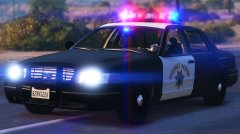 SweetFX is such a pain in the ass to use. You have to find the correct version that works with your game or you can't run the game at all. I've tried so many of the configurations and none work even when renaming the .dll to the other. I did mAnage to find one that worked but that was back in May and lost it after a fresh install.
 -
What graphic enhancer do you use? Love the colors on that.
-
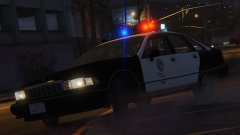 Omg... Please release a classic 90's pack with that lightbar
 -
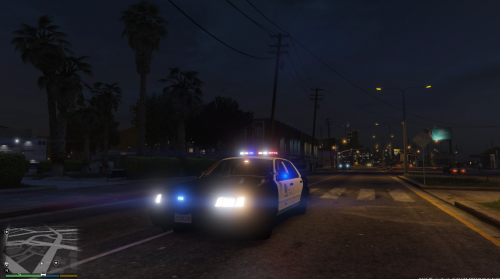 Can you please add a clear Whelen Edge to these vehicles - as in a pack or one by one? This would be so freakin sweet. Stanier Fugitive Buffalo Granger
- 99 comments
- 13 reviews
-
Hello all. Last few days I've been doing some texture edits for multiple cars and did some uniform changes for the SAHP. Here's a few shots I've taken so far. http://imgur.com/a/WmHKf I need some help though. I took the Ranger's pedprop and renamed it to the highway cop's to get the hat. I don't know how to make it use two different textures (tan hat for the winter dress uniform and grey for the summer dress uniform), I can only get it to use one. I would also like to have the highway patrol helmet combined in with the pedprops as well. Can anyone help me accomplish this? Examples: I know the number "badge" goes on the left side of the breast but the nameplate is on the right by default (so it's easier to just edit that) and because the SAHP badge is on the left, it would look bad.
-
Thanks for the quick responses. I should have read through the topics first but I was looking for tags like "can't upload" and the likes.
-
I haven't been able to upload since trying to do so last night. Every time I try to I get this error message "There was a problem processing the uploaded file. -200" Is this happening to everyone else also? Noticed that no mods have been uploaded or updated since yesterday so I imagine this is effecting everybody too?
-
I didn't... I just renamed the pedprop and was looking in pedvariations. I found that YMT but have no clue how to open it. The ranger has two textures for the hat and for some reason only one works when I renamed the rangers pedprops to hwaycop.
-
For instance, I took the ranger ped prop and renamed to hwaycop. Is there something I have to change in pedvariations? What is it?
-
Like in ELS where you could switch through all the sirens. Surprised nobody has done this yet. Has it been attempted? It would come in very handy! I hate having to keep pressing and holding down the siren key. It's uncomfortable and hard to drive
-
-
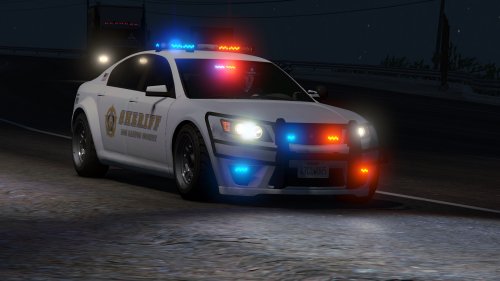 Hello I installed the car correctly and for some reason the inside of my car looks like this... Any idea why? I'm using the added SAHP mod which also adds two cars to the xmas addon. What I did was I added the models first. Then I opened up your data files and copied and pasted both PolFugitive and PolFugitive2 lines from both carvariations and meta and inserted the lines manually.
- 47 comments
- 15 reviews
-
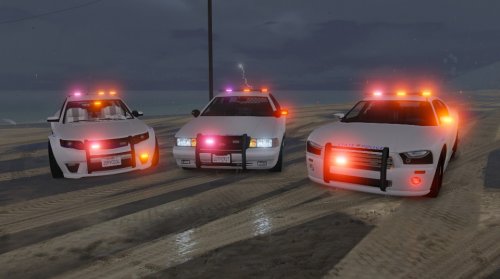 Rhode Island State Police (San Andreas State Police) based liveries. All lights are red,and due to limitations, blue corona will still flash, but that's OK because some vehicles do have blue lights and it looks pretty cool. The models in the pics are below: Cheval Fugitive Model - http://www.lcpdfr.com/files/file/8657-standalone-cheval-fugitive-ppv-pack/ Bravado Buffalo - http://www.lcpdfr.com/files/file/8632-bravado-buffalo-1st-gen-mapped-sahp-style/ Vapid Stanier - http://www.lcpdfr.com/files/file/8456-vapid-stanier-mapped-sahp-style/ ** May make K-9 variation and Rhode Island State Police **
 -
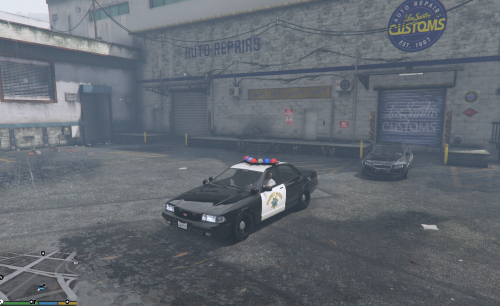 This is awesome. Love the Vector! Can make some nice LVMPD liveries with this :D
- 29 comments
- 5 reviews
-
-

- 1
-
-
Hey is it possible to unlink the texture to the light bar from the mini leds in the window/front? I'd like to use the TIR-6 texture for the mini leds and use a different light emissive for the lightbar.
- 47 comments
- 15 reviews
-
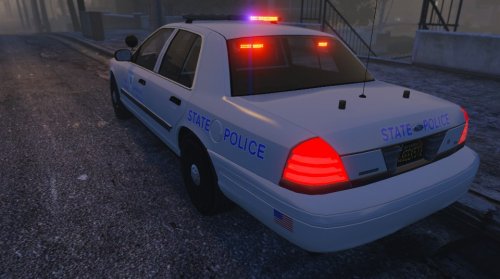 A Rhode Island State Police (San Andreas State Police) based livery for the 2011 CVPI Alpha 0.1. I cannot find a high quality RISP seal so I made one myself, it sucks at the moment. Might fix it up. Any suggestions or corrections please feel free to comment so I can try to fix. I changed the laptop screen to something better and not as bright as the one that came with the model and make all lights red. Due to limitations, blue corona will still flash, but that's OK because some vehicles do have blue lights! Nothing I can do about the rims, this is just a texture. Light Mod Using - ELS Style Police LightsGlass Textures By Kpdofficer (It appears to be deleted) VisualV Mod - https://www.gta5-mods.com/misc/visualv Link to model - Removed at request of the model creator
- 3 comments
- 1 review
-
 Oh... Well last time I tired my player wouldn't let me move around, he just kept walking backwards.
- 542 comments
- 98 reviews