


Officer T.
Members
-
Joined
-
Last visited
Everything posted by Officer T.
-
Well after I got some time to play the game again... it still crashes. This time I decided to get rid of arrest manager and installed Stop the ped and Ultimate backup. After I started a pursuit lspdfr yet again decides to crash. Log. is attached again. RagePluginHook.log
-
Well, either way I can give it a try. I'll report back if I got an update.
-
Yes, I have arrest manager installed. Could there be a problem?
-
I feel completely stupid now, but I accidentally uploaded the old log again.😅 This log here is the right one. Im sorry. RagePluginHook.log
-
Hey, thanks for replying. So since it was police 5 that caused the issue I just tried to spawn it later ingame and it worked again. Sadly the issue is still not solved since lspdfr later crashed again while I was calling a tow truck but Im somewhat not sure that police radio is the issue. Edit: Correct log is in my next post.
-
Hey there, I have the following problem: after I encountered some not so friendly people, I pressed the panic button on the smart radio. Right after that lspdfr (not the game itself) crashed. After I tried the exact same thing later that evening it worked just fine. Could somebody help me with my issue? Of course I also attached my Ragepluginhook.log. RagePluginHook.log
-
Quick update: So I replaced the Carcols file with with the default and the visual v file and both times it fixed my problem...sadly now I don't have the police lights reflect on the buildings anymore, any ideas how I can achieve that? 😄
-
Alright I will do that.^^ I'll update when I can.
-
Yes, they did work fine before. It is definitely NVR that is causing the problem, because when I deinstall it everything is back to normal.
-
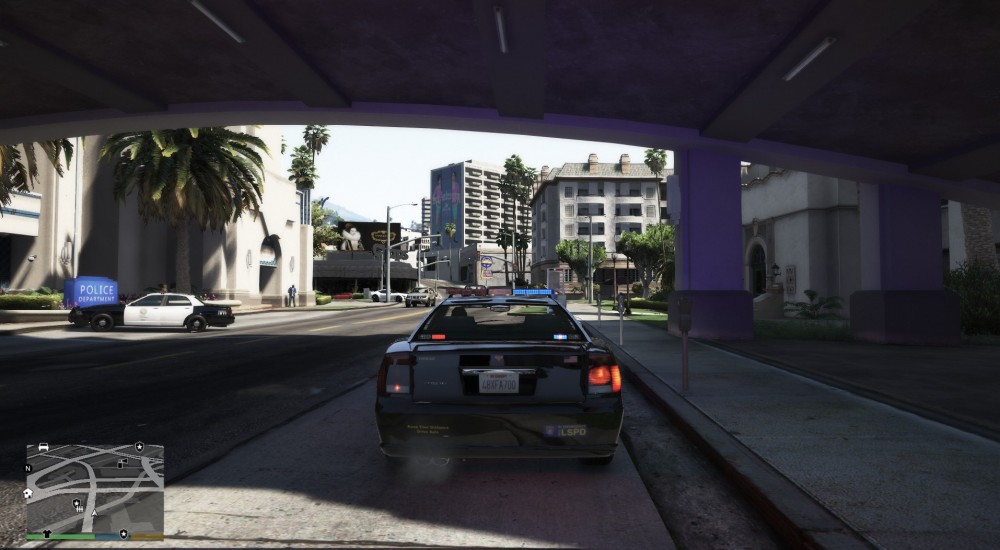
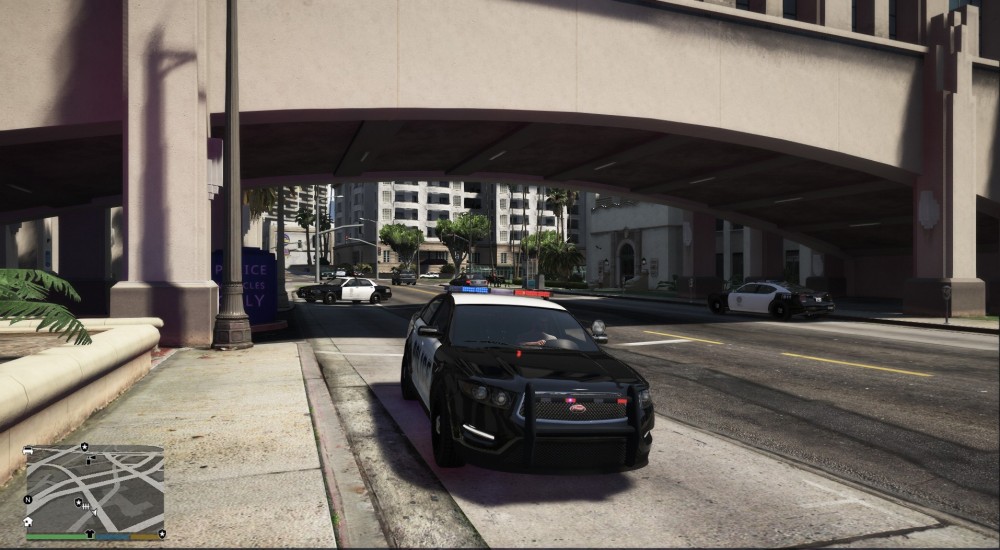
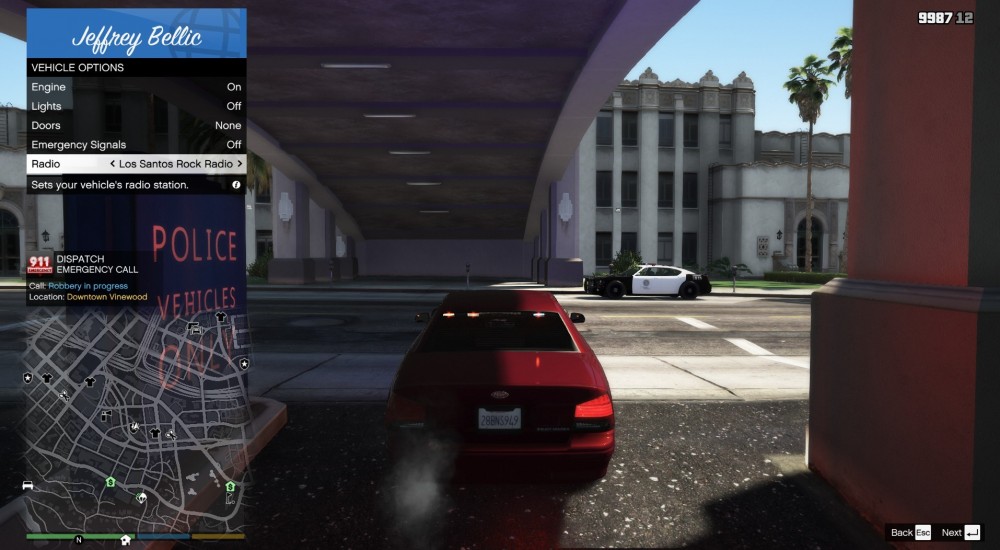
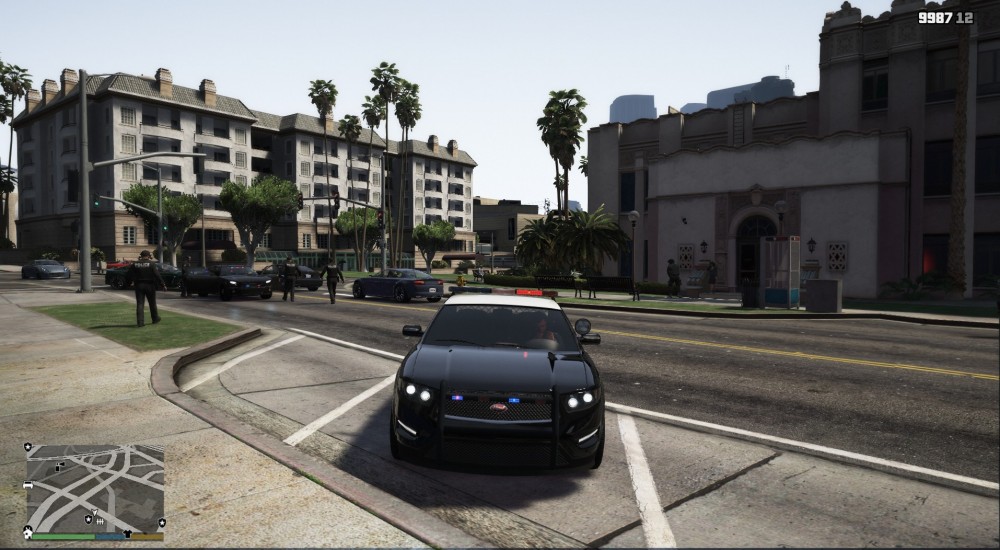
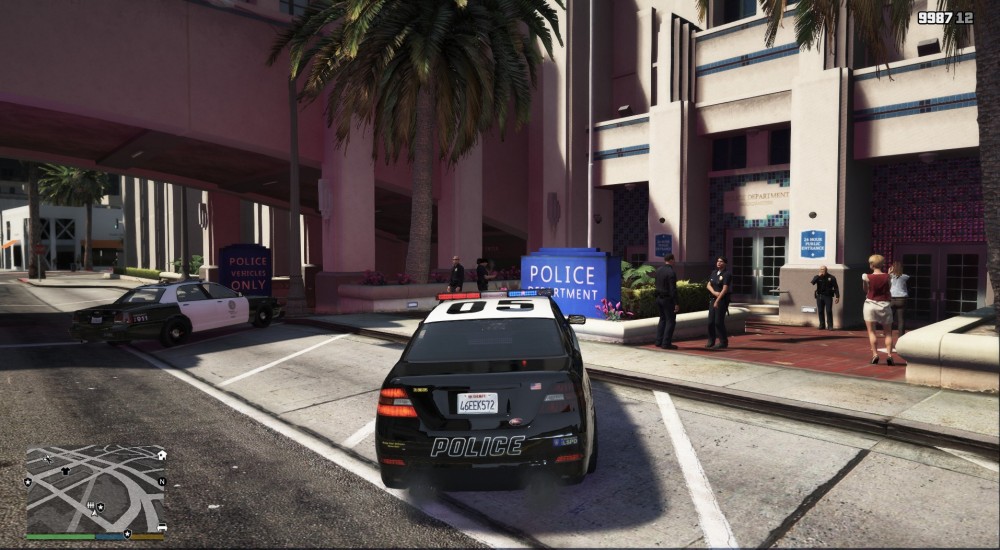
Hey there, as you might guess from the title, I have problems with the lightbars on some vanila vehicles, after I installed Natural Vision Remastered. Sadly it seems that some part of the lightbars (mainly the Interceptor and the back lights of the unmarked cruisers) do not work at all or a stuck in one pattern. What could cause this problem? It might not be that big of a deal but it's still annoying, so could anybody maybe help me out? For reference I've added some screenshots as attachment.
-
Everytime you guys release a new update, I feel like a child on christmas evening 😄 Keep up the good work, I'm really looking forward to lspdfr 0.4!
-
Oh man, this is like christmas! :D The only thing that is still missing are lspdfr trailers with songs from the Killers.
-
You guys just made my day :D
-
Hey, will the Incident Manager also apply to NPC units spawned by lspdfr?
-
Hey, no need to be sorry! I also had a relativ busy week, thanks to a SCBA course (Which I passed ), hence the late reply. But now back to topic. I reinstalled the game and as expected, the game still crashes. So, i searched a little bit and found this: [2016-12-04 14:39:09.859] [DISPLAY] Using DPI 96 [2016-12-04 14:39:09.962] [DISPLAY] File version 10000:36d0001 (for C:\Program Files (x86)\Steam\steamapps\common\Grand Theft Auto V\GTA5.exe) [2016-12-04 14:39:10.057] [DISPLAY] File version 10002:8 (for C:\Program Files\Rockstar Games\Social Club\socialclub.dll) [2016-12-04 14:39:10.125] [DISPLAY] File version 10000:3960001 (for C:\Program Files (x86)\Steam\steamapps\common\Grand Theft Auto V\GTAVLauncher.exe) [2016-12-04 14:39:10.149] [DISPLAY] Version: |1.0.877.1|1.2.0.8|1.0.918.1|FSP [2016-12-04 14:39:10.618] [DISPLAY] OS version: Major: 6, Minor: 1, Build: 7601, Platform: 2 [2016-12-04 14:39:11.276] [DISPLAY] Steam initialized successfully [2016-12-04 14:39:11.282] [DISPLAY] Steam id: 76561198030293028 [2016-12-04 14:39:11.288] [DISPLAY] Steam offline: FALSE [2016-12-04 14:39:11.294] [DISPLAY] Steam persona: Killerpommes98 [2016-12-04 14:39:11.327] [DISPLAY] Social Club initializing... [2016-12-04 14:39:11.944] [DISPLAY] Attempting to create device... [2016-12-04 14:39:11.951] [DISPLAY] Attempting to initialise DX9 COM object... [2016-12-04 14:39:11.968] [DISPLAY] Window size: 690 x 496 [2016-12-04 14:39:12.616] [DISPLAY] Successfully created DX Device! [2016-12-04 14:39:14.417] [DISPLAY] Geo: DE [2016-12-04 14:39:21.341] [DISPLAY] Launching game... [2016-12-04 14:39:21.347] [DISPLAY] (path: C:\Program Files (x86)\Steam\steamapps\common\Grand Theft Auto V\GTA5.exe cmdline: "C:\Program Files (x86)\Steam\steamapps\common\Grand Theft Auto V\GTA5.exe") [2016-12-04 14:39:39.708] [WARNING] Device lost. [2016-12-04 14:39:39.708] [WARNING] Resetting device... [2016-12-04 14:39:40.106] [WARNING] Reset failed with D3DERR_DEVICELOST. [2016-12-04 14:40:50.824] [WARNING] Resetting device... [2016-12-04 14:40:51.574] [ ERROR ] GameComm: ReadFile failed. [2016-12-04 14:40:51.812] [DISPLAY] Reset succeeded. [2016-12-04 14:40:51.921] [DISPLAY] Game exited with code 0xc0000005 [2016-12-04 14:40:51.922] [ ERROR ] Unable to stat out-file! [2016-12-04 14:40:51.925] [ ERROR ] ************************************************************************ [2016-12-04 14:40:51.925] [ ERROR ] * Setting error condition [2016-12-04 14:40:51.925] [ ERROR ] * Category: 1 (ERROR_CATEGORY_LAUNCHER) [2016-12-04 14:40:51.926] [ ERROR ] * Code: 107 (LAUNCHER_ERR_GAME_CRASHED) [2016-12-04 14:40:51.926] [ ERROR ] * Extra: [2016-12-04 14:40:51.926] [ ERROR ] * Localised: Fehler beim Starten. Code: 107 [2016-12-04 14:40:51.926] [ ERROR ] ************************************************************************ [2016-12-04 14:40:51.929] [ ERROR ] Unable to read out-file! [2016-12-04 14:40:51.932] [ ERROR ] ************************************************************************ [2016-12-04 14:40:51.932] [ ERROR ] * Setting error condition [2016-12-04 14:40:51.933] [ ERROR ] * Category: 5 (ERROR_CATEGORY_EXIT_CODE) [2016-12-04 14:40:51.933] [ ERROR ] * Code: -1073741819 (c0000005) [2016-12-04 14:40:51.934] [ ERROR ] * Extra: [2016-12-04 14:40:51.934] [ ERROR ] * Localised: Grand Theft Auto V wurde unerwartet beendet. I hope that helps resolving my issue.
-
Hey, it's my first installation of the game. Oh and almost forgot, there was in fact a small problem signature attached to the message. Could that help you? (it's in german btw)
-
Hey, yes, after the game crashes, an error message appears, which states that gta 5 has stopped working.
-
Hello everyone, like the title suggests, my game crashes shortly after I start playing. Some of those crashes happened after only 30 seconds and less , while other crashes took place around 5 minutes. My question now is, what could possibly cause these crashes and what do you guys need, to help me solve the problem? For your information: - the game is newly installed (no mods, no Ragehook) - I have the stam version - I tried dx 10 -> nothing - I verified the game multiple times -> nothing -the prologe in North Yankton runs fine I would really appreciate it, if you could help me Best regards, Officer T.
-
 Yup
Yup -
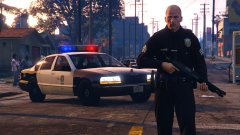
Nope. I could be wrong, but I think that's a slightly changed version of that wannabe chevy caprice from Max Payne 3.
-
-
-
-
-



